آموزش مجموعه کامل مایکروسافت آفیس: اکسل، ورد، پاورپوینت و اکسس - آخرین آپدیت
دانلود Ultimate Microsoft Office; Excel, Word, PowerPoint & Access
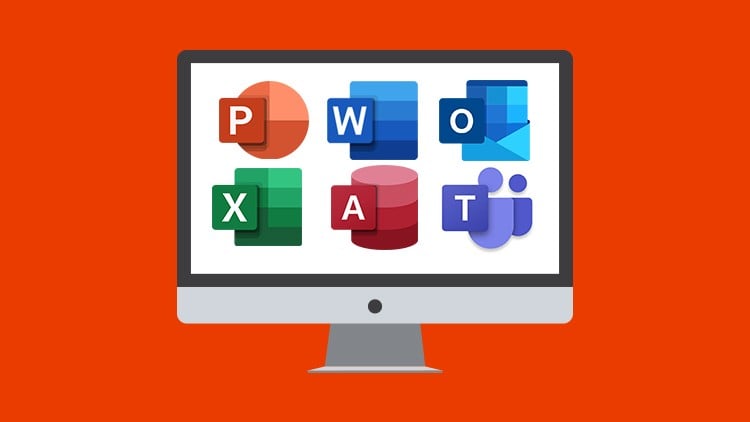
آموزش جامع Microsoft Office (شامل Excel، Word، PowerPoint، Outlook، Teams و Access) در یک بسته نه دورهای!
بهترین دوره برای یادگیری مهارتهای اساسی تا پیشرفته Microsoft Office 365 و Office 2019
آیا به دنبال یادگیری Microsoft Office هستید؟ این بسته آموزشی بینظیر به شما کمک میکند تا مهارتهای خود را در Excel، Word، PowerPoint، Outlook، Teams و Access به سطح بالاتری برسانید.
ویژگیهای برجسته این بسته آموزشی:
- نه دوره کامل: شامل دورههای آموزشی جامع و کاربردی برای هر یک از نرمافزارهای Office
- از مبتدی تا پیشرفته: مناسب برای تمام سطوح، از مبتدی تا حرفهای
- تمرینهای عملی: همراه با تمرینهای عملی برای تثبیت آموختهها
- دسترسی مادامالعمر: به محتوای دوره به صورت نامحدود دسترسی خواهید داشت
در این دورهها چه میآموزید؟
Microsoft Excel:
- مبانی کار با اکسل: ایجاد و ویرایش کاربرگها، وارد کردن دادهها، فرمولنویسی
- توابع پیشرفته: کار با توابع آماری، مالی، جستجو و منطقی
- نمودارها و جداول: ایجاد نمودارهای جذاب و جداول Pivot برای تحلیل دادهها
- بهینهسازی: استفاده از ابزارهای Autofill و Flashfill برای افزایش بهرهوری
- پشتیبانگیری: روشهای پشتیبانگیری و بازیابی اطلاعات اکسل
Microsoft Word:
- مبانی ورد: ایجاد و ویرایش اسناد، قالببندی متن و پاراگراف
- ابزارهای پیشرفته: کار با سرصفحهها، پاصفحهها، حاشیهها و واترمارکها
- ادغام پستی: ایجاد ادغام پستی برای ارسال ایمیلهای شخصیسازی شده
- چاپ: چاپ صحیح پاکتها و برچسبها
- امنیت: محافظت از اسناد در برابر تغییرات
- تصاویر: درج تصاویر و گرافیکهای حرفهای
- جداول: ایجاد و ویرایش جداول برای ارائه اطلاعات
Microsoft PowerPoint:
- مبانی پاورپوینت: ایجاد اسلایدها، افزودن متن و تصاویر
- گرافیک و شکلها: استفاده از شکلها و گرافیکها برای جذابتر کردن ارائهها
- نمودارها: افزودن نمودارها و جداول برای نمایش اطلاعات بصری
- انیمیشن و صدا: اضافه کردن انیمیشن، صدا و ویدیو برای جذابیت بیشتر
- نکات ارائه: نکات کاربردی برای ارائه موفق
- صرفهجویی در زمان: تکنیکهای کپی اسلایدها و خروجی گرفتن از ارائهها
Microsoft Access:
- مبانی اکسس: ایجاد پایگاه داده، جداول و فرمها
- پرس و جوها: پرس و جوی اطلاعات و گزارشگیری
- وارد کردن دادهها: وارد کردن دادهها از Excel
- پشتیبانگیری: فشردهسازی، تعمیر و پشتیبانگیری از پایگاه داده
- جداول لینک شده: ایجاد جداول لینک شده
Microsoft Outlook:
- تنظیمات اولیه: راهاندازی و تنظیمات اولیه Outlook
- ارسال و دریافت ایمیل: مدیریت ایمیلها
- سازماندهی: سازماندهی و مدیریت ایمیلها، پرچمگذاری و قالببندی شرطی
- وظایف و یادآوریها: ایجاد و مدیریت وظایف و یادآوریها
- امضا و دکمههای رای: استفاده از امضا و دکمههای رای
- دفترچه آدرس: افزودن، مدیریت و جستجوی مخاطبین
- تقویم: کار با تقویم Outlook، ایجاد جلسات و قرار ملاقاتها
- یادداشتها: ایجاد یادداشتها و لینک کردن Outlook به OneNote
Microsoft Teams:
- راهاندازی: دانلود، نصب و راهاندازی Teams
- ایجاد تیم: ایجاد تیم و مدیریت اعضا و کانالها
- پیامها: ارسال و دریافت پیامهای عمومی و خصوصی
- تماس صوتی و تصویری: برنامهریزی و انجام تماسهای صوتی و تصویری
- برنامهها و باتها: استفاده از برنامهها، باتها و کانکتورها
پیشنیازها:
نصب نرمافزارهای Excel, Word, PowerPoint, Access, Teams و Outlook روی سیستم شما. ترجیحاً Office 2019 یا Office 365.
این دوره شامل:
- ساعتها آموزش ویدیویی
- صدها آموزش ویدیویی مجزا
- فایلهای تمرینی برای تمرین آموختهها
- گواهی پایان دوره
- نه دوره کامل Microsoft
همین امروز شروع کنید و مهارتهای Microsoft Office خود را به سطح بالاتری برسانید!
Excel 2019: مقدمه Excel 2019: Introduction
-
مقدمه ای بر اکسل Intro to Excel
-
مرا تماشا کنید: اطلاعات ضروری برای یک تجربه آموزشی موفق WATCH ME: Essential Information for a Successful Training Experience
-
فایل های تمرین دوره Course Exercise Files
-
رونوشت قابل دانلود دوره Downloadable Course Transcript
-
چه چیزهای جدیدی در اکسل 2019 وجود دارد؟ What's New In Excel 2019
-
مروری بر دوره Course Overview
-
مروری بر پنجره اکسل Overview of the Excel window
-
ویژگیهای ماوس Mouse-Features
-
نمای پشت صحنه Back Stage View
-
آزمون بخش Section Quiz
آشنایی با اکسل 2019: ایجاد کارپوشهها Excel 2019 Beginner: Creating Workbooks
-
وارد کردن متن و اعداد Entering Text and Numbers
-
ایجاد فرمولهای اساسی Creating Basic Formulas
-
مراجع نسبی Relative References
-
ترتیب انجام عملیات Order of Operations
-
کار با محدودهها Working with Ranges
-
تمرین عملی ماژول 2 Module 2 - Practice Exercise
-
آزمون بخش Section Quiz
آشنایی با اکسل 2019: ذخیره کردن کارپوشهها Excel 2019 Beginner: Saving Workbooks
-
کار با دستورات Save و Save As Working with the Save and Save As Commands
-
پسوندهای فایل، اشتراکگذاری، خروجی گرفتن و انتشار فایلها File Extensions, Share, Export and Publish Files
-
تمرین عملی ماژول 3 Module 3 - Practice Exercise
-
آزمون بخش Section Quiz
آشنایی با اکسل 2019: پیمایش در کارپوشهها Excel 2019 Beginner: Navigating Workbooks
-
باز کردن یک فایل Opening a File
-
کار با فایلهای بزرگتر Working with Larger Files
-
گزینه Freeze Panes (تثبیت قابها) Freeze Panes Option
-
گزینه Split Screen (صفحه نمایش تقسیم شده) Split Screen Option
-
تمرین عملی ماژول 4 Module 4 - Practice Exercise
-
آزمون بخش Section Quiz
آشنایی با اکسل 2019: تنظیمات صفحه و گزینههای چاپ Excel 2019 Beginner: Page Setup & Print Options
-
سرصفحهها و پاصفحهها Headers and Footers
-
عنوانهای چاپی Print Titles
-
نظرات Comments
-
گزینههای تنظیم صفحه Page Setup Options
-
متناسب کردن برای چاپ در یک صفحه Fit to Print on One Page
-
چاپ کارپوشهها Printing Workbooks
-
تمرین عملی ماژول 5 Module 5 - Practice Exercise
-
آزمون بخش Section Quiz
آشنایی با اکسل 2019: کار با سطرها، ستونها و سلولها Excel 2019 Beginners: Working with Rows, Columns and Cells
-
اضافه و حذف کردن سطرها، ستونها و سلولها Adding and deleting rows columns and cells
-
تغییر عرض ستون و سطر Changing Column and-Row Widths
-
تمرین عملی ماژول 6 Module 6 - Practice Exercise
-
آزمون بخش Section Quiz
آشنایی با اکسل 2019: انتقال دادهها Excel 2019 Beginners: Moving Data
-
برش، کپی و جایگذاری Cut, Copy and Paste
-
کپی کردن فرمولها Copying Formulas
-
تمرین عملی ماژول 7 Module 7 - Practice Exercise
-
آزمون بخش Section Quiz
آشنایی با اکسل 2019: فرمولها و توابع Excel 2019 Beginners: Formulas & Functions
-
مروری بر فرمولها Overview of Formulas
-
ایجاد فرمولها با استفاده از توابع – قسمت 1 Create Formulas Using Functions Part 1
-
ایجاد فرمولها با استفاده از توابع – قسمت 2 Create Formulas Using Functions Part 2
-
مقادیر مطلق Absolute Values
-
تمرین عملی ماژول 8 Module 8 - Practice Exercise
-
آزمون بخش Section Quiz
آشنایی با اکسل 2019: کار با شیتها Excel 2019 Beginner: Working with Sheets
-
اضافه کردن، حذف کردن و تغییر نام شیتها Adding Deleting and Renaming Sheets
-
گزینههای اضافی تب شیت Additional Sheet Tab Options
-
فرمولهای سه بعدی 3 Dimensional Formulas
-
تمرین عملی ماژول 9 Module 9 - Practice Exercise
-
آزمون بخش Section Quiz
آشنایی با اکسل 2019: قالببندی ورکشیتها Excel 2019 Beginner: Formatting Worksheets
-
قالببندی سلولها – قسمت 1 Formatting Cells Part 1
-
قالببندی سلولها – قسمت 2 Formatting Cells Part 2
-
قالببندی اعداد Formatting Numbers
-
حاشیهها و سایهگذاری Borders and Shading
-
قالببندی به عنوان جدول Format as Table
-
استفاده از استایلها Using Styles
-
استفاده از Format Painter (رنگپاش) Using Format Painter
-
محافظت از شیتها Protecting Sheets
-
Fill Handle و لیستهای سفارشی Fill Handle and Custom Lists
-
تمرین عملی ماژول 10 Module 10 - Practice Exercise
-
آزمون بخش Section Quiz
آشنایی با اکسل 2019: نمودارها Excel 2019 Beginner: Charts
-
ایجاد نمودارها Creating Charts
-
انواع نمودارها Types of Charts
-
ویرایش نمودارها – قسمت 1 Editing Charts Part 1
-
ویرایش نمودارها – قسمت 2 Editing Charts Part 2
-
استفاده از گرافیک برای بهبود نمودارها Using Graphics to Enhance Charts
-
پیوند دادن عنوان نمودار Linking Chart Titles
-
تمرین عملی ماژول 11 Module 11 - Practice Exercise
-
آزمون بخش Section Quiz
آشنایی با اکسل 2019: کار با نامها Excel 2019 Beginner: Working with Names
-
ایجاد نام برای محدوده Creating Range Names
-
مدیریت نامها Managing Names
-
استفاده از نامها در فرمولها Using Names in Formulas
-
تمرین عملی ماژول 12 Module 12 - Practice Exercise
-
آزمون بخش Section Quiz
آشنایی با اکسل 2019: مرتبسازی و فیلتر کردن Excel 2019 Beginner: Sorting and Filtering
-
حذف موارد تکراری Remove Duplicates
-
مرتبسازی دادهها Sort Data
-
فیلتر کردن دادهها Filter Data
-
فیلترهای پیشرفته Advanced Filters
-
تمرین عملی ماژول 13 Module 13 - Practice Exercise
-
آزمون بخش Section Quiz
آشنایی با اکسل 2019: طرح کلی و جمع جزء Excel 2019 Beginner: Outlining and Subtotaling
-
ایجاد یک طرح کلی Creating an Outline
-
جمع جزء Subtotals
-
تمرین عملی ماژول 14 Module 14 - Practice Exercise
-
آزمون بخش Section Quiz
آشنایی با اکسل 2019: کار با نماها Excel 2019 Beginner: Working with Views
-
مرتب کردن فایلها Arranging Files
-
گزینه New Window (پنجره جدید) New Window Option
-
نماهای سفارشی Custom Views
-
تمرین عملی ماژول 15 Module 15 - Practice Exercise
-
آزمون بخش Section Quiz
آشنایی با اکسل 2019: پیوند دادن فایلها Excel 2019 Beginner: Linking Files
-
ایجاد فرمول بین فایلها Creating Formulas Between File
-
کار با لینکها Working with Links
-
ادغام دادهها Consolidating Data
-
تمرین عملی ماژول 16 Module 16 - Practice Exercise
-
آزمون بخش Section Quiz
آشنایی با اکسل 2019: ایجاد فرمول پیشرفته Excel 2019 Beginner: Advanced Formula Creation
-
دستورات If If Statements
-
VLookups VLookups
-
اعتبارسنجی دادهها (Data Validation) Data Validation
-
ممیزی فرمول (Formula Auditing) Formula Auditing
-
تمرین عملی ماژول 17 Module 17 - Practice Exercise
-
آزمون بخش Section Quiz
آشنایی با اکسل 2019: جداول محوری (Pivot Tables) Excel 2019 Beginner: Pivot Tables
-
جداول محوری Pivot Tables
-
نمودارهای محوری (Pivot Charts) Pivot Charts
-
تمرین عملی ماژول 18 Module 18 - Practice Exercise
-
آزمون بخش Section Quiz
آشنایی با اکسل 2019: ویژگیهای اضافی اکسل Excel 2019 Beginner: Additional Excel Features
-
اسلایسرها Slicers
-
Goal Seeker (هدفیاب) Goal Seeker
-
تبدیل متن به ستونها Text to Columns
-
Watch Window (پنجره نظارت) Watch Window
-
سفارشیسازی ریبونها و تبها Customizing Ribbons and Tabs
-
تمرین عملی ماژول 19 Module 19 - Practice Exercise
-
آزمون بخش Section Quiz
آشنایی با اکسل 2019: میانبرها Excel 2019 Beginner: Shortcuts
-
میانبرهای اکسل که هر کاربری باید بداند Excel Shortcuts Every User Should Know
آشنایی با اکسل 2019: بستن Excel 2019 Beginner: Closing
-
ویدیوی اختتامیه Closing Video
اکسل 2019 پیشرفته: مقدمه ای بر دوره پیشرفته Excel 2019 Advanced: Intro to Advanced Course
-
مقدمه ای بر دوره Introduction to the Course
-
مرا تماشا کنید: اطلاعات ضروری برای یک تجربه آموزشی موفق WATCH ME: Essential Information for a Successful Training Experience
-
فایل های تمرین دوره پیشرفته اکسل 2019 Excel 2019 Advanced Course Exercise Files
-
فایل های دموی دوره پیشرفته اکسل 2019 Excel 2019 Advanced Course Demo Files
-
رونوشت های قابل دانلود دوره Downloadable Course Transcripts
-
ساختار دوره Course Structure
اکسل 2019 پیشرفته: توابع Excel 2019 Advanced: Functions
-
توابع - قسمت 1 Functions - Part 1
-
توابع - قسمت 2 Functions - Part 2
-
Autosum (جمع خودکار) Autosum
-
آزمون بخش Section Quiz
اکسل 2019 پیشرفته: توابع تاریخ و زمان Excel 2019 Advanced: Date and Time Functions
-
نحوه کار تاریخ و زمان How Date and Time Works
-
توابع اصلی تاریخ و زمان Basic Date and Time Functions
-
توابع پیچیده تاریخ و زمان Complex Date and Time Functions
-
آزمون بخش Section Quiz
اکسل 2019 پیشرفته: توابع متن Excel 2019 Advanced: Text Functions
-
استفاده از توابع متن - قسمت 1 Using Text Functions - Part 1
-
استفاده از توابع متن - قسمت 2 Using Text Functions - Part 2
-
آزمون بخش Section Quiz
اکسل 2019 پیشرفته: توابع منطقی Excel 2019 Advanced: Logical Functions
-
توابع منطقی Logical Functions
-
تمرین 01 Exercise 01
-
آزمون بخش Section Quiz
اکسل 2019 پیشرفته: توابع جستجو Excel 2019 Advanced: Lookup Functions
-
توابع جستجو - قسمت 1 Lookup Functions - Part 1
-
توابع جستجو - قسمت 2 Lookup Functions - Part 2
-
تمرین 02 Exercise 02
-
آزمون بخش Section Quiz
اکسل 2019 پیشرفته: توابع مالی Excel 2019 Advanced: Financial Functions
-
اصطلاحات و توابع مالی Financial Functions and Terminology
-
توابع مالی شخصی Personal Financial Functions
-
پرداختهای اصل و فرع Principal and Interest Payments
-
استهلاک Depreciation
-
تمرین 03 Exercise 03
-
آزمون بخش Section Quiz
اکسل 2019 پیشرفته: توابع آماری Excel 2019 Advanced: Statistical Functions
-
توابع آماری برای توصیف - قسمت 1 Statistical Functions for Description - Part 1
-
توابع آماری برای توصیف - قسمت 2 Statistical Functions for Description - Part 2
-
توابع آماری برای پیشبینی - قسمت 1 Statistical Functions for Forecasting - Part 1
-
توابع آماری برای پیشبینی - قسمت 2 Statistical Functions for Forecasting - Part 2
-
تمرین 04 Exercise 04
-
پیشبینی با یک کلیک One Click Forecasting
-
توابع آماری برای استنباط Statistical Functions for Inference
-
آزمون بخش Section Quiz
اکسل 2019 پیشرفته: اتصال به دادههای خارجی Excel 2019 Advanced: Connecting to External Data
-
اتصال به سایر کارپوشهها Connecting to Other workbooks
-
اتصال به پایگاههای داده Access Connecting to Access Databases
-
اتصال به منابع داده وب Connecting Web Data Sources
-
دریافت و تبدیل (Get and Transform) Get and Transform
-
تمرین 05 Exercise 05
-
آزمون بخش Section Quiz
اکسل 2019 پیشرفته: جداول Excel 2019 Advanced: Tables
-
مقدمه ای بر جداول Introduction to Tables
-
کار با جداول Working with Tables
-
مراجع جدول Table References
-
استایلهای جدول Table Styles
-
تمرین 6 Exercise 6
-
آزمون بخش Section Quiz
اکسل 2019 پیشرفته: جداول محوری Excel 2019 Advanced: Pivot Tables
-
مقدمه ای بر جداول محوری Introduction to Pivot Tables
-
کار با جداول محوری Working with Pivot Tables
-
فیلترها و اسلایسرها Filters and Slicers
-
Pivot و Charts Pivot and Charts
-
تمرین 07 Exercise 07
-
آزمون بخش Section Quiz
اکسل 2019 پیشرفته: تحلیل داده Excel 2019 Advanced: Data Analysis
-
تحلیل "چه می شود اگر" (What-If Analysis) What If Analysis
-
مدیر سناریو (Scenario Manager) Scenario Manager
-
Goal Seek (هدفیابی) Goal Seek
-
Solver (حل کننده) Solver
-
تمرین 08 Exercise 08
-
آزمون بخش Section Quiz
اکسل 2019 پیشرفته: نمودارها و گرافها Excel 2019 Advanced: Graphs and Charts
-
نمودارهای ناحیه ای (Area Charts) Area Charts
-
نمودارهای سطحی (Surface Charts) Surface Charts
-
نمودارهای راداری (Radar Charts) Radar Charts
-
نمودارهای حبابی (Bubble Charts) Bubble Charts
-
Sparklines Sparklines
-
نمودارهای سهام (Stock Charts) Stock Charts
-
تمرین 9 Exercise 9
-
آزمون بخش Section Quiz
اکسل 2019 پیشرفته: برنامه وب اکسل (Excel Web App) Excel 2019 Advanced: Excel Web App
-
برنامه وب - قسمت 1 Web App - Part 1
-
برنامه وب - قسمت 2 Web App - Part 2
-
آزمون بخش Section Quiz
اکسل 2019 پیشرفته: نتیجه گیری دوره Excel 2019 Advanced: Course Conclusion
-
بستن Close
Word 2019: مقدمه Word 2019: Introduction
-
خوش آمدگویی و مرور کلی Welcome and Overview
-
مرا تماشا کنید: اطلاعات ضروری برای یک تجربه آموزشی موفق WATCH ME: Essential Information for a Successful Training Experience
-
فایل های تمرین دوره Course exercise files
-
رونوشت های قابل دانلود دوره Downloadable Course Transcripts
-
مروری بر صفحه MS Word Overview of the MS Word Screen
-
نمای پشت صحنه The Backstage View
Word 2019: شروع کار با Word Word 2019: Getting Started with Word
-
ایجاد یک سند خالی جدید Creating a New Blank Document
-
کار با کاراکترهای غیر چاپی و فاصله بین خطوط Working with Non-Printing Characters and Line Spacing
-
ذخیره یک سند Saving a Document
-
باز کردن یک سند Opening a Document
-
پیمایش یک سند Navigating a Document
-
برو به (Go To)، پیدا کردن (Find) و جایگزین کردن (Replace) Go To, Find and Replace
-
ویرایش یک سند Editing a Document
-
تمرین عملی Practice Exercise
-
آزمون بخش Section Quiz
Word 2019: قالببندی کاراکتر Word 2019: Character Formatting
-
گزینههای AutoCorrect AutoCorrect Options
-
انتخاب متن Selecting Text
-
برش، کپی و جایگذاری Cut, Copy and Paste
-
گزینه های قالببندی کاراکتر Character Formatting Options
-
Format Painter (رنگپاش) Format Painter
-
کار با اعداد Working with Numbers
-
کار با گلولهها (Bullets) Working with Bullets
-
ایجاد یک طرح کلی Creating an Outline
-
تمرین عملی Practice Exercise
Word 2019: قالببندی پاراگراف Word 2019: Paragraph Formatting
-
گزینه های ترازبندی Alignment Options
-
گزینه های فاصله خطوط Line Spacing Options
-
کار با تورفتگی ها Working with Indents
-
کار با تبها Working with Tabs
-
تمرین عملی Practice Exercise
-
آزمون بخش Section Quiz
Word 2019: مدیریت لیستها Word 2019: Managing Lists
-
مرتب سازی یک لیست Sorting a List
Word 2019: جداول Word 2019: Tables
-
کار با جداول Working with Tables
-
ایجاد یک جدول Creating a Table
-
افزودن سطرها و ستونها به یک جدول Adding Rows and Columns to a Table
-
قالببندی دادههای جدول Formatting Table Data
-
حاشیهها و سایهگذاری Borders and Shading
-
مرتب سازی در یک جدول Sorting in a Table
-
نقاشی در یک جدول Drawing in a Table
-
تبدیل دادههای موجود به یک جدول Converting Existing Data to a Table
-
جداول سریع Quick Tables
-
استفاده از فرمولها در جداول Using Formulas in Tables
-
تمرین عملی Practice Exercise
-
آزمون بخش Section Quiz
Word 2019: استایلها Word 2019: Styles
-
کار با استایلها Working with Styles
-
ایجاد استایلها Creating Styles
-
ویرایش استایلها Editing Styles
-
تمرین عملی Practice Exercise
-
آزمون بخش Section Quiz
Word 2019: کنترل ظاهر صفحه Word 2019: Controlling Page Appearance
-
کار با Page Breaks (قطع صفحه) Working with Page Breaks
-
کار با ستونها Working with Columns
-
افزودن یک Watermark Adding a Watermark
-
سرصفحه ها و پاصفحه ها Headers and Footers
-
آزمون بخش Section Quiz
Word 2019: بخشبندی (Sectioning) Word 2019: Sectioning
-
بخشبندی چیست؟ What is Sectioning?
-
بخشبندی یک سند Sectioning a document
-
بخشهای فرد و زوج Odd and Even Sections
-
تمرین عملی Practice Exercise
-
آزمون بخش Section Quiz
Word 2019: گرافیک Word 2019: Graphics
-
وارد کردن تصاویر Inserting Pictures
-
وارد کردن تصاویر به اسناد موجود Inserting Pictures into Existing Documents
-
گزینههای تصویر Picture Options
-
کار با اشکال Working with Shapes
-
آیکونها و مدلهای سه بعدی Icons and 3D Models
-
SmartArt، نمودارها و Screenshots SmartArt, Charts and Screenshots
-
تمرین عملی Practice Exercise
-
آزمون بخش Section Quiz
Word 2019: پاکتها و برچسبها Word 2019: Envelopes and Labels
-
کار با پاکتها Working with Envelopes
-
کار با برچسبها Working with Labels
-
آزمون بخش Section Quiz
Word 2019: ادغام پستی (Mail Merges) Word 2019: Mail Merges
-
ادغام پستی چیست؟ What is Mail Merge?
-
ایجاد یک سند ادغام پستی - قسمت 1 Creating a Mail Merge Document - Part 1
-
ایجاد یک سند ادغام پستی - قسمت 2 Creating a Mail Merge Document - Part 2
-
ادغام یک سند با یک منبع داده موجود Merging a Document with an Existing Data Source
-
ادغام پاکتها و برچسبها Merging Envelopes and Labels
-
ادغام یک Directory Merging a Directory
-
تمرین عملی Practice Exercise
-
آزمون بخش Section Quiz
Word 2019: گزینههای تنظیم صفحه Word 2019: Page Setup Options
-
Building Blocks Building Blocks
-
Auto Text Auto Text
-
تمرین عملی Practice Exercise
-
آزمون بخش Section Quiz
Word 2019: فهرست مطالب و نمایه سازی Word 2019: Indexing and Table of Contents
-
ایجاد یک نمایه Creating an Index
-
ایجاد یک فهرست مطالب Creating a Table of Contents
-
تمرین عملی Practice Exercise
-
آزمون بخش Section Quiz
Word 2019: بررسی و چاپ Word 2019: Review and Printing
-
استفاده از Thesaurus و Spell Check Using the Thesaurus and Spell Check
-
نظرات Comments
-
گزینههای تنظیم صفحه Page Setup Options
-
چاپ Printing
-
تمرین عملی Practice Exercise
-
آزمون بخش Section Quiz
Word 2019: سایر گزینههای Word Word 2019: Other Word Options
-
گزینه های Word Word Options
-
محافظت از یک سند Protecting a Document
-
ماکروها Macros
Word 2019: جمعبندی Word 2019: Wrap Up
-
بستن Closing
PowerPoint 2019: مقدمه دوره PowerPoint 2019: Course Introduction
-
خوش آمد گویی و مرور کلی Welcome and Overview
-
مرا تماشا کنید: اطلاعات ضروری برای یک تجربه آموزشی موفق WATCH ME: Essential Information for a Successful Training Experience
-
فایلهای تمرین دوره Course Exercise Files
-
رونوشتهای قابل دانلود دوره Downloadable Course Transcripts
PowerPoint 2019: مرور کلی PowerPoint 2019: Overview
-
پیمایش یک ارائه پاورپوینت Navigate a PowerPoint Presentation
-
مرور کلی صفحه و نماها Overview of the Screen and Views
-
تمرین 1 Exercise 1
PowerPoint 2019: شروع به کار PowerPoint 2019: Getting Started
-
نکات و دستورالعملهای ارائه Presentation Tips and Guidelines
-
ایجاد یک ارائه جدید Creating a New Presentation
-
کار با اسلایدها Working with Slides
-
ذخیره یک ارائه Saving a Presentation
-
تمرین 02 Exercise 02
-
آزمون بخش Section Quiz
PowerPoint 2019: گزینه های ویرایش متن و گلوله PowerPoint 2019: Text and Bullet Editing Options
-
قالببندی متن Formatting Text
-
کار با گلولهها و لیستهای شمارهدار Working with Bullets and Numbered Lists
-
تمرین 03 Exercise 03
-
آزمون بخش Section Quiz
PowerPoint 2019: اضافه کردن گرافیک PowerPoint 2019: Adding Graphics
-
وارد کردن اشکال Inserting Shapes
-
وارد کردن گرافیک Inserting Graphics
-
وارد کردن آیکونها و مدلهای سه بعدی Inserting Icons and 3D Models
-
وارد کردن تصاویر Inserting Pictures
-
تمرین 04 Exercise 04
-
آزمون بخش Section Quiz
PowerPoint 2019: کار با اشیاء PowerPoint 2019: Working with objects
-
انتخاب اشیاء Selecting Objects
-
ویرایش اشیاء Editing Objects
-
قالببندی اشیاء - قسمت 1 Formatting Objects - Part 1
-
قالببندی اشیاء - قسمت 2 Formatting Objects - Part 2
-
مرتب کردن اشیاء Arranging Objects
-
گروهبندی اشیاء Grouping Objects
-
تمرین 05 Exercise 05
-
آزمون بخش Section Quiz
PowerPoint 2019: ویرایش تصاویر PowerPoint 2019: Editing pictures
-
گزینههای تصویر Picture Options
-
برش تصاویر Cropping Pictures
-
قالببندی تصاویر Formatting Pictures
-
کارهایی که می توانید با تصاویر انجام دهید Things You Can Do with Pictures
-
تمرین 06 Exercise 06
-
آزمون بخش Section Quiz
PowerPoint 2019: کار با SmartArt PowerPoint 2019: Working with SmartArt
-
ایجاد SmartArt Creating SmartArt
-
اصلاح SmartArt Modifying SmartArt
-
ایجاد فلوچارت با استفاده از SmartArt Creating a Flowchart using SmartArt
-
تمرین 07 Exercise 07
-
آزمون بخش Section Quiz
PowerPoint 2019: کار با جداول PowerPoint 2019: Working with Tables
-
ایجاد جداول Creating Tables
-
قالببندی جداول Formatting Tables
-
وارد کردن جداول Inserting Tables
-
تمرین 08 Exercise 08
-
آزمون بخش Section Quiz
PowerPoint 2019: کار با نمودارها PowerPoint 2019: Working with Charts
-
اضافه کردن نمودارها Adding Charts
-
قالببندی نمودارها Formatting Charts
-
وارد کردن نمودارها از Microsoft Excel Inserting Charts from Microsoft Excel
-
تمرین 09 Exercise 09
-
آزمون بخش Section Quiz
PowerPoint 2019: فعال کردن قدرت مسترها PowerPoint 2019: Unlocking the Power of Masters
-
استفاده از اسلایدهای Master Using Master Slides
-
اصلاح اسلایدهای Master Modifying Master Slides
-
ایجاد یک قالب Master Design جدید Creating a New Master Design Template
-
تمرین 10 Exercise 10
-
آزمون بخش Section Quiz
PowerPoint 2019: اضافه کردن رسانه PowerPoint 2019: Adding Media
-
اضافه کردن ویدئو به یک ارائه Adding Video to a Presentation
-
اضافه کردن صدا به یک ارائه Adding Audio to a Presentation
-
تمرین 11 Exercise 11
-
آزمون بخش Section Quiz
PowerPoint 2019: کار با Transition ها PowerPoint 2019: Working with Transitions
-
اعمال Transition ها Applying Transitions
-
گزینههای Transition Transition Options
-
تمرین 12 Exercise 12
-
آزمون بخش Section Quiz
PowerPoint 2019: انیمیشن PowerPoint 2019: Animation
-
ایجاد انیمیشن برای یک Object Animating an Object
-
گزینههای Effect Effect Options
-
کار با Animation Pane Working with the Animation Pane
-
Motion Paths Motion Paths
-
Triggers Triggers
-
تمرین 13 Exercise 13
-
آزمون بخش Section Quiz
PowerPoint 2019: Hyperlink ها و Action Buttons PowerPoint 2019: Hyperlinks and Action Buttons
-
کار با Action Buttons Working with Action Buttons
-
کار با Hyperlink ها Working with Hyperllinks
-
تمرین 14 Exercise 14
-
آزمون بخش Section Quiz
PowerPoint 2019: گزینههای Slideshow PowerPoint 2019: Slideshow Options
-
گزینههای ارائه Onscreen Onscreen Presentation Options
-
مخفی کردن اسلایدها Hiding Slides
-
تغییر ترتیب اسلایدها Changing the order of slides
-
کپی کردن اسلایدها Copying slides
-
گزینههای Slideshow Slideshow Options
-
تمرین 15 Exercise 15
PowerPoint 2019: آمادهسازی یک ارائه برای تحویل PowerPoint 2019: Preparing a presentation for delivery
-
Rehearse Timings Rehearse Timings
-
ضبط یک ارائه Recording a Presentation
-
تنظیمات Slide Show Slide Show Settings
-
ایجاد یک Slide Show سفارشی Creating a Custom Slide Show
-
تمرین 16 Exercise 16
PowerPoint 2019: بررسی قسمت Backstage PowerPoint 2019: Exploring the Backstage Area
-
گزینههای Export Exporting options
-
قسمت Backstage The Backstage Area
-
چاپ یک ارائه Printing a Presentation
-
تمرین 17 Exercise 17
PowerPoint 2019: پایان دوره PowerPoint 2019: Course Close
-
نتیجه گیری Conclusion
Access 2019 Beginners: مقدمه Access 2019 Beginners: Introduction
-
مقدمه ای بر Access 2019 Introduction to Access 2019
-
مرا تماشا کنید: اطلاعات ضروری برای یک تجربه آموزشی موفق WATCH ME: Essential Information for a Successful Training Experience
-
فایل های تمرین دوره Course Exercise Files
-
فایل های دمو دوره Course Demo Files
-
نسخه های قابل دانلود دوره Downloadable Course Transcripts
-
تهیه Access 2019 Acquiring Access 2019
-
ساختار دوره Structure of the Course
-
آزمون بخش Section Quiz
Access 2019 Beginners: شروع کار با Access 2019 Access 2019 Beginners: Getting Started with Access 2019
-
استفاده از Template های Database Using Database Templates
-
ایجاد، ذخیره و باز کردن Database ها Creating, Saving and Opening Databases
-
محیط کار Access و Backstage The Access Workspace and Backstage
-
راهنمای آنلاین و "به من بگویید چه می خواهید انجام دهید" Online Help and Tell Me What You Want To Do
-
آزمون بخش Section Quiz
Access 2019 Beginners: Ribbon و Toolbars Access 2019 Beginners: The Ribbon and Toolbars
-
کار با Ribbon Working with the Ribbon
-
Quick Access Toolbar The Quick Access Toolbar
-
Contextual Menus Contextual Menus
-
Status Bar The Status Bar
-
آزمون بخش Section Quiz
Access 2019 Beginners: Keyboard Shortcuts و Key Tip Access 2019 Beginners: Keyboard Shortcuts and Key Tip
-
Keyboard Shortcuts Keyboard Shortcuts
-
Key Tips Key Tips
-
آزمون بخش Section Quiz
Access 2019 Beginners: Access Options Access 2019 Beginners: Access Options
-
بررسی Access Options Exploring Access Options
-
آزمون بخش Section Quiz
Access 2019 Beginners: Tables Access 2019 Beginners: Tables
-
ایجاد یک Table و Fields Creating a Table and Fields
-
Indexed Field Indexed Field
-
Lookup Wizard Lookup Wizard
-
Numeric Fields Numeric Fields
-
تمرین 01 Practice Exercise 01
-
آزمون بخش Section Quiz
Access 2019 Beginners: Importing Data Access 2019 Beginners: Importing Data
-
وارد کردن داده از Excel Importing Data from Excel
-
تمرین 02 Practice Exercise 02
-
آزمون بخش Section Quiz
Access 2019 Beginners: Backup, Restore and Repair Access 2019 Beginners: Backup, Restore and Repair
-
تهیه نسخه پشتیبان از Database شما Backing up your Database
-
Compact and Repair Compact and Repair
-
آزمون بخش Section Quiz
Access 2019 Beginners: Datasheet View Access 2019 Beginners: Datasheet View
-
Design در Datasheet View Design in the Datasheet View
-
مرتب سازی و فیلتر کردن در Datasheet View Sorting and Filtering in Datasheet View
-
وارد کردن و اصلاح داده ها در Datasheet View Entering and Modifying Data in Datasheet View
-
آزمون بخش Section Quiz
Access 2019 Beginners: Relationships Access 2019 Beginners: Relationships
-
ایجاد یک Link Table Creating a Link Table
-
تنظیم Relationships Setting up Relationships
-
تمرین 03 Exercise 03
-
آزمون بخش Section Quiz
Access 2019 Beginners: Forms Access 2019 Beginners: Forms
-
ایجاد یک Form Creating a Form
-
اصلاح یک Form Modifying a Form
-
تمرین 04 Practice Exercise 04
-
Forms در Layout View Forms in Layout View
-
Forms در Design View Forms in Design View
-
Form Design Form Design
-
تمرین 05 Practice Exercise 05
-
آزمون بخش Section Quiz
Access 2019 Beginners: Subforms Access 2019 Beginners: Subforms
-
تنظیم Subforms - قسمت 1 Setting Up Subforms - Part 1
-
تنظیم Subforms - قسمت 2 Setting Up Subforms - Part 2
-
تنظیم Subforms - قسمت 3 Setting Up Subforms - Part 3
-
تمرین 06 Practice Exercise 06
-
آزمون بخش Section Quiz
Access 2019 Beginners: Queries Access 2019 Beginners: Queries
-
ایجاد یک Query Creating a Query
-
Joins Joins
-
Query Wizard Query Wizard
-
تمرین 07 Practice Exercise 07
-
آزمون بخش Section Quiz
Access 2019 Beginners: Expressions Access 2019 Beginners: Expressions
-
تنظیم Validations Setting Up Validations
-
محاسبه با استفاده از Expressions Calculation using Expressions
-
آزمون بخش Section Quiz
Access 2019 Beginners: Reports Access 2019 Beginners: Reports
-
Basic Reports Basic Reports
-
Report Design Report Design
-
Complex Reports Complex Reports
-
تمرین 08 Practice Exercise 08
-
آزمون بخش Section Quiz
Access 2019 Beginners: Printing Access 2019 Beginners: Printing
-
چاپ و ویژگی های چاپ Printing and Print Properties
-
آزمون بخش Section Quiz
Access 2019 Beginners: More Data Types Access 2019 Beginners: More Data Types
-
Yes/No، OLE Objects و Hyperlink Data Types Yes/No, OLE Objects and Hyperlink Data Types
-
آزمون بخش Section Quiz
Access 2019 Beginners: More About Forms Access 2019 Beginners: More About Forms
-
Form Controls Form Controls
-
Form Themes Form Themes
-
Navigation Forms Navigation Forms
-
آزمون بخش Section Quiz
Access 2019 Beginners: Exporting Access 2019 Beginners: Exporting
-
خارج کردن یک Access Database Exporting an Access Database
-
آزمون بخش Section Quiz
Access 2019 Beginners: Application Parts Access 2019 Beginners: Application Parts
-
اضافه کردن Application Parts به یک Database Adding Application Parts to a Database
Access 2019 Beginners: More Access Options Access 2019 Beginners: More Access Options
-
گزینه های اضافی Access 2019 Additional Access 2019 Options
-
آزمون بخش Section Quiz
Access 2019 Beginners: Info Tab Access 2019 Beginners: Info Tab
-
ویرایش ویژگی های Database و رمزگذاری با رمز عبور Edit Database Properties and Encrypt with Password
-
آزمون بخش Section Quiz
Access 2019 Beginners: Course Close Access 2019 Beginners: Course Close
-
پایان دوره Course Close
Access 2019 Advanced: مقدمه Access 2019 Advanced: Introduction
-
بررسی اجمالی و محتوای دوره Course Overview and Content
-
مرا تماشا کنید: اطلاعات ضروری برای یک تجربه آموزشی موفق WATCH ME: Essential Information for a Successful Training Experience
-
فایل های تمرین دوره Course Exercise Files
-
فایل های دمو دوره Course Demo Files
-
نسخه های قابل دانلود دوره Downloadable Course Transcripts
-
آزمون بخش Section Quiz
Access 2019 Advanced: Primary Keys and Indexes Access 2019 Advanced: Primary Keys and Indexes
-
کلیدهای اصلی و قوانین و دستورالعمل های Indexing Primary Keys and Indexing Rules and Guidelines
-
اطلاعات بیشتر درباره Indexes More About Indexes
-
آزمون بخش Section Quiz
Access 2019 Advanced: Using Datasheet View Access 2019 Advanced: Using Datasheet View
-
راه اندازی Database نورت ویند Setting-up Northwind Database
-
کار در Datasheet View Working in a Datasheet View
-
سفارشی سازی Datasheet View و مرتب سازی و فیلتر کردن پیشرفته Customizing Datasheet View and Advanced Sorting and Filtering
-
Subdatasheets Subdatasheets
-
تمرین 01 Exercise 01
-
آزمون بخش Section Quiz
Access 2019 Advanced: Linking to Other Access Databases Access 2019 Advanced: Linking to Other Access Databases
-
پیوند دادن دو جدول به سایر Database های Access Linking Two Tables to Other Access Databases
-
آزمون بخش Section Quiz
Access 2019 Advanced: Using ODBC and SQL Server Access 2019 Advanced: Using ODBC and SQL Server
-
تهیه و نصب SQL Server Express Acquiring and Installing SQL Server Express
-
تنظیم Database SQL Server Setting Up SQL Server Database
-
تمرین 02 Exercise 02
-
آزمون بخش Section Quiz
Access 2019 Advanced: Splitting an Access Database Access 2019 Advanced: Splitting an Access Database
-
تقسیم یک Database Access به Front-end و Back-end Splitting an Access Database into Front-end and Back-end
-
تبدیل جدول اشتراکی به جدول محلی؛ انتقال Database Back-end Converting Shared Table into Local Table; Moving Back-end Database
-
تمرین 03 Exercise 03
-
رسیدگی به مشکلات چند کاربره هنگام به اشتراک گذاری داده ها Addressing Multi-user Issues when Sharing Data
-
آزمون بخش Section Quiz
Access 2019 Aadvanced: Macros Access 2019 Aadvanced: Macros
-
مبانی Macros Basics of Macros
-
Macros در Events; AutoExec Macros on Events; AutoExec
-
اطلاعات بیشتر درباره AutoExec; Bypassing AutoExec More About AutoExec; Bypassing AutoExec
-
تنظیمات امنیتی Macro Macro Security Settings
-
تمرین 04 Exercise 04
-
آزمون بخش Section Quiz
Access 2019 Advanced: The Ribbon Access 2019 Advanced: The Ribbon
-
سفارشی سازی Ribbon و Quick Access Tool Customizing the Ribbon and Quick Access Tool
-
آزمون بخش Section Quiz
Access 2019 Advanced: Visual Basic for Applications Access 2019 Advanced: Visual Basic for Applications
-
تبدیل Macros به VBA; VBA Editor و Property Windows Convert Macros to VBA; VBA Editor and Property Windows
-
VBA Modules; اجرای کد و Error Handling VBA Modules; Running Code and Error Handling
-
ایجاد Modules; Subs, Functions, Intellisense و Variables Creating Modules; Subs, Functions, Intellisense and Variables
-
Scope، نامگذاری Variable و Strings Scope, Variable Naming and Strings
-
Standard Functions; Logical, Case و Loop Statements Standard Functions; Logical, Case and Loop Statements
-
آزمون بخش Section Quiz
Access 2019 Advanced: Access Events Model Access 2019 Advanced: Access Events Model
-
اضافه کردن Events به Database دارایی ها Adding Events to Assets Database
-
تمرین 05 Exercise 05
-
Common Events; Form و Report Events Common Events; Form and Report Events
-
Switchboard و Navigation Form; Error Handling Switchboard and Navigation Form; Error Handling
-
تمرین 06 Exercise 06
-
آزمون بخش Section Quiz
Access 2019 Advanced: Forms Access 2019 Advanced: Forms
-
قالب بندی Form Bound و Control Formatting Bound and Control Form
-
Split Forms; Macro Error Handling Split Forms; Macro Error Handling
-
ایجاد Form با Tab Creating Form with Tab
-
Go To Combo Box و خواص آن Go To Combo Box and Its Properties
-
تمرین 07 Exercise 07
-
آزمون بخش Section Quiz
Access 2019 Advanced: Advanced Use of Queries Access 2019 Advanced: Advanced Use of Queries
-
مبانی Queries Basics of Queries
-
نحو عبارات SQL Syntax of SQL Statements
-
استفاده از Multiple Where Criteria & Select Statements Function Use of Multiple Where Criteria & Select Statements Function
-
تمرین 08 Exercise 08
-
Action Queries - قسمت 1 Action Queries - Part 1
-
Action Queries - قسمت 2 Action Queries - Part 2
-
آزمون بخش Section Quiz
Access 2019 Advanced: Packaging You Application Access 2019 Advanced: Packaging You Application
-
مراحل Packaging Application Access Steps in Packaging Access Application
-
تمرین 9 Exercise 9
-
آزمون بخش Section Quiz
نتیجه گیری Conclusion
-
پایان دوره Course Close
Outlook 2019: مقدمه Outlook 2019: Introduction
-
بررسی اجمالی Outlook 2019 An Overview of Outlook 2019
-
مرا بخوان: اطلاعات ضروری برای یک تجربه آموزشی موفق READ ME: Essential Information for a Successful Training Experience
-
نسخه های قابل دانلود دوره Downloadable Course Transcripts
-
Outlook 2019 در مقابل Outlook Online در Office 365 Outlook 2019 vs Outlook Online in Office 365
-
چه انتظاری از این دوره داشته باشیم What to Expect from this Course
-
دریافت راهنمایی در مورد Outlook 2019 Getting Help with Outlook 2019
-
میانبرهای صفحه کلید Keyboard Shortcuts
-
آزمون بخش 1 Section 1 Quiz
راه اندازی Outlook Setting Up Outlook
-
پیمایش در رابط کاربری Outlook Navigating the Outlook Interface
-
Ribbon ها و Quick Access Toolbar The Ribbons and the Quick Access Toolbar
-
اضافه کردن یک حساب ایمیل Adding an Email Account
-
تمرین 01 Practice Exercise 01
-
آزمون بخش 2 Section 2 Quiz
ارسال و دریافت نامه Sending and Receiving Mail
-
ارسال و دریافت نامه Sending and Receiving Mail
-
Focused Inbox Focused Inbox
-
سفارشی سازی Inbox Customizing the Inbox
-
ذخیره پیوست ها Saving Attachments
-
سفارشی سازی Mail Views Customizing Mail Views
-
تمرین 02 Practice Exercise 02
-
آزمون بخش 3 Section 3 Quiz
جستجوی نامه Searching Mail
-
جستجوی نامه Searching Mail
-
ایجاد پوشه های جستجو Creating Search Folders
-
تمرین 03 Practice Exercise 03
-
آزمون بخش 4 Section 4 Quiz
سازماندهی و مدیریت نامه Organizing and Managing Mail
-
نادیده گرفتن مکالمات Ignoring Conversations
-
حذف، بایگانی و بازیابی نامه Deleting, Archiving and Restoring Mail
-
پاکسازی مکالمات Cleaning Up Conversations
-
استفاده از Follow Up Flags و Categories Using Follow Up Flags and Categories
-
سازماندهی نامه با پوشه ها و زیر پوشه ها Organizing Mail with Folders and Subfolders
-
استفاده از Quick Steps برای پردازش نامه Using Quick Steps to Process Mail
-
کار با Conditional Formatting و Mail Working with Conditional Formating and Mail
-
Auto-Process Mail با استفاده از Rules Auto-Process Mail using Rules
-
مدیریت Junk Mail Managing Junk Mail
-
تمرین 04 Practice Exercise 04
-
آزمون بخش 5 Section 5 Quiz
ایجاد و ارسال نامه Creating and Sending Mail
-
ایجاد یک پیام پستی جدید Creating a New Mail Message
-
پیوست کردن فایل ها، عکس ها، گرافیک ها و سایر موارد Attaching Files, Photos, Graphics and Other Items
-
هدایت ایمیل با @mentions Directing Mail with @mentions
-
به یاد آوردن یک پیام Recalling a Message
-
تصمیم گیری با دکمه های رای گیری Making decisions with Voting Buttons
-
اضافه کردن امضای ایمیل Adding an Email Signature
-
گزینه های تحویل Delivery Options
-
ارسال پاسخ های خودکار Sending Automatic Replies
-
پیمایش با استفاده از Hyperlinks و Bookmarks Navigating using Hyperlinks and Bookmarks
-
تمرین 05 Practice Exercise 05
-
آزمون بخش 6 Section 6 Quiz
کار با افراد Working with People
-
اضافه کردن یک Contact جدید Adding a New Contact
-
استفاده از Contact Card Utilizing the Contact Card
-
ایجاد یک Contact Group Creating a Contact Group
-
مدیریت Contacts با استفاده از پوشه ها Managing Contacts using Folders
-
تمرین 06 Practice Exercise 06
-
آزمون بخش 7 Section 7 Quiz
کار با Calendar Working with the Calendar
-
بررسی اجمالی Calendar و Views Overview of the Calendar and Views
-
سفارشی سازی Look and Feel Customizing the Look and Feel
-
ایجاد یک Appointment یا All Day Event Creating an Appointment or All Day Event
-
ایجاد یک Meeting و دعوت از دیگران Creating a Meeting and Inviting Others
-
پاسخ دادن به Meeting Invites Responding to Meeting Invites
-
به اشتراک گذاری Calendars و تفویض دسترسی Sharing Calendars and Delegating Access
-
تمرین 07 Practice Exercise 07
-
آزمون بخش 8 Section 8 Quiz
Tasks and Notes Tasks and Notes
-
ایجاد یک Task جدید Creating a New Task
-
Assign و Completing Tasks Assigning and Completing Tasks
-
ایجاد Notes Creating Notes
-
کار با OneNote Working with OneNote
-
تمرین 08 Practice Exercise 08
-
آزمون بخش 9 Section 9 Quiz
گزینه های Backstage The Backstage Options
-
باز کردن و Exporting Data Opening and Exporting Data
-
Printing Printing
-
سفارشی سازی Outlook Options Customizing Outlook Options
-
آزمون بخش 10 Section 10 Quiz
نتیجه گیری Conclusion
-
پایان دوره Course Close
تبریک می گویم! Congratulations!
-
درس جایزه BONUS Lecture
Microsoft Teams: مقدمه Microsoft Teams: Introduction
-
Microsoft Teams چیست و چرا مفید است؟ What is Microsoft Teams and why is it useful?
-
مرا بخوان: اطلاعات ضروری برای یک تجربه آموزشی موفق READ ME: Essential Information for a Successful Training Experience
-
نسخه های قابل دانلود دوره Downloadable Course Transcripts
-
چه انتظاری از این دوره داشته باشیم What to Expect from this Course
-
نحوه دسترسی/دانلود Teams How to access/download Teams
-
بررسی اجمالی Teams Dashboard Overview of the Teams Dashboard
-
دریافت راهنمایی در مورد Microsoft Teams Getting Help with Microsoft Teams
-
آزمون بخش 122 Section 122 Quiz
ایجاد Teams و شروع مکالمات Creating Teams and Starting Conversations
-
ایجاد یک Team و اضافه کردن اعضای داخلی و خارجی Team Create a Team and Add Internal and External Team Members
-
به یک Team موجود بپیوندید Join an Existing Team
-
مدیریت Teams و اعضا Manage teams and members
-
ایجاد و مدیریت Channels Create and Manage Channels
-
ارسال و دریافت پیام ها Post and Receive Messages
-
هدف قرار دادن پیام ها با استفاده از @mentions Target messages using @mentions
-
ویرایش و حذف پیام ها Editing and Deleting Messages
-
نشانه گذاری و پسندیدن پیام ها Bookmark and Like Messages
-
اضافه کردن تصاویر، ایموجی ها و GIF ها به پیام ها Add images, emojis aand gifs to messages
-
قالب بندی پیام ها Formatting Messages
-
ساخت اطلاعیه Make a Announcement
-
استفاده از Tags Using Tags
-
پیوست کردن فایل ها و تصاویر Attaching Files and Images
-
ارسال پیام خصوصی Send a Private Message
-
اضافه کردن Messaging Extensions Add Messaging Extensions
-
آزمون بخش 123 Section 123 Quiz
Video and Audio Meetings Video and Audio Meetings
-
Video and Audio Calls On Demand Video and Audio Calls on Demand
-
به اشتراک گذاری فایل ها Sharing Files
-
برنامه ریزی یک Meeting Schedule a Meeting
-
برنامه ریزی یک Live Event Schedule a Live Event
-
ضبط یک Video Meeting یا Call Record a Video Meeting or Call
-
Notes Notes
-
آزمون بخش 125 Section 125 Quiz
ویژگی های اضافی Additional Features
-
از تب Wiki برای به اشتراک گذاری اطلاعات استفاده کنید Use the Wiki tab to share information
-
استفاده از apps، bots و connectors Using apps, bots and connectors
-
سفارشی سازی Channel Tabs Customizing Channel Tabs
-
آزمون بخش 125 Section 125 Quiz
جستجو کردن Searching
-
از Search برای یافتن پیام ها، فایل ها یا افراد خاص استفاده کنید Use Search to find specific messages, files or people
-
استفاده از Quick Commands Using Quick Commands
-
آزمون بخش 126 Section 126 Quiz
تنظیمات Settings
-
تنظیم تنظیمات کاربر Adjust user settings
-
کاوش در تنظیمات مدیریت Explore the administration settings
-
آزمون بخش 127 Section 127 Quiz
Mobile App Mobile App
-
کار با Teams Mobile App Working with the Teams Mobile App
-
آزمون بخش 128 Section 128 Quiz
Teams Updates (2021) Teams Updates (2021)
-
Out of Office Out of Office
-
تنظیمات Notification Notification Settings
-
Bypass the Lobby (Invitees) Bypass the Lobby (Invitees)
-
کنترل تنظیمات Attendees Mic Control Attendees Mic Settings
-
Share to Teams from Outlook Share to Teams from Outlook
-
Meet Now from the Calendar Meet Now from the Calendar
-
Recap of Meeting Recap of Meeting
-
از Grid View برای به اشتراک گذاری محتوای PowerPoint استفاده کنید Use Grid View to share PowerPoint Content
-
مشاهده Activity History View Activity History
-
با Together Mode احساس ارتباط کنید Feel Connected with Together Mode
-
اعمال Background Effects Apply Background Effects
-
واکنش به مکالمات با Emojis React to Conversations with Emojis
-
انتشار یک لیست Task در سراسر شرکت Publish a Company-wide Task list
-
Approvals Approvals
-
Breakout Rooms Breakout Rooms
-
آزمون بخش Section Quiz
MS Teams: نتیجه گیری MS Teams: Conclusion
-
پایان دوره Course Close
آشنایی با OneNote An Introduction to OneNote
-
چه انتظاری از این دوره داشته باشیم What to Expect from this Course
-
مرا بخوان: اطلاعات ضروری برای یک تجربه آموزشی موفق READ ME: Essential Information for a Successful Training Experience
-
نسخه های قابل دانلود دوره Downloadable Course Transcripts
-
نسخه های OneNote OneNote Versions
-
کار با میانبرهای صفحه کلید Working with Keyboard Shortcuts
-
سفارشی کردن Quick Access Toolbar Customizing the Quick Access Toolbar
-
استفاده از حالت Touch Using Touch Mode
-
آزمون بخش Section Quiz
OneNote: شروع به کار OneNote: Getting Started
-
باز کردن یک OneNote notebook و گشت و گذار در رابط کاربری Opening a OneNote notebook and Touring the Interface
-
ایجاد یک OneNote Notebook Creating a OneNote Notebook
-
تغییر دادن خصوصیات نوتبوک و بستن آن Changing Notebook Properties and Closing
-
حذف کردن یک نوتبوک ذخیره شده در OneDrive Deleting a Notebook Stored in OneDrive
-
ایجاد و مدیریت نوتبوک ذخیره شده به صورت محلی Creating and Managing Locally Stored Notebook
-
ایجاد، جابجایی و حذف کردن بخشها Creating, Moving and Deleting Sections
-
ایجاد گروههای بخش Creating Section Groups
-
کار کردن با صفحات و زیرصفحات Working with Pages and Subpages
-
WINDOWS 10: شروع کار با OneNote WINDOWS 10: Getting Started with OneNote
-
آزمون بخش Section Quiz
OneNote: افزودن محتوا OneNote: Adding Content
-
ایجاد یک یادداشت روی یک صفحه Creating a Note on a Page
-
ارسال محتوا به OneNote Sending Content to OneNote
-
استفاده از OneNote Clipper Using the OneNote Clipper
-
استفاده از Screen Clipper Using the Screen Clipper
-
افزودن تصاویر و تصاویر آنلاین Adding Pictures and Online Pictures
-
وارد کردن ویدیو آنلاین Embedding Online Video
-
افزودن فایلها Adding Files
-
ضبط صدا و تصویر Recording Audio and Video
-
وارد کردن لینکها Inserting Links
-
وارد کردن معادلات و نمادها Inserting Equations and Symbols
-
کپی و پیست کردن محتوا Copying and Pasting Content
-
WINDOWS 10: افزودن محتوا WINDOWS 10: Adding Content
-
آزمون بخش Section Quiz
OneNote: فرمتبندی یادداشتها OneNote: Formatting Notes
-
فرمتبندی متن Formatting Text
-
استفاده از Format Painter Using the Format Painter
-
استفاده از Styles Using Styles
-
سازماندهی محتوا با یک جدول Organize Content with a Table
-
ایجاد لیست انجام کار (Todo List) Creating a Todo List
-
بررسی املا Checking Spelling
-
WINDOWS 10: فرمتبندی یادداشتها WINDOWS 10: Formatting Notes
-
آزمون بخش Section Quiz
OneNote: سازماندهی محتوا OneNote: Organizing Content
-
جستجو در یک نوتبوک Searching a Notebook
-
برچسب زدن یادداشتها (Tagging Notes) Tagging Notes
-
سازماندهی رابط کاربری Organizing the Interface
-
لینک کردن یادداشتها Linking Notes
-
WINDOWS 10: سازماندهی محتوا WINDOWS 10: Organizing Content
-
آزمون بخش Section Quiz
OneNote: فرمتبندی صفحات OneNote: Formatting Pages
-
گزینههای تنظیمات صفحه (Page Setup Options) Page Setup Options
-
تغییر رنگ و پسزمینه صفحه Changing the Page Color and Background
-
سفارشیسازی فونتها، تمها و رابط کاربری Customizing Fonts, Themes and the Interface
-
تنظیم اندازه کاغذ Setting Paper Size
-
WINDOWS 10: فرمتبندی صفحات WINDOWS 10: Formatting Pages
-
آزمون بخش Section Quiz
OneNote: کار کردن با الگوها (Templates) OneNote: Working with Templates
-
اعمال یک الگوی OneNote به یک صفحه Applying a OneNote Template to a Page
-
ایجاد الگوی سفارشی خودتان Creating Your Own Template
-
WINDOWS 10: کار کردن با الگوها (Templates) WINDOWS 10: Working with Templates
-
آزمون بخش Section Quiz
OneNote: استفاده از ابزارهای طراحی OneNote: Using Drawing Tools
-
کار کردن در حالت قلم (Pen Mode) Working in Pen Mode
-
کشیدن اشکال با لمس Drawing Shapes with Touch
-
تبدیل دستنوشته به متن تایپ شده Converting Handwriting to Typed Text
-
WINDOWS 10: استفاده از ابزارهای طراحی WINDOWS 10: Using Drawing Tools
-
آزمون بخش Section Quiz
OneNote: تعامل با Outlook OneNote: Interacting with Outlook
-
کار کردن با وظایف Outlook Working with Outlook Tasks
-
جلسات Outlook و یادداشتهای جلسه Outlook Meetings and Meeting Notes
-
ارسال اطلاعات صفحه از طریق ایمیل Sending Page Information by Email
-
Windows 10: تعامل با Outlook Windows 10: Interacting with Outlook
-
آزمون بخش Section Quiz
OneNote: به اشتراک گذاری یک نوتبوک OneNote: Sharing a Notebook
-
ذخیره در OneDrive Saving to OneDrive
-
دعوت دیگران به یک نوتبوک Inviting Others to a Notebook
-
تبدیل نوتبوکها به فرمتهای دیگر Converting Notebooks to Other Formats
-
خروجی گرفتن از محتوای OneNote Exporting OneNote Content
-
همگامسازی نوتبوکها (Synching Notebooks) Synching Notebooks
-
WINDOWS 10: به اشتراک گذاری یک نوتبوک WINDOWS 10: Sharing a Notebook
-
آزمون بخش Section Quiz
OneNote: همکاری در یک نوتبوک OneNote: Collaborating on a Notebook
-
نشانگرهای نویسنده (Author Indicators) Author Indicators
-
نسخههای صفحه (Page Versions) Page Versions
-
سطل بازیافت نوتبوک (Notebook Recycle Bin) The Notebook Recycle Bin
-
WINDOWS 10: همکاری در یک نوتبوک WINDOWS 10: Collaborating on a Notebook
-
آزمون بخش Section Quiz
OneNote: تنظیم گزینههای OneNote OneNote: Setting OneNote Options
-
سفارشیسازی گزینههای OneNote Customizing OneNote Options
-
محافظت با رمز عبور (Password Protection) Password Protection
-
تنظیم گزینههای پشتیبانگیری (Backup Options) Setting Backup Options
-
WINDOWS 10: تنظیم گزینههای OneNote WINDOWS 10: Setting OneNote Options
-
آزمون بخش Section Quiz
نسخههای دیگر OneNote Other Versions of OneNote
-
استفاده از OneNote Online Using OneNote Online
-
کار کردن با اپلیکیشن موبایل OneNote Working with OneNote Mobile app
-
آزمون بخش Section Quiz
OneNote: پایان دوره OneNote: Course Close
-
پایان دوره Course Close
اضافیها Extras
-
درس اضافی: ضبط وبینار طراحی صفحهگستردههای بهتر EXTRA LESSON: Designing Better Spreadsheets Webinar Recording
-
درس اضافی: ضبط وبینار پاکسازی دادهها در اکسل EXTRA LESSON: Data Cleaning in Excel Webinar Recording
-
درس اضافی: ضبط وبینار ده تابع برتر اکسل که باید بدانید EXTRA LESSON: Top Ten Excel Functions You HAVE to Know Webinar Recording
-
درس اضافی: ضبط وبینار ایجاد ارائههای جذاب پاورپوینت EXTRA LESSON: Creating Engaging PowerPoint Presentations Webinar Recording
-
منبع اضافی: پرکاربردترین کلیدهای میانبر پاورپوینت - اینفوگرافیک EXTRA RESOURCE: The Most Frequently Used PowerPoint Shortcuts - Infographic
-
منبع اضافی: پرکاربردترین کلیدهای میانبر اکسل - اینفوگرافیک EXTRA RESOURCE: The Most Frequently Used Excel Shortcuts - Infographic
-
منبع اضافی: پرکاربردترین کلیدهای میانبر اکسس - اینفوگرافیک EXTRA RESOURCE: The Most Frequently Used Access Shortcuts - Infographic
-
منبع اضافی: پرکاربردترین کلیدهای میانبر ورد - اینفوگرافیک EXTRA RESOURCE: The Most Frequently Used Word Shortcuts - Infographic
آموزش اضافی Additional Training
-
توجه: این آموزش اضافی اختیاری است READ ME: This Additional Training Is Optional
-
ده نکته و ترفند اکسل - قسمت 1 Ten Excel Tips and Tricks - Part 1
-
ده نکته و ترفند اکسل - قسمت 2 Ten Excel Tips and Tricks - Part 2
-
ده نکته و ترفند اکسل - قسمت 3 Ten Excel Tips and Tricks - Part 3




https://donyad.com/d/0497c1




 Simon Sez IT
بیش از 680000 دانشجو، بیش از 220 دوره آموزشی، زبان آموزان در 180+ کشور
نمایش نظرات