آموزش آنریل انجین 5 - سیستم قابلیت گیم پلی - بازی نقش آفرینی از بالا به پایین - آخرین آپدیت
دانلود Unreal Engine 5 - Gameplay Ability System - Top Down RPG
ساخت بازی نقشآفرینی چندنفره (RPG) با سیستم قابلیت گیمپلی (GAS) در Unreal Engine
آموزش جامع سیستم قابلیت گیمپلی (Gameplay Ability System) در Unreal Engine
با این دوره آموزشی، قدم به دنیای ساخت بازیهای نقشآفرینی چندنفره آنلاین (Multiplayer RPG) با استفاده از سیستم قدرتمند Gameplay Ability System (GAS) در Unreal Engine بگذارید.
آنچه در این دوره خواهید آموخت:
- مکانیکهای گیمپلی چندنفره: ایجاد و پیادهسازی المانهای چندنفره در بازی RPG.
- ساخت یک بازی RPG کامل: پیادهسازی مبارزات، سیستم امتیازدهی و ارتقا سطح، دشمنان، جادوها، منوها، ذخیره بازی و بسیاری موارد دیگر.
- اصول برنامهنویسی SOLID و معماری کد با کیفیت AAA: یادگیری نحوه کدنویسی تمیز، مقیاسپذیر و قابل نگهداری.
- تعیین محل کدنویسی: درک تفاوت و انتخاب بین کدنویسی در Blueprints و C++ برای بهینهسازی عملکرد بازی.
- کد مقیاسپذیر، ماژولار، قابل نگهداری و توسعهپذیر: ایجاد بستری مناسب برای ساخت بازیهای جدی و بزرگ.
- ویژگیهای اصلی سیستم Gameplay Ability System (GAS): تسلط کامل بر تمام جنبههای این سیستم قدرتمند.
- ابزارها و روشهای اشکالزدایی کد: یادگیری نحوه شناسایی و رفع مشکلات کد به صورت موثر.
پیشنیازها:
- آشنایی با زبان برنامهنویسی C++
- مبانی Unreal Engine C++ (حداقل ساخت یک پروژه C++ در Unreal Engine)
این جامعترین دوره آموزشی Unreal Engine است که در دسترس است. اگر میخواهید نحوه معماری یک بازی RPG کاملاً کاربردی را یاد بگیرید، این دوره به شما این امکان را میدهد تا این کار را با یک پایگاه کد توسعهپذیر، معماریشده با کد با کیفیت AAA انجام دهید. اگر تا به حال به این فکر کردهاید که مرز بین C++ و Blueprints را کجا بکشید، این دوره برای شما مناسب است. اگر تا به حال میخواستید یک RPG کامل با سیستم آمار، تواناییها، ارتقاء سطح، جادوها، ویژگیها، منوها ایجاد کنید، در حالی که پایه کد خود را تمیز نگه میدارید و بهترین شیوهها را دنبال میکنید، این دوره برای شما مناسب است. اگر میخواهید قابلیتهای توسعه Unreal Engine خود را ارتقا دهید و درک بهتری از عملکرد داخلی موتور داشته باشید، این دوره برای شما مناسب است. اگر قصد دارید بازی جدی خود را با سیستمهای به هم پیوسته، شامل ویژگیها، تواناییها، ارتقاء سطح، دشمنان و هوش مصنوعی بسازید و برای چند نفره کدگذاری کنید، این دوره برای شما مناسب است!
در این دوره، ما یک بازی به سبک RPG از بالا به پایین ایجاد خواهیم کرد که مملو از سیستمهایی است که با استفاده از سیستم قابلیت گیمپلی (GAS) ساخته شدهاند. اینجاست که یاد میگیرید چگونه یک بازی را معماری کنید و آن را ماهرانه کدگذاری کنید تا به راحتی قابل گسترش، ارتقا و نگهداری باشد. ما از اصول کدنویسی SOLID پیروی میکنیم و نسبت Blueprint/C++ را به گونهای متعادل میکنیم که بازیهای AAA انجام میدهند، مانند Fortnite. تجربه من در کد بازی حمل شده AAA، و همچنین مشاورههایی با توسعهدهندگان با تجربه صنعت به من این امکان را داده است که به شما نشان دهم که پایه کد یک بازی واقعی به چه شکلی است. اگر تا به حال به این فکر کردهاید که چه مقدار از یک بازی را میتوان در Blueprint نگه داشت در مقابل C++، دیگر نیازی به جستجو نیست. این دوره پاسخ است.
نکته: این دوره شامل برنامهنویسی در C++ است که شامل استفاده از یک محیط توسعه یکپارچه (IDE) مانند Visual Studio، Rider یا VSCode است. IDE مورد استفاده در این دوره توسط من Rider خواهد بود، اما این IDE یک الزام نیست برای اینکه دانشآموزان دوره را دنبال کنند. شما میتوانید از هر IDE دلخواه خود استفاده کنید.
داراییهای این پروژه بازی به طور خاص برای این دوره ساخته شدهاند و در یک بسته دارایی ارائه میشوند. این شامل:
-
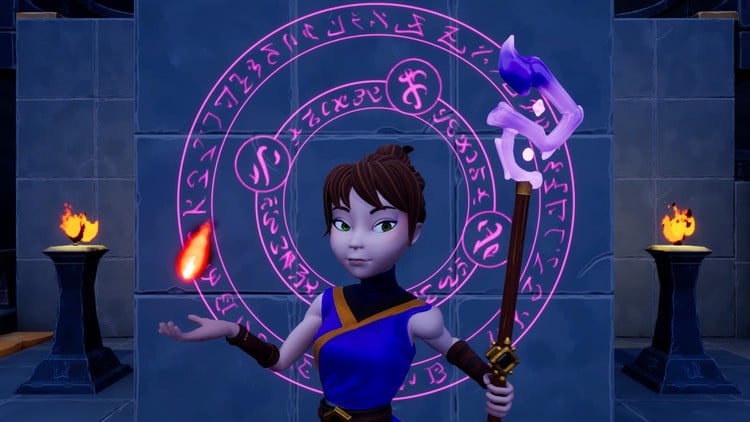
شخصیتها، از جمله Aura، شخصیت اصلی، و همچنین شخصیتهای دشمن از جمله جنگجویان گابلین، رنجرز گابلین، یک شامان گابلین، شیاطین قرمز و سیاه، غول و Shroom.
-
یک بسته سیاه چال ماژولار که میتواند برای ساخت سیاه چالهای اساسی به هم متصل شود
-
یک زیارتگاه و ابلیسک نقطه راه
-
جلوههای سیستم نیاگارا ذرات، از جمله انفجارها، جلوههای ارتقاء سطح، سنگهای تیرکمان، ضربههای ضربه، پرتوهای برق، توپهای آتش، پیچهای آتش، شعلهها، ستارهها برای جلوههای بیحسی و موارد دیگر!
-
جلوههای صوتی برای دشمنان، ردپاها، جادوها و موارد دیگر!
-
بافتها برای HUD، از جمله دکمههای با کیفیت بالا، قابها، کرههای جادویی متحرک پویا، نوارهای پیشرفت، نوار XP و موارد دیگر!
-
مجموعههای انیمیشن کامل برای Aura و همه دشمنان
-
خیلی بیشتر!
در این دوره، موضوعات زیر را پوشش خواهیم داد:
-
تنظیم یک پروژه از بالا به پایین از ابتدا
-
انتخاب دشمن و آیتم با جلوههای طرح کلی
-
استفاده صحیح از OOP و وراثت برای ایجاد یک سلسله مراتب کلاس شخصیت
-
مقدمهای بر سیستم قابلیت گیمپلی و کلاسهای اصلی که آن را تشکیل میدهند
-
اجزای سفارشی سیستم قابلیت گیمپلی و مجموعههای ویژگی، و نحوه تکثیر ویژگیها
-
همه تنظیمات مهم برای همه کلاسها و اجزای GAS
-
نحوه استفاده از ویژگیها برای آمار بازیکن، از جمله ویژگیهای اصلی:
-
قدرت (افزایش آسیب فیزیکی)
-
هوش (افزایش آسیب جادویی)
-
تاب آوری (زره و نفوذ زره را افزایش میدهد)
-
نیرو (حداکثر سلامتی را افزایش میدهد)
-
-
ویژگیهای ثانویه، بر اساس ویژگیهای اصلی و سایر متغیرهای سفارشی:
-
زره (کاهش آسیب دریافتی، بهبود شانس بلوک)
-
نفوذ زره (درصد زره دشمن را نادیده میگیرد، شانس ضربه بحرانی را افزایش میدهد)
-
شانس بلوک (تغییر برای نصف کردن آسیب ورودی)
-
شانس ضربه بحرانی (شانس دو برابر کردن آسیب به علاوه جایزه ضربه بحرانی)
-
آسیب ضربه بحرانی (آسیب جایزه اضافه شده در هنگام ضربه بحرانی)
-
مقاومت در برابر ضربه بحرانی (شانس ضربه بحرانی دشمنان مهاجم را کاهش میدهد)
-
بازسازی سلامتی (مقدار سلامتی بازیابی شده هر 1 ثانیه)
-
بازسازی مانا (مقدار مانای بازیابی شده هر 1 ثانیه)
-
حداکثر سلامتی (حداکثر مقدار سلامتی قابل دستیابی)
-
حداکثر مانا (حداکثر مقدار مانای قابل دستیابی)
-
-
ویژگیهای حیاتی - مواردی مانند سلامتی و مانا، که وابسته به تمام ویژگیهای دیگر هستند
-
جلوههای گیمپلی - کلاسهایی در سیستم GAS که برای اعمال تغییرات در ویژگیها استفاده میشوند
-
برچسبهای گیمپلی - بخش اساسی GAS، که به ما امکان میدهد کیفیتها، ویژگیها، تواناییها، کلاسهای شخصیت و هر چیز دیگری را که میتوانیم تصور کنیم، شناسایی کنیم
-
رابط کاربری بازی - نحوه مدیریت رابط کاربری پیچیده در یک بازی RPG به طور موثر، به روشی سازمان یافته، ماژولار و مقیاسپذیر. ما پارادایمهای مختلف رابط کاربری را پوشش میدهیم، از MVC ( کنترلکننده نمای مدل) و MVVM ( مدل نمای ViewModel، با استفاده از ویژگی ViewModel جدید Unreal Engine)
-
منوهای ویژگی و جادو کامل، با قابلیتهای ارتقا، درختهای جادویی، سطوح جادویی قفل شده، ارتقاء جادو با سطح توانایی و موارد دیگر
-
ویژگیها - نحوه استفاده از ویژگیهای گیمپلی برای نشان دادن آمار بازیکن و ادغام آنها در مکانیکهای گیمپلی با ایجاد یک خط لوله برنامه کاربردی افکت، که امکان محاسبات و نتایج ناشی از پدیدهها در بازی مانند آسیب جنگی را فراهم میکند
-
تواناییهای گیمپلی - قلب GAS. ما انواع مختلفی از تواناییهای گیمپلی را برای مدیریت طلسمها، مدیریت قابلیتهای مهم شخصیت بازیکن و هوش مصنوعی دشمن ایجاد میکنیم و نحوه پیکربندی تواناییهای مختلف را مطابق با نیازهای شما توضیح میدهیم.
-
کلاسهای مختلف RPG - ما کلاسهای مختلف RPG شخصیت از جمله Ranger، Warrior و Elementalist را پیادهسازی میکنیم و این کار را به روشی آسان مقیاسپذیر انجام میدهیم تا بتوانید هر تعداد نوع کلاس شخصیت در بازی خود داشته باشید
-
آسیب و مبارزه - ما یک سیستم مبارزه به سبک RPG کامل با انواع آسیبهای مختلف، مقاومت در برابر آسیب و Debuffهای متناظر با انواع آسیبها را پیادهسازی میکنیم و این محاسبات را در خط لوله آسیب خود رمزگذاری میکنیم. همه ویژگیها، انواع آسیبها، مقاومتها و Debuffها در این بازی کاربردی هستند.
-
تمام مکانیکهای مبارزه به نوعی بازخورد بصری به بازیکن نمایش داده میشوند. این شامل متن شناور برای آسیب، تغییر رنگ بر اساس معیارهای سفارشی، متن شناور برای اطلاع از ضربات بحرانی، ضربات مسدود شده و ضربات مسدود شده بحرانی است. ما همچنین مکانیکهای عقب راندن و بیحس کردن را در پاسخ به آسیب رعد و برق، ناتوان کردن شخصیت/دشمن و همچنین Debuffهای آتش، که در آن شخصیتها به آتش کشیده میشوند و در حین سوختن آسیب آتش میبینند، پیادهسازی میکنیم.
-
هوش مصنوعی دشمن - ما رفتار دشمن را با استفاده از درختهای رفتاری Unreal Engine و سیستم پرسش محیطی (EQS) پیادهسازی میکنیم تا رفتار سفارشی را برای انواع دشمنان Ranged، Warrior و Elementalist ارائه دهیم.
-
دشمنان میتوانند طلسم بزنند و مینیونهای هوش مصنوعی را احضار کنند
-
محو شدن هندسه وقتی در راه دوربین برای یک بازی از بالا به پایین قرار میگیرد
-
هزینه توانایی و زمان خنک شدن (طلسمها منابع ویژگی را صرف میکنند - در این بازی، طلسمها هزینه مانا دارند)
-
HUD کاملاً کاربردی با طلسمهای مجهز، نمایش تایمرهای خنک شدن طلسم و تجربه ( XP)
-
توانایی اختصاص دادن تواناییها به ورودیهای مختلف در منوی طلسم (اختصاص FireBolt به کلید 1 و Electrocute به دکمه سمت چپ ماوس، تعویض آنها به عقب و غیره)
-
تجربه و سیستم ارتقاء سطح - ما یک سیستم تجربه ایجاد میکنیم، XP را برای از بین بردن دشمنان جایزه میدهیم و هنگام رسیدن به آستانههای XP برای تواناییهای مختلف، سطح را ارتقا میدهیم. XP و Level در HUD نمایش داده میشوند و همچنین پیامها و جلوههای ارتقاء سطح نمایش داده میشوند. ارتقاء سطح با به دست آوردن امتیازات ویژگی و امتیازات طلسم مرتبط است، که میتوان از آنها برای ارتقاء ویژگیها و تواناییهای طلسم در منوهای ویژگی و طلسم به ترتیب و همچنین تکمیل سلامتی و مانا پس از ارتقاء سطح استفاده کرد. ( اساساً، شما به اندازه کافی مثال از نحوه استفاده از این سیستم خواهید دید که میتوانید آن را با هر قابلیتی که برای بازیهای خود میخواهید، گسترش دهید)
-
طلسمهای غیرفعال - طلسمهایی که میتوانید تجهیز کنید و در حالی که تجهیز شدهاند، فعال میمانند.
-
مجموعهای از طلسمهای تهاجمی، که نمونهها و ویژگیهای مختلف GAS را به نمایش میگذارند، از جمله FireBolt، Electrocute، Arcane Shards و FireBlast.
-
ذخیره پیشرفت و انتقال سطح
-
موضوعات میانی/پیشرفته Unreal Engine، از جمله وظایف ناهمزمان سفارشی، وظایف توانایی، کتابخانههای عملکرد Blueprint، مدیران دارایی، Singletons (و چرا اینها فقط برای چند مورد بسیار انتخاب شده خوب هستند)، زمینههای افکت گیمپلی سفارشی، سریالسازی Net، ویژگیهای نوع عملیات Struct، C++ Lambdas، الگوریتمهای مکانیک بازی و خیلی چیزهای دیگر.
-
نحوه انتخاب اینکه کدام قابلیت باید در C++ برود در مقابل Blueprint - این یکی از با ارزشترین درسها است و در طول دوره آموزش داده میشود. دانشآموزان اغلب از من میپرسند "کدام قابلیت باید در C++ برود در مقابل در Blueprint؟" این دوره پاسخ من است. این یک پایه پروژه در مقیاس جدی با بیش از 100 ساعت فیلم و بدون پرکننده است. این پروژه با تقریباً 50٪ Blueprints و 50٪ C++ معماری شده است. من به شما نشان میدهم که کدام قابلیت باید در سمت C++ باشد، کدام قابلیت برای Blueprints مناسبتر است و چرا.
-
اصول کدنویسی SOLID و معماری کد - ما پایه کد خود را در این پروژه تمیز نگه میداریم. سوال دیگری که من اغلب میپرسم این است که " آیا این بهترین روش کدنویسی است؟" این دوره پاسخ من به این سوال است. این یک مثال از کدی است که در یک بازی AAA میبینید که به میلیونها بازیکن عرضه شده است. حفظ کد تمیز و ماژولار برای یک پروژه بازی جدی که باید مقیاسپذیر، توسعهپذیر، ماژولار، قابل نگهداری، قابل آزمایش، کارآمد و موثر باشد، ضروری است. این دوره به شما نشان میدهد که چگونه.
این یک دوره مبتدی نیست. من انتظار دارم که شما از قبل زبان برنامهنویسی C++ را درک کنید و حداقل یک پروژه Unreal Engine C++ ایجاد کرده باشید.
این دوره بهترین دوره من تا به امروز است و من بسیار مفتخرم که دوره Unreal Engine 5 - سیستم قابلیت گیمپلی - RPG از بالا به پایین را که نتیجه تقریباً یک سال توسعه دردسرساز، تحقیق، مشاوره با متخصصان و ایجاد دارایی است، به شما ارائه میدهم. پس از گذراندن این دوره، شما Unreal Engine را بسیار بهتر از یک توسعهدهنده متوسط درک خواهید کرد و به شما این قدرت را میدهد که پروژههای خوشمعماری خود را، بزرگ و کوچک، ایجاد کنید و برای تیم، شرکت، سرمایهگذاری انفرادی خود و هر کسی/هر چیز دیگری که با مهارتهای خود به آن لطف میکنید، ارزش به ارمغان آورید.
به دوره بپیوندید و در بزرگترین جهش حرفه توسعه بازی خود سرمایهگذاری کنید.
استفان اولیباری، بنیانگذار انجمن توسعهدهندگان بازی Druid Mechanics
این پروژه دوره در Unreal Engine نسخه 5.2 ایجاد شده است. به طور دورهای بهروزرسانیهایی اضافه میشوند تا از سازگاری با نسخههای جدیدتر موتور اطمینان حاصل شود.
Introduction
-
مقدمه Introduction
ایجاد پروژه Project Creation
-
Jetbrains Rider - اکنون برای استفاده غیر تجاری رایگان است! Jetbrains Rider - Now Free for Non-Commercial Use!
-
ایجاد پروژه Project Creation
-
راه اندازی Version Control (اختیاری) Setting up Version Control (Optional)
-
کلاس پایه Character The Base Character Class
-
کاراکترهای Player و Enemy Player and Enemy Characters
-
راه اندازی Character Blueprint Character Blueprint Setup
-
Animation Blueprints Animation Blueprints
-
Enhanced Input Enhanced Input
-
Aura Player Controller Aura Player Controller
-
Movement Input Movement Input
-
Game Mode Game Mode
-
Enemy Interface Enemy Interface
-
Highlight کردن Enemies Highlight Enemies
-
Post Process Highlight Post Process Highlight
-
آزمون بخش 2 Section 2 Quiz
مقدمه ای بر Gameplay Ability System Intro to the Gameplay Ability System
-
Gameplay Ability System The Gameplay Ability System
-
بخش های اصلی GAS The Main Parts of GAS
-
Player State The Player State
-
Ability System Component و Attribute Set Ability System Component and Attribute Set
-
GAS در Multiplayer GAS in Multiplayer
-
ساخت ASC و AS Constructing the ASC and AS
-
Replication Mode Replication Mode
-
Init Ability Actor Info Init Ability Actor Info
-
آزمون بخش 3 Section 3 Quiz
Attributes Attributes
-
Attributes Attributes
-
Health و Mana Health and Mana
-
Attribute Accessors Attribute Accessors
-
Effect Actor Effect Actor
-
آزمون بخش 4 Section 4 Quiz
RPG Game UI RPG Game UI
-
معماری Game UI Game UI Architecture
-
Aura User Widget و Widget Controller Aura User Widget and Widget Controller
-
Globe Progress Bar Globe Progress Bar
-
Health Globe Health Globe
-
Aura HUD Aura HUD
-
Overlay Widget Controller Overlay Widget Controller
-
Broadcasting Initial Values Broadcasting Initial Values
-
Listening for Attribute Changes Listening for Attribute Changes
-
Callbacks for Mana Changes Callbacks for Mana Changes
-
آزمون بخش 5 Section 5 Quiz
Gameplay Effects Gameplay Effects
-
Gameplay Effects Gameplay Effects
-
بهبود Effect Actor Effect Actor Improved
-
Instant Gameplay Effects Instant Gameplay Effects
-
Duration Gameplay Effects Duration Gameplay Effects
-
Periodic Gameplay Effects Periodic Gameplay Effects
-
Effect Stacking Effect Stacking
-
Infinite Gameplay Effects Infinite Gameplay Effects
-
Instant and Duration Application Policy Instant and Duration Application Policy
-
Infinite Effect Application and Removal Infinite Effect Application and Removal
-
PreAttributeChange PreAttributeChange
-
PostGameplayEffectExecute PostGameplayEffectExecute
-
Curve Tables برای Scalable Floats Curve Tables for Scalable Floats
-
آزمون بخش 6 Section 6 Quiz
Gameplay Tags Gameplay Tags
-
Gameplay Tags Gameplay Tags
-
ایجاد Gameplay Tags در Editor Creating Gameplay Tags in the Editor
-
ایجاد Gameplay Tags از Data Tables Creating Gameplay Tags from Data Tables
-
اضافه کردن Gameplay Tags به Gameplay Effects Adding Gameplay Tags to Gameplay Effects
-
اعمال Gameplay Tags با Effects Apply Gameplay Tags with Effects
-
Gameplay Effect Delegates Gameplay Effect Delegates
-
Get All Asset Tags Get All Asset Tags
-
Broadcasting Effect Asset Tags Broadcasting Effect Asset Tags
-
UI Widget Data Table UI Widget Data Table
-
Retrieving Rows from Data Tables Retrieving Rows from Data Tables
-
Broadcasting Data Table Rows Broadcasting Data Table Rows
-
Message Widget Message Widget
-
Animating the Message Widget Animating the Message Widget
-
Replacing Callbacks with Lambdas Replacing Callbacks with Lambdas
-
Ghost Globe Ghost Globe
-
Properly Clamping Attributes Properly Clamping Attributes
-
آزمون بخش 7 Section 7 Quiz
RPG Attributes RPG Attributes
-
مقداردهی اولیه Attributes از یک Data Table Initialize Attributes from a Data Table
-
مقداردهی اولیه Attributes با Gameplay Effects Initialize Attributes with Gameplay Effects
-
Attribute Based Modifiers Attribute Based Modifiers
-
Modifier Order of Operations Modifier Order of Operations
-
Modifier Coefficients Modifier Coefficients
-
Secondary Attributes Secondary Attributes
-
Derived Attributes Derived Attributes
-
Custom Calculations Custom Calculations
-
Player Level و Combat Interface Player Level and Combat Interface
-
Modifier Magnitude Calculations Modifier Magnitude Calculations
-
Initializing Vital Attributes Initializing Vital Attributes
-
آزمون بخش 8 Section 8 Quiz
Attribute Menu Attribute Menu
-
Attribute Menu - Game Plan Attribute Menu - Game Plan
-
Attribute Menu - Framed Value Attribute Menu - Framed Value
-
Attribute Menu - Text Value Row Attribute Menu - Text Value Row
-
Attribute Menu - Text Value Button Row Attribute Menu - Text Value Button Row
-
Attribute Menu - Construction Attribute Menu - Construction
-
Button Widget Button Widget
-
Wide Button Widget Wide Button Widget
-
باز کردن Attribute Menu Opening the Attribute Menu
-
بستن Attribute Menu Closing the Attribute Menu
-
برنامه برای نمایش Attribute Data Plan for Displaying Attribute Data
-
Gameplay Tags Singleton Gameplay Tags Singleton
-
Aura Asset Manager Aura Asset Manager
-
Native Gameplay Tags Native Gameplay Tags
-
Attribute Info Data Asset Attribute Info Data Asset
-
Attribute Menu Widget Controller Attribute Menu Widget Controller
-
Aura Ability System Blueprint Library Aura Ability System Blueprint Library
-
ساخت Attribute Menu Widget Controller Constructing the Attribute Menu Widget Controller
-
Attribute Info Delegate Attribute Info Delegate
-
Widget Attribute Tags Widget Attribute Tags
-
Mapping Tags to Attributes Mapping Tags to Attributes
-
Responding to Attribute Changes Responding to Attribute Changes
-
آزمون بخش 9 Section 9 Quiz
Gameplay Abilities Gameplay Abilities
-
Gameplay Abilities Gameplay Abilities
-
Granting Abilities Granting Abilities
-
Settings on Gameplay Abilities Settings on Gameplay Abilities
-
Input Config Data Asset Input Config Data Asset
-
Aura Input Component Aura Input Component
-
Callbacks for Ability Input Callbacks for Ability Input
-
Activating Abilities Activating Abilities
-
Click To Move Click To Move
-
Setting Up Click to Move Setting Up Click to Move
-
Setting Up Auto Running Setting Up Auto Running
-
Implementing Auto Running Implementing Auto Running
-
Code Clean Up Code Clean Up
-
Aura Projectile Aura Projectile
-
Aura Projectile Spell Aura Projectile Spell
-
Spawning Projectiles Spawning Projectiles
-
آزمون بخش 10 Section 10 Quiz
Ability Tasks Ability Tasks
-
Ability Tasks Ability Tasks
-
Sending Gameplay Events Sending Gameplay Events
-
Spawn FireBolt from Event Spawn FireBolt from Event
-
Custom Ability Tasks Custom Ability Tasks
-
Target Data Target Data
-
Send Mouse Cursor Data Send Mouse Cursor Data
-
Receiving Target Data Receiving Target Data
-
Prediction in GAS Prediction in GAS
-
Orienting the Projectile Orienting the Projectile
-
Motion Warping Motion Warping
-
Projectile Impact Projectile Impact
-
Projectile Collision Channel Projectile Collision Channel
-
Projectile Gameplay Effect Projectile Gameplay Effect
-
Enemy Health Bar Enemy Health Bar
-
Ghost Bar Ghost Bar
-
آزمون بخش 11 Section 11 Quiz
RPG Character Classes RPG Character Classes
-
RPG Character Classes RPG Character Classes
-
Character Class Info Character Class Info
-
Default Attribute Effects Default Attribute Effects
-
Curve Tables - CSV and JSON Curve Tables - CSV and JSON
-
Initializing Enemy Attributes Initializing Enemy Attributes
-
آزمون بخش 12 Section 12 Quiz
Damage Damage
-
Meta Attributes Meta Attributes
-
Damage Meta Attribute Damage Meta Attribute
-
Set By Caller Magnitude Set By Caller Magnitude
-
Ability Damage Ability Damage
-
Enemy Hit React Enemy Hit React
-
Activating the Enemy Hit React Ability Activating the Enemy Hit React Ability
-
Enemy Death Enemy Death
-
Dissolve Effect Dissolve Effect
-
Floating Text Widget Floating Text Widget
-
Showing Damage Text Showing Damage Text
-
Execution Calculations Execution Calculations
-
Damage Execution Calculation Damage Execution Calculation
-
ExecCalcs - Capturing Attributes ExecCalcs - Capturing Attributes
-
Implementing Block Chance Implementing Block Chance
-
Implementing Armor and Armor Penetration Implementing Armor and Armor Penetration
-
Damage Calculation Coefficients Damage Calculation Coefficients
-
Implementing Critical Hits Implementing Critical Hits
-
آزمون بخش 13 Section 13 Quiz
Advanced Damage Techniques Advanced Damage Techniques
-
The Gameplay Effect Context The Gameplay Effect Context
-
Custom Gameplay Effect Context Custom Gameplay Effect Context
-
NetSerialize NetSerialize
-
Implementing Net Serialize Implementing Net Serialize
-
Struct Ops Type Traits Struct Ops Type Traits
-
Aura Ability System Globals Aura Ability System Globals
-
Using a Custom Effect Context Using a Custom Effect Context
-
Floating Text Color Floating Text Color
-
Hit Message Hit Message
-
Damage Types Damage Types
-
Mapping Damage Types to Resistances Mapping Damage Types to Resistances
-
Resistance Attributes Resistance Attributes
-
Resistance Damage Reduction Resistance Damage Reduction
-
Multiplayer Test Multiplayer Test
-
آزمون بخش 14 Section 14 Quiz
Enemy AI Enemy AI
-
Enemy AI Setup Enemy AI Setup
-
AI Controller Blackboard and Behavior Tree AI Controller Blackboard and Behavior Tree
-
Behavior Tree Service Behavior Tree Service
-
Blackboard Keys Blackboard Keys
-
Finding the Nearest Player Finding the Nearest Player
-
AI and Effect Actors AI and Effect Actors
-
Behavior Tree Decorators Behavior Tree Decorators
-
Attack Behavior Tree Task Attack Behavior Tree Task
-
Find New Location Around Target Find New Location Around Target
-
Environment Query System Environment Query System
-
Environment Queries Environment Queries
-
EQS Tests EQS Tests
-
Distance Test Distance Test
-
Using EQS Queries in Behavior Trees Using EQS Queries in Behavior Trees
-
آزمون بخش 15 Section 15 Quiz
Enemy Melee Attacks Enemy Melee Attacks
-
Melee Attack Ability Melee Attack Ability
-
Attack Montage Attack Montage
-
Combat Target Combat Target
-
Melee Attack Gameplay Event Melee Attack Gameplay Event
-
Get Live Players Within Radius Get Live Players Within Radius
-
Causing Melee Damage Causing Melee Damage
-
Multiplayer Melee Test Multiplayer Melee Test
-
Montage Gameplay Tags Montage Gameplay Tags
-
Tagged Montage Tagged Montage
-
Multiple Attack Sockets Multiple Attack Sockets
-
Ghoul Enemy Ghoul Enemy
-
Ghoul Attack Montages Ghoul Attack Montages
-
Melee Polish Melee Polish
-
آزمون بخش 16 Section 16 Quiz
Enemy Ranged Attacks Enemy Ranged Attacks
-
Ranged Attack Ranged Attack
-
Rock Projectile Rock Projectile
-
Ranged Damage Curve Ranged Damage Curve
-
Granting Ranged Attacks Granting Ranged Attacks
-
Slingshot Attack Montage Slingshot Attack Montage
-
Playing the Ranged Attack Montage Playing the Ranged Attack Montage
-
Spawning the Rock Projectile Spawning the Rock Projectile
-
Slingshot Animation Blueprint Slingshot Animation Blueprint
-
Slingshot Attack Montage Slingshot Attack Montage
-
آزمون بخش 17 Section 17 Quiz
Enemy Spell Attacks Enemy Spell Attacks
-
Goblin Shaman Goblin Shaman
-
Shaman Attack Montage Shaman Attack Montage
-
Shaman Attack Ability Shaman Attack Ability
-
Dead Blackboard Key Dead Blackboard Key
-
Enemies Multiplayer Testing Enemies Multiplayer Testing
-
آزمون بخش 18 Section 18 Quiz
Enemy Finishing Touches Enemy Finishing Touches
-
Goblin Spear - Sound Notifies Goblin Spear - Sound Notifies
-
Impact Effects Impact Effects
-
Melee Impact Gameplay Cue Melee Impact Gameplay Cue
-
Montage and Socket Tags Montage and Socket Tags
-
Goblin Spear - Hurt and Death Sounds Goblin Spear - Hurt and Death Sounds
-
Goblin Slingshot - Sound Notifies Goblin Slingshot - Sound Notifies
-
Rock Impact Effects Rock Impact Effects
-
Goblin Shaman - Sound Notifies Goblin Shaman - Sound Notifies
-
Ghoul - Sound Notifies Ghoul - Sound Notifies
-
Ghoul - Swipe Trail Ghoul - Swipe Trail
-
Demon Blueprint Demon Blueprint
-
Demon Melee Attack Demon Melee Attack
-
Demon Ranged Attack Demon Ranged Attack
-
Demon - Sound Notifies Demon - Sound Notifies
-
Demon - Dissolve Effect Demon - Dissolve Effect
-
Shaman Summon Locations Shaman Summon Locations
-
Async Spawn Times Async Spawn Times
-
Summoning Particle Effect Summoning Particle Effect
-
Select Minion Class at Random Select Minion Class at Random
-
Minion Summon Montage Minion Summon Montage
-
Minion Count Minion Count
-
Elementalist Behavior Tree Elementalist Behavior Tree
-
Elementalist Attack Task Elementalist Attack Task
-
Decrementing Minion Count Decrementing Minion Count
-
Adding Juice with Tweening Adding Juice with Tweening
-
Enemies Final Polish Enemies Final Polish
-
آزمون بخش 19 Section 19 Quiz
Level Tweaks Level Tweaks
-
Level Lighting and Post Process Level Lighting and Post Process
-
Texture Streaming Pool Over Budget Texture Streaming Pool Over Budget
-
Flame Pillar Actor Flame Pillar Actor
-
Fade Actor Fade Actor
-
Fading Out Obstructing Geometry Fading Out Obstructing Geometry
Cost and Cooldown Cost and Cooldown
-
Health Mana Spells Widget Health Mana Spells Widget
-
Spell Globe Spell Globe
-
Adding Spell Globes Adding Spell Globes
-
XP Bar XP Bar
-
Ability Info Data Asset Ability Info Data Asset
-
Initialize Overlay Startup Abilities Initialize Overlay Startup Abilities
-
For Each Ability Delegate For Each Ability Delegate
-
Binding Widget Events to the Ability Info Delegate Binding Widget Events to the Ability Info Delegate
-
Gameplay Ability Cost Gameplay Ability Cost
-
Gameplay Ability Cooldown Gameplay Ability Cooldown
-
Cooldown Async Task Cooldown Async Task
-
Cooldown Tags in Ability Info Cooldown Tags in Ability Info
-
Showing Cooldown Time in the HUD Showing Cooldown Time in the HUD
-
Modeling Mode Modeling Mode
-
آزمون بخش 21 Section 21 Quiz
Experience and Leveling Up Experience and Leveling Up
-
Experience and Leveling Up Experience and Leveling Up
-
Level Up Info Data Asset Level Up Info Data Asset
-
Adding XP to the Player State Adding XP to the Player State
-
Listening for XP Changes Listening for XP Changes
-
Awarding XP Game Plan Awarding XP Game Plan
-
XP Reward for Enemies XP Reward for Enemies
-
Incoming XP Meta Attribute Incoming XP Meta Attribute
-
Passively Listening for Events Passively Listening for Events
-
Sending XP Events Sending XP Events
-
Showing XP in the HUD Showing XP in the HUD
-
Level Up Interface Function Level Up Interface Function
-
Leveling Up Leveling Up
-
Showing Level in the HUD Showing Level in the HUD
-
Level Up Niagara System Level Up Niagara System
-
Level Up HUD Message Level Up HUD Message
-
آزمون بخش 22 Section 22 Quiz
Attribute Points Attribute Points
-
Attribute Points Member Variable Attribute Points Member Variable
-
Showing Attribute Points in the HUD Showing Attribute Points in the HUD
-
Attribute Upgrade Buttons Attribute Upgrade Buttons
-
Upgrading Attributes Upgrading Attributes
-
Top Off Our Fluids Top Off Our Fluids
-
Attribute Menu Polish Attribute Menu Polish
-
آزمون بخش 23 Section 23 Quiz
Spell Menu Spell Menu
-
Spell Menu Design Spell Menu Design
-
Spell Globe Button Spell Globe Button
-
Offensive Spell Tree Offensive Spell Tree
-
Passive Spell Tree Passive Spell Tree
-
Equipped Spell Row Equipped Spell Row
-
Spell Menu Widget Spell Menu Widget
-
Spell Description Box Spell Description Box
-
Spell Menu Button Spell Menu Button
-
Spell Menu Widget Controller Spell Menu Widget Controller
-
Constructing the Spell Menu Widget Controller Constructing the Spell Menu Widget Controller
-
Equipped Row Button Equipped Row Button
-
Ability Status and Type Ability Status and Type
-
Showing Abilities in the Spell Tree Showing Abilities in the Spell Tree
-
Ability Level Requirement Ability Level Requirement
-
Update Ability Statuses Update Ability Statuses
-
Updating Status in the Spell Menu Updating Status in the Spell Menu
-
Show Spell Points Show Spell Points
-
Selecting Icons Selecting Icons
-
Deselecting Icons Deselecting Icons
-
Spell Menu Buttons Spell Menu Buttons
-
Selected Ability Selected Ability
-
Spending Spell Points Spending Spell Points
-
Rich Text Blocks Rich Text Blocks
-
Spell Descriptions Spell Descriptions
-
FireBolt Description FireBolt Description
-
Cost and Cooldown in Spell Description Cost and Cooldown in Spell Description
-
Self Deselect Self Deselect
-
Equipped Spell Row Animations Equipped Spell Row Animations
-
Ability Types Ability Types
-
Equipping Abilities Equipping Abilities
-
Updating the Overlay When Equipping Abilities Updating the Overlay When Equipping Abilities
-
Globe Reassigned Globe Reassigned
-
Unbinding Delegates Unbinding Delegates
-
آزمون بخش 24 Section 24 Quiz
Combat Tricks Combat Tricks
-
Debuff Tags Debuff Tags
-
Debuff Parameters Debuff Parameters
-
Damage Effect Params Struct Damage Effect Params Struct
-
Using Damage Effect Params Using Damage Effect Params
-
Determining Debuff Determining Debuff
-
Debuff Info in the Effect Context Debuff Info in the Effect Context
-
Debuff in the Attribute Set Debuff in the Attribute Set
-
Dynamic Gameplay Effects Dynamic Gameplay Effects
-
Debuff Niagara Component Debuff Niagara Component
-
Death Impulse Magnitude Death Impulse Magnitude
-
Death Impulse in the Effect Context Death Impulse in the Effect Context
-
Handling Death Impulse Handling Death Impulse
-
Knockback Knockback
-
آزمون بخش 25 Section 25 Quiz
What a Shock What a Shock
-
FireBolt Projectile Spread FireBolt Projectile Spread
-
Spawning Multiple Projectiles Spawning Multiple Projectiles
-
Homing Projectiles Homing Projectiles
-
Click Niagara System Click Niagara System
-
Invoke Replicated Event Invoke Replicated Event
-
Aura Beam Spell Aura Beam Spell
-
Electrocute Montage Electrocute Montage
-
Player Block Tags Player Block Tags
-
GameplayCue Notify Paths GameplayCue Notify Paths
-
Gameplay Cue Notify Actor Gameplay Cue Notify Actor
-
Electrocute Looping Sound Electrocute Looping Sound
-
Target Trace Channel Target Trace Channel
-
First Trace Target First Trace Target
-
Additional Targets Additional Targets
-
Shock Loop Cues on Additional Targets Shock Loop Cues on Additional Targets
-
Electrocute Cost Cooldown and Damage Electrocute Cost Cooldown and Damage
-
Applying Electrocute Cost and Damage Applying Electrocute Cost and Damage
-
Electrocute Polish Electrocute Polish
-
Explode Dem FireBoltz Explode Dem FireBoltz
-
Stun Stun
-
Stun Niagara System Stun Niagara System
-
Shock Loop Animations Shock Loop Animations
-
آزمون بخش 26 Section 26 Quiz
Passive Spells Passive Spells
-
Passive Spell tags Passive Spell tags
-
Aura Passive Ability Aura Passive Ability
-
Passive Ability Info Passive Ability Info
-
Passive Tags in Spell Tree Passive Tags in Spell Tree
-
Multiple Level Up Rewards Multiple Level Up Rewards
-
Passive Ability Activation Passive Ability Activation
-
Passive Niagara Component Passive Niagara Component
-
آزمون بخش 27 Section 27 Quiz
Arcane Shards Arcane Shards
-
Magic Circle Magic Circle
-
Spawning Magic Circles Spawning Magic Circles
-
Magic Circle Interface Functions Magic Circle Interface Functions
-
Arcane Shards Spell
-
منتظر ماندن برای فشردن دکمه Wait Input Press
-
Anti Aliasing و برچسب های متحرک Anti Aliasing and Moving Decals
-
جمع آوری امتیاز Point Collection
-
موقعیت های Async امتیاز Async Point Locations
-
اعلان پشت سر هم Gameplay Cue Gameplay Cue Notify Burst
-
مونتاژ تکه های آرکین Arcane Shards Montage
-
پارامترهای آسیب شعاعی Radial Damage Parameters
-
تنظیم پارامترهای آسیب شعاعی Setting Radial Damage Parameters
-
آسیب شعاعی با Falloff Radial Damage with Falloff
-
مرتبط کردن آسیب شعاعی به طور کامل Tying Radial Damage All Together
-
نادیده گرفتن دشمنان در حالی که حلقه جادویی فعال است Ignore Enemies while Magic Circle Active
-
نادیده گرفتن نیروی پرتاب و ضربه مرگ Knockback Force and Death Impulse Overrides
-
توضیحات طلسم Spell Descriptions
-
هزینه و Cooldown تکه های آرکین Arcane Shards Cost and Cooldown
-
آزمون بخش 28 Section 28 Quiz
انفجار آتش Fire Blast
-
توانایی FireBlast FireBlast Ability
-
هزینه و Cooldown فایربلاست FireBlast Cost and Cooldown
-
آتش توپ هاله Aura Fire Ball
-
تولید FireBalls Spawning FireBalls
-
تایم لاین های FireBall FireBall Timelines
-
ایجاد آسیب FireBall Causing FireBall Damage
-
آسیب انفجاری FireBall FireBall Explosive Damage
-
بافت Cooldown خالی Empty Cooldown Texture
-
اجرای Gameplay Cues محلی Execute Local Gameplay Cues
-
آزمون بخش 29 Section 29 Quiz
ذخیره پیشرفت Saving Progress
-
ذخیره پیشرفت Saving Progress
-
منوی اصلی Main Menu
-
دکمه های پخش و خروج Play and Quit Buttons
-
اسلات بارگذاری خالی Vacant Load Slot
-
وارد کردن نام اسلات بارگذاری Enter Name Load Slot
-
اسلات بارگذاری گرفته شده Taken Load Slot
-
منوی بارگیری Load Menu
-
MVVM MVVM
-
تغییرات مورد نیاز برای 5.3+ Changes Needed for 5.3+
-
کلاس View Model View Model Class
-
ایجاد یک View Model Constructing a View Model
-
Load Slot View Model Load Slot View Model
-
تغییر دادن ویجت سوییچر Switching the Widget Switcher
-
شیء Save Game Save Game Object
-
اتصال متغیرها به ViewModels Binding Variables to ViewModels
-
وضعیت Load Slot Load Slot Status
-
فعال کردن دکمه انتخاب اسلات Enabling the Select Slot Button
-
فعال کردن دکمه های پخش و حذف Enabling Play and Delete Buttons
-
ویجت "آیا مطمئن هستید" Are You Sure Widget
-
حذف یک اسلات Deleting a Slot
-
اعلان فیلد نام نقشه Map Name Field Notify
-
ذخیره نام نقشه Saving the Map Name
-
سفر به نقشه ذخیره شده Traveling to the Saved Map
-
آزمون بخش 30 Section 30 Quiz
Checkpoints Checkpoints
-
انتخاب Player Start Choosing the Player Start
-
تنظیم Player Start پیش فرض Setting the Default Player Start
-
ذخیره تگ Player Start Save the Player Start Tag
-
Checkpoints Checkpoints
-
تابع Interface برای ذخیره پیشرفت Interface Function for Saving Progress
-
ذخیره داده های Player Saving Player Data
-
بارگذاری داده های Player Loading Player Data
-
مقداردهی اولیه Attributes از دیسک Initializing Attributes From Disk
-
نمایش سطح Player در صفحه Load Showing Player Level in Load Screen
-
ذخیره Abilities Saving Abilities
-
یادداشت هایی در مورد این سخنرانی Notes on this lecture
-
بارگذاری Abilities Loading Abilities
-
ساختارهای داده برای ذخیره داده ها Data Structures for Saving Data
-
ذخیره World State Saving World State
-
بارگذاری World State Loading World State
-
آزمون بخش 31 Section 31 Quiz
Map Entrance Map Entrance
-
رنگ های برجسته مختلف Different Highlight Colors
-
Interface برجسته Highlight Interface
-
وضعیت Targeting Targeting Status
-
برجسته کردن غیر دشمنان Highlighting Non-Enemies
-
تنظیم مکان Move-To Set Move-To Location
-
Beacons Beacons
-
Map Entrance Map Entrance
-
ورودی پله های Dungeon Dungeon Stair Entrance
-
بلوپرینت های ورودی Dungeon Dungeon Entrance Blueprints
-
پولیش منو Polish Menu
-
Spawn Volumes Spawn Volumes
-
مرگ Player Player Death
-
Loot Tiers Loot Tiers
-
Loot Effects Loot Effects
-
منحنی Loot Drop Loot Drop Curve
-
Pickup Sounds Pickup Sounds
-
دکمه Quit Quit Button
-
آزمون بخش 32 Section 32 Quiz
نتیجه گیری دوره Course Conclusion
-
Quest - Levels Quest - Levels
-
نتیجه گیری - ویدیوی جایزه Conclusion - Bonus Video
-
آزمون پایان دوره! End of Course Quiz!

https://donyad.com/d/e0d78f




 Stephen Ulibarri
مهندس، برنامه نویس، توسعه دهنده بازی، نویسنده
نمایش نظرات