آموزش انیمیشن با آنریل انجین - آخرین آپدیت
دانلود Animation with Unreal Engine
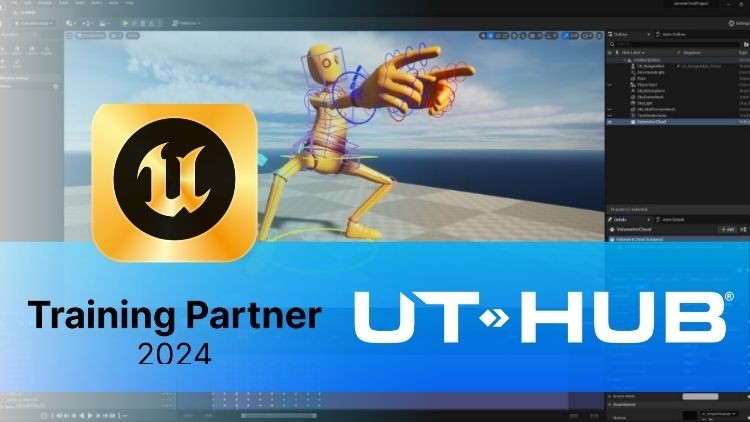
آموزش جامع انیمیشن سازی در Unreal Engine 5 از صفر
آموزش انیمیشن در Unreal Engine 5: راهنمای گام به گام
با این دوره آموزشی، دنیای جذاب انیمیشن در Unreal Engine 5 را از پایه کشف کنید. از مفاهیم اساسی تا تکنیکهای پیشرفته، هر آنچه برای خلق انیمیشنهای خیرهکننده نیاز دارید را خواهید آموخت.
مباحث کلیدی دوره آموزش انیمیشن در Unreal Engine 5:
- مفاهیم و اصطلاحات انیمیشن Real-Time: با مبانی انیمیشن Real-Time آشنا شوید.
- ساخت اسکلت در Unreal Engine: ایجاد اسکلتهای حرفهای برای کاراکترها.
- ابزارها و وزندهی Vertex در Unreal Engine: تسلط بر ابزارهای وزندهی و ویرایش Mesh.
- ساخت Control Rig در Unreal Engine: طراحی Control Rig های پیشرفته برای کنترل دقیق انیمیشن.
- انیمیشن Real-Time در Unreal Engine: خلق انیمیشنهای پویا و زنده.
- Constraints و Space Switching در Unreal Engine: استفاده از Constraints برای ایجاد حرکات واقعگرایانه.
- بازبینی و پاکسازی انیمیشن: بهبود کیفیت و رفع مشکلات انیمیشن.
پیش نیازهای دوره:
آشنایی اولیه با محیط Unreal Engine ضروری است.
نیازمندیهای سختافزاری:
- سیستم عامل: Windows 10
- موتور بازیسازی: Unreal Engine 5.3
- اکانت Epic Games
توضیحات دوره:
این دوره آموزش انیمیشن سازی در Unreal Engine بر ارائه یک درک جامع از فرآیند انیمیشن و ابزارهای آن در این موتور بازیسازی تمرکز دارد. از ایجاد اسکلت و ویرایش Mesh تا پیادهسازی کنترلهای Rigid و انیمیشن کاراکتر، شرکتکنندگان در هر مرحله از خط لوله انیمیشن به کاوش خواهند پرداخت. اصطلاحات بنیادی هستند و مفاهیم کلیدی مانند Skinning، Control Rig، Animation Sequences و Constraints پوشش داده میشوند.
این دوره به چندین بخش ساختار یافته است، که با مقدمهای بر ابزارهای ویرایش Mesh اسکلتی و ایجاد Bone شروع میشود. سپس به فرآیند Skinning، ایجاد کنترلهای Rigid و انیمیشن با استفاده از تکنیکهای FK و IK میپردازد. علاوه بر این، موضوعات پیشرفتهای مانند Full Body IK، Morph Targets و Spline Rigging بررسی میشوند.
شرکتکنندگان یاد خواهند گرفت که چگونه موتور را برای انیمیشن آماده کنند، با Viewport کار کنند و Shot ایجاد کنند. جنبههای اساسی انیمیشن، مانند ایجاد Animation Sequence، استفاده از Pose و Tween و همچنین تکنیکهای Blending و برش انیمیشن پوشش داده میشوند. این دوره همچنین نحوه تمیز کردن و ویرایش منحنیهای انیمیشن را برای نتایج دقیق آموزش میدهد.
بخش پایانی دوره بر ادغام انیمیشن از طریق Blueprints تمرکز دارد و امکان Blending نرم بین انیمیشنهای مختلف را برای دستیابی به انتقالهای طبیعی فراهم میکند. با یک رویکرد عملی و کامل، این دوره به شرکتکنندگان قدرت میدهد تا انیمیشنهای خیرهکنندهای را در Unreal Engine ایجاد کنند.
کلیدواژهها: آموزش انیمیشن، Unreal Engine 5، انیمیشن سازی، Control Rig، Skinning، Real-Time Animation، Blueprints، اسکلت سازی، وزن دهی Vertex، آموزش Unreal Engine
معرفی Introducción
-
معرفی Introducción
Animation Pipeline – پایپ لاین انیمیشن Animation Pipeline
-
Animation Pipeline – پایپ لاین انیمیشن Animation Pipeline
-
Terminology – اصطلاحات Terminology
Skeletal Meshes Editings Tools – ابزارهای ویرایش مشهای اسکلتی Skeletal Meshes Editings Tools
-
Introduction To Skeletal Mesh Editing Tools – معرفی ابزارهای ویرایش مشهای اسکلتی Introduction To Skeletal Mesh Editing Tools
-
Convert Static Mesh – تبدیل مش استاتیک Convert Static Mesh
-
Skeletal Mesh Editor – ویرایشگر مش اسکلتی Skeletal Mesh Editor
-
Skeletal Mesh Editor Interface – رابط کاربری ویرایشگر مش اسکلتی Skeletal Mesh Editor Interface
-
Editing Tools: Add – ابزارهای ویرایش: افزودن Editing Tools: Add
-
Editing Tools:Edit – ابزارهای ویرایش: ویرایش Editing Tools:Edit
Skeleton Creation – ایجاد اسکلت Skeleton Creation
-
Bone creation: Spine – ایجاد استخوان: ستون فقرات Bone creation: Spine
-
Bone Creation: Head – ایجاد استخوان: سر Bone Creation: Head
-
Bone Creation: arm – ایجاد استخوان: بازو Bone Creation: arm
-
Bone Creation: Hand – ایجاد استخوان: دست Bone Creation: Hand
-
Bone Creation: Leg – ایجاد استخوان: پا Bone Creation: Leg
-
Bone Creation: Foot – ایجاد استخوان: مچ پا Bone Creation: Foot
-
Bone Creation: Advanced Foot – ایجاد استخوان: مچ پای پیشرفته Bone Creation: Advanced Foot
-
Bone Creation: Mirror – ایجاد استخوان: آینه Bone Creation: Mirror
Skinning in Unreal Engine – Skinning در آنریل انجین Skinning in Unreal Engine
-
What is Skinning? – Skinning چیست؟ What is Skinning?
-
Binding – اتصال Binding
-
Edit Weights – ویرایش وزنها Edit Weights
-
Weight Painting: Strategy – نقاشی وزن: استراتژی Weight Painting: Strategy
-
Vertex Weighting: Root – وزندهی Vertex: ریشه Vertex Weighting: Root
-
Vertex Weighting: Pelvis – وزندهی Vertex: لگن Vertex Weighting: Pelvis
-
Vertex Weighting: Spine – وزندهی Vertex: ستون فقرات Vertex Weighting: Spine
-
Vertex Weighting: Head – وزندهی Vertex: سر Vertex Weighting: Head
-
Vertex Weighting: Clavicle – وزندهی Vertex: ترقوه Vertex Weighting: Clavicle
-
Vertex Weighting: Arm – وزندهی Vertex: بازو Vertex Weighting: Arm
-
Vertex Weighting: Hand – وزندهی Vertex: دست Vertex Weighting: Hand
-
Vertex Weighting: Leg/ Foot – وزندهی Vertex: پا/مچ پا Vertex Weighting: Leg/ Foot
-
Vertex Weighting: Definition – وزندهی Vertex: تعریف Vertex Weighting: Definition
-
Vertex Weighting: Mirror – وزندهی Vertex: آینه Vertex Weighting: Mirror
Control Rig in Unreal Engine – کنترل ریگ در آنریل انجین Control Rig in Unreal Engine
-
Introduction to Control Rig – معرفی کنترل ریگ Introduction to Control Rig
-
Create a control rig – ایجاد یک کنترل ریگ Create a control rig
-
Control Rig interface – رابط کاربری کنترل ریگ Control Rig interface
-
Events:Fordward – رویدادها: به جلو Events:Fordward
-
Events: Backward – رویدادها: به عقب Events: Backward
-
Events: Construct Events – رویدادها: رویدادهای ساخت Events: Construct Events
-
Creation of controls – ایجاد کنترلها Creation of controls
-
Shape controls – شکلدهی کنترلها Shape controls
-
Types of animation – انواع انیمیشن Types of animation
-
Types of control – انواع کنترل Types of control
-
Control transformation – تبدیل کنترل Control transformation
-
Control Placement – قرارگیری کنترل Control Placement
-
Bones – استخوانها Bones
-
Nulls – نالها Nulls
-
What is FK control? – کنترل FK چیست؟ What is FK control?
-
FK: Spine – افکی: ستون فقرات FK: Spine
-
FK: Head – افکی: سر FK: Head
-
FK: Arms – افکی: بازوها FK: Arms
-
FK: Hand – افکی: دست FK: Hand
-
FK: Leg – افکی: پا FK: Leg
-
FK: Foot – افکی: مچ پا FK: Foot
-
What is an IK control? – کنترل IK چیست؟ What is an IK control?
-
IK arm – آیکی بازو IK arm
-
IK leg – آیکی پا IK leg
-
AIM – AIM AIM
-
Backward FK – افکی معکوس Backward FK
-
Procedural Control Rig – کنترل ریگ رویهای Procedural Control Rig
-
PCR: Create Controls – پیسیآر: ایجاد کنترلها PCR: Create Controls
-
PCR hierarchy – سلسله مراتب پیسیآر PCR hierarchy
-
PCR: Rename Controls – پیسیآر: تغییر نام کنترلها PCR: Rename Controls
-
PCR: Edit Shapes – پیسیآر: ویرایش شکلها PCR: Edit Shapes
-
PCR: Connect Transform – پیسیآر: اتصال تبدیل PCR: Connect Transform
-
PCR: Color Controls – پیسیآر: رنگی کردن کنترلها PCR: Color Controls
-
Debug Control Rig – دیباگ کردن کنترل ریگ Debug Control Rig
-
Function Libraries – کتابخانههای تابع Function Libraries
-
Control Library – کتابخانه کنترل Control Library
-
Full body IK – آیکی تمام بدن Full body IK
-
Morph Targets – مورف تارگتها Morph Targets
-
Spline Rigging – ریگینگ با Spline Spline Rigging
Animation in Unreal Engine – انیمیشن در آنریل انجین Animation in Unreal Engine
-
Introduction to animation in Unreal Engine – مقدمهای بر انیمیشن در آنریل انجین Introduction to animation in Unreal Engine
-
Prepare the engine for animation – آمادهسازی انجین برای انیمیشن Prepare the engine for animation
-
Viewport prepare – آمادهسازی Viewport Viewport prepare
-
How to create a shot – چگونه یک شات ایجاد کنیم How to create a shot
-
Working on the timeline – کار کردن با تایملاین Working on the timeline
-
Animation Sequences – سکانسهای انیمیشن Animation Sequences
-
Create an Animation Sequence – ایجاد یک سکانس انیمیشن Create an Animation Sequence
-
Import an animation – وارد کردن یک انیمیشن Import an animation
-
Animation Mode – حالت انیمیشن Animation Mode
-
Poses – ژستها Poses
-
Tweens – میاننگاری Tweens
-
Snapper – Snapper Snapper
-
Pivot – Pivot Pivot
-
Animation Layers – لایههای انیمیشن Animation Layers
-
Animating with Control Rig – انیمیشن با استفاده از کنترل ریگ Animating with Control Rig
-
Animating metahumans with Control Rig – انیمیشن متایومینها با استفاده از کنترل ریگ Animating metahumans with Control Rig
Constrains and Space Switching in Unreal Engine – محدودیتها و تغییر فضا در آنریل انجین Constrains and Space Switching in Unreal Engine
-
Constrains – محدودیتها Constrains
-
Translation – انتقال Translation
-
Rotation – چرخش Rotation
-
Scale – مقیاس Scale
-
Parent – والد Parent
-
LookAt – نگاه کردن به LookAt
-
Constraint Manager – مدیریت محدودیت Constraint Manager
-
Space Switching – تغییر فضا Space Switching
-
Create custom spaces – ایجاد فضاهای سفارشی Create custom spaces
Motion Capture Animation Processing – پردازش انیمیشن Motion Capture Motion Capture Animation Processing
-
Reviewing Animations I – بازبینی انیمیشنها I Reviewing Animations I
-
Reviewing Animations II – بازبینی انیمیشنها II Reviewing Animations II
-
Trimming animations – کوتاه کردن انیمیشنها Trimming animations
-
Animation blending – ترکیب انیمیشن Animation blending
-
Bone Matching – تطبیق استخوان Bone Matching
-
Baking animations: FK CR – پخت انیمیشنها: FK CR Baking animations: FK CR
-
Baking animations: Edit FK CR – پخت انیمیشنها: ویرایش FK CR Baking animations: Edit FK CR
-
Baking Animaciones CR – پخت انیمیشنها CR Baking Animaciones CR
-
Limpiar Keys – پاک کردن کلیدها Limpiar Keys
-
Editor de curvas: Interfaz – ویرایشگر منحنی: رابط کاربری Editor de curvas: Interfaz
-
Editor de curvas: Navegación – ویرایشگر منحنی: پیمایش Editor de curvas: Navegación
-
Trabajando con curvas – کار با منحنیها Trabajando con curvas
-
Editor de curvas: transform tool – ویرایشگر منحنی: ابزار تبدیل Editor de curvas: transform tool
-
Editor de curvas: Retime – ویرایشگر منحنی: تغییر زمان Editor de curvas: Retime
-
Editor de curvas: Multi Select Tool – ویرایشگر منحنی: ابزار انتخاب چندگانه Editor de curvas: Multi Select Tool
-
Buffer Curves – منحنیهای بافر Buffer Curves
-
Pre y Post Infinitos – بینهایت پیش و پس Pre y Post Infinitos
-
Filter: Bake – فیلتر: پخت Filter: Bake
-
Filter: FFT – فیلتر: FFT Filter: FFT
-
Filter: Simplify – فیلتر: ساده سازی Filter: Simplify
Blueprint of Animation – Blueprint انیمیشن Blueprint of Animation
-
Introduction to Animation BP – معرفی انیمیشن BP Introduction to Animation BP
-
Blending of Animation – ترکیب انیمیشن Blending of Animation
Retargeting – Retargeting Retargeting
-
Intro Retargeting – معرفی Retargeting Intro Retargeting
-
Create chain of bones – ایجاد زنجیره استخوانها Create chain of bones


https://donyad.com/d/a17427




 UTHUB Centro Premier Unreal Engine
یوثاب (UTHUB)
نمایش نظرات