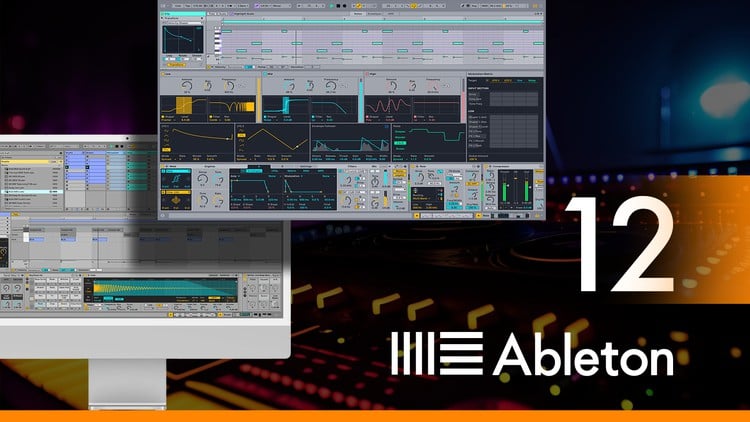
آموزش آبلتون لایو ۱۲ نهایی، بخش ۵: تولید موسیقی با افکتها - آخرین آپدیت
دانلود Ultimate Ableton Live 12, Part 5: Producing with Effects
آموزش Ableton Live 12: تولید موسیقی حرفهای با نرمافزار ایبلتون لایو
دوره جامع آموزش Ableton Live 12 توسط J. Anthony Allen، مربی رسمی Ableton و استاد دانشگاه، ارائه میشود.
در این دوره چه چیزی یاد میگیرید؟
در پایان این دوره، شما قادر خواهید بود با Ableton Live 12 به صورت حرفهای موسیقی تولید کنید و گامی در مسیر تبدیل شدن به یک موزیسین حرفهای بردارید.
- کار با نمای Session View و Arrangement View در Ableton Live 12
- ضبط صدا و MIDI و درک جریان سیگنال در Live
- تسلط 100% بر تمامی امکانات Ableton Live 12
- تولید موسیقی با استفاده از Ableton Live 12
- درک تفاوت و کاربرد دو نمای اصلی نرم افزار (Session View و Arrangement View)
- اصول ضبط صدا در Ableton Live 12
- روشهای مختلف ویرایش صدا
- 10 اصل اساسی ضبط صدا
- 6 اصل اساسی ضبط MIDI
- ابزارهای ضروری Warping
- ویرایش و تولید موسیقی در نمای Arrangement View
- ویرایش و تولید موسیقی در نمای Session View
- ساخت بیت (Beat Making)
- 7 روش (و بیشتر!) برای ساخت بیت در Ableton Live 12
- تولید موسیقی با استفاده از سینت سایزرها در Ableton Live 12
- معرفی سازهای Ableton Live 12
- معرفی و کار با تمامی افکتهای صوتی و MIDI
- Side-Chaining
- کار با سازهای Live
- مبانی طراحی صدا
- عناصر Synthesis
- سازهای Ableton Live
- ساز Analog
- Operator
- Drift
- Meld
- Collision
- Tension
- Electric
- Impulse
- Wavetable Synth
- Drum Synth (DS)
- Drum Rack
- سمپلرهای Ableton Live
- سازهای Max For Live
- Drive (افکتهای فرکانسی)
- EQ & Filters (افکتهای فرکانسی)
- Pitch and Modulation (فرکانسی)
- Dynamics (افکتهای داینامیک)
- Time and Space (زمانی)
- Performance (زمانی)
- Audio Effects Rack
پیش نیازها:
دانشجویان باید برای تولید موسیقی آماده باشند، اما نیازی به تجربه قبلی در موسیقی ندارند. هیچ تجربه قبلی در تئوری موسیقی یا تولید موسیقی لازم نیست.
دسترسی به Ableton Live مورد نیاز است. استفاده از نسخه آزمایشی (رایگان به مدت 30 روز) راهی عالی برای شروع است.
گذراندن کلاس "Ultimate Ableton Live 12, Part 1: Production Principles" بسیار مفید خواهد بود، اما الزامی نیست.
گذراندن کلاس "Ultimate Ableton Live 12, Part 2: Recording Music & MIDI" بسیار مفید خواهد بود، اما الزامی نیست.
گذراندن کلاس "Ultimate Ableton Live 12, Part 3: Producing Music with Live" بسیار مفید خواهد بود، اما الزامی نیست.
گذراندن کلاس "Ultimate Ableton Live 12, Part 4: Sound Design and Synthesis" بسیار مفید خواهد بود، اما الزامی نیست.
Welcome to the Ultimate Ableton Live 12 Masterclass Edition: Part 5 - Producing with Audio and MIDI Effects
Hi – I’m Jason, Ableton Certified Trainer and tenured university professor with a Ph.D. in Music. I have over 75 courses with a rating of 4.5 and higher. Tens of thousands of students have taken my Ableton Live 9, 10, and 11 classes, and they average over 4.7 in student ratings.
I'm here to guide you through the intricacies of Ableton Live. Whether you're a beginning music maker, aspiring producer, or a seasoned professional looking to up your game, this course is the perfect starting point.
Why choose this course?
Top Seller on Udemy: Thousands of 4+ reviews and tens of thousands of students can't be wrong!
5-Star Certified: Independently reviewed and certified by IAOMEI, ensuring the highest quality education.
Ableton Certified Trainer: With a Ph.D. in music, I bring a unique blend of expertise to both production and education.
Responsive Instructor: Enjoy a 100% Answer Rate! Every question posted in the class is personally answered by me within 24 hours.
My Promise to You: As a full-time Music Producer and Educator, I am committed to your success. Post your questions in the class, and I will respond within 24 hours. If this class doesn't meet your expectations, take advantage of the 30-day money-back guarantee—no questions asked.
Why Ultimate Ableton Live 12?
Comprehensive Learning: Master every aspect of Ableton Live 12, finishing as an expert in the software.
Downloadable Content: Get more than 5 hours of downloadable videos with lifetime access.
Workflow Techniques: Unlock my top production workflow techniques to streamline your creative process.
Direct Access to the Instructor: Enjoy direct access to me for any questions or clarifications within 24 hours.
Course Highlights:
Learn to produce amazing music with my systematic approach.
Why is everyone using Live?: Learn the unique features that make it such a popular music production tool.
Every single audio & MIDI effect analyzed and explained in detail.
How to take an overwhelming list of effects and turn it into something we can all understand:
Thinking in terms of modulation, dynamics, time, and frequency.
A deeper understanding of how Ableton's "Racks" fit in their philosophy of Instruments and Effects.
Not only do I cover every effect Ableton has, I explain them in the context of making actual music!
Why learn from me?
Apart from being an Ableton Certified Trainer, I’m also a tenured university professor with a Ph.D. in Music Composition, AND a dedicated professional music producer. I've had a few tracks on the charts in the last few years, and a long series of awards for my teaching. My passion for teaching and staying at the forefront of music production techniques brings a unique perspective to this Ableton Live 12, and everything I teach.
Don't miss this opportunity to master Ableton Live in the most comprehensive way possible. Let's embark on this journey together!
See you in Lesson 1.
All the best, Jason (but call me Jay...)
Welcome & Overview-خوش آمدید و مرور کلی Welcome & Overview
-
Introduction-معرفی Introduction
-
The 4 Areas of This class-4 بخش این کلاس The 4 Areas of This class
MIDI Effects-افکتهای MIDI MIDI Effects
-
What are Midi Effects?-افکتهای MIDI چیستند؟ What are Midi Effects?
-
Arpeggiator-آرپژیاتور Arpeggiator
-
CC Control-کنترل CC CC Control
-
Chord-کورد Chord
-
Envelope MIDI-اِنولوپ MIDI Envelope MIDI
-
Expression Control-کنترل اکسپرشن Expression Control
-
MIDI Effect Rack-رک افکت MIDI MIDI Effect Rack
-
MIDI Monitor-مانیتور MIDI MIDI Monitor
-
MPE Control-کنترل MPE MPE Control
-
Note Echo-اکوی نت Note Echo
-
Note Length-طول نت Note Length
-
Pitch-پیچ Pitch
-
Random-رندوم Random
-
Scale-مقیاس Scale
-
Automating Scales-اتوماسیون مقیاسها Automating Scales
-
Shaper MIDI-شیپر MIDI Shaper MIDI
-
Velocity-ولوسیتی Velocity
-
More Chord Changes-تغییرات بیشتر در کورد More Chord Changes
-
Session (Download)-سشن (دانلود) Session (Download)
Modulators-مدولاتورها Modulators
-
What are these?-اینها چی هستند؟ What are these?
-
Envelop Follower-دنبالکننده اِنولوپ Envelop Follower
-
Envelope MIDI-اِنولوپ MIDI Envelope MIDI
-
Expression Control-کنترل اکسپرشن Expression Control
-
LFO-LFO LFO
-
Shaper-شیپر Shaper
-
Shaper MIDI-شیپر MIDI Shaper MIDI
-
Presets-پریستها Presets
-
Session-سشن Session
Audio Effects-افکتهای صوتی Audio Effects
-
Three Types: Dynamic, Time, Frequency-سه نوع: داینامیک، زمان، فرکانس Three Types: Dynamic, Time, Frequency
Drive (Frequency Effects)-درایو (افکتهای فرکانسی) Drive (Frequency Effects)
-
Amp-آمپ Amp
-
Cabinet-کابینت Cabinet
-
Drum Bus-درام باس Drum Bus
-
Dynamic Tube-تیوب داینامیک Dynamic Tube
-
Erosion-فرسایش Erosion
-
Overdrive-اُوردِرایو Overdrive
-
Pedal-پِـدال Pedal
-
Redux-ریدِکس Redux
-
Saturator-سَتوریِیتِر Saturator
-
Roar (Basics)-Roar (مبانی) Roar (Basics)
-
Roar (Modulation)-Roar (مدولاسیون) Roar (Modulation)
-
Vinyl Distortion-دیستورشن وینیلی Vinyl Distortion
EQ & Filters (Frequency Effects)-اکولایزر و فیلترها (افکتهای فرکانسی) EQ & Filters (Frequency Effects)
-
EQ Eight-اکولایزر هشت EQ Eight
-
EQ Three-اکولایزر سه EQ Three
-
Auto Filter-فیلتر خودکار Auto Filter
-
Channel EQ-اکولایزر کانال Channel EQ
Pitch and Modulation (Frequency)-پیچ و مدولاسیون (فرکانس) Pitch and Modulation (Frequency)
-
Auto Pan-پَنِ خودکار Auto Pan
-
Chorus-Ensemble-کورس-انسامبل Chorus-Ensemble
-
Corpus-کورپوس Corpus
-
Shifter-شیفتر Shifter
-
Phaser-Flanger-فیزر-فلَنجِر Phaser-Flanger
-
Resonators-رزوناتورها Resonators
-
Spectral Resonator-رزوناتور طیفی Spectral Resonator
-
Spectral Time-زمان طیفی Spectral Time
-
Vocoder-وکودِر Vocoder
Dynamics (Dynamic Effects)-داینامیکها (افکتهای داینامیکی) Dynamics (Dynamic Effects)
-
How Compression Works-نحوه عملکرد کمپرسور How Compression Works
-
Using The Compressor-استفاده از کمپرسور Using The Compressor
-
Side-Chaining With the Compressor-ساید چینینگ با کمپرسور Side-Chaining With the Compressor
-
Gate-گِیت Gate
-
Glue Compressor-کمپرسور گلو Glue Compressor
-
Limiter-لیمیتر Limiter
-
Multiband Dynamics-داینامیکهای چندبانده Multiband Dynamics
Time and Space (Time)-زمان و فضا (زمان) Time and Space (Time)
-
Using Time Effects (Bussing)-استفاده از افکتهای زمانی (باسینگ) Using Time Effects (Bussing)
-
Putting Effects on Sends-قرار دادن افکتها روی سِند Putting Effects on Sends
-
Delay-دیلی Delay
-
Echo-اکو Echo
-
Filter Delay-دیلی فیلتر Filter Delay
-
Grain Delay-دیلی گِرِین Grain Delay
-
Reverb-ریبِرب Reverb
-
Hybrid Reverb-ریبِرب هیبرید Hybrid Reverb
Performance Effects-افکتهای پرفورمنس Performance Effects
-
Beat Repeat-تکرار ضرب Beat Repeat
-
Looper-لوپر Looper
Audio Effects Rack-رک افکتهای صوتی Audio Effects Rack
-
Audio Effect Rack-رک افکت صوتی Audio Effect Rack
-
Chain Selector-انتخابکننده چین Chain Selector
-
Macros-ماکروها Macros
Utilities-ابزارها Utilities
-
Align Delay-همتراز کردن دیلی Align Delay
-
External Audio Effect-افکت صوتی خارجی External Audio Effect
-
Spectrum-طیفسنج Spectrum
-
Tuner-تیونر Tuner
-
Utility-ابزار Utility
Some Tips with Effects-چند نکته در مورد افکتها Some Tips with Effects
-
Order of Operations-ترتیب عملیات Order of Operations
-
The Effect Chain-زنجیره افکت The Effect Chain
Wrap Up-جمعبندی Wrap Up
-
What comes next?-بعدش چی میشه؟ What comes next?
-
Thanks for Watching!-ممنون از تماشا! Thanks for Watching!
-
Bonus Lecture-درس اضافه Bonus Lecture



https://donyad.com/d/59f565




 Jason Allen
دکترا، مربی معتبر Ableton
ج. آنتونی آلن کلاه آهنگساز، تهیه کننده، ترانه سرا، مهندس، طراح صدا، دی جی، هنرمند ریمیکس، هنرمند چند رسانه ای، مجری، مخترع، و کارآفرین را بر سر داشته است. آلن یک خالق همه کاره است که تجربه پروژه های متنوع او از آثار نوشته شده برای ارکستر مینه سوتا تا قطعات ساخته شده برای فیلم، تلویزیون و رادیو را شامل می شود. آلن که یک مبتکر در زمینه عملکرد الکترونیکی است، روی مجموعه ای از کنترلرهای "دستکشی" اجرا می کند که توسط خودش طراحی، ساخته و برنامه ریزی شده است. وقتی آلن به عنوان یک هنرمند انفرادی کار نمی کند، یک همکار سریال است. وسیله اصلی همکاری او گروه Ballet Mech است که آلن یکی از سه تهیه کننده آن است.
در سال 2014، آلن یک نیمه نهایی برای بهترین مربی موسیقی سال بنیاد گرمی بود.
ج. آنتونی آلن در دانشگاه آگسبورگ در مینیاپولیس، مینهسوتا تدریس میکند و یک مدرس معتبر Ableton Live است. وی دارای مدرک دکتری در آهنگسازی، 2 مدرک کارشناسی ارشد در آهنگسازی و موسیقی الکترونیک و مدرک لیسانس در اجرای گیتار است. دکتر آلن در طول سفرهای آکادمیک خود جوایز متعددی را دریافت کرده است.
آلن متولد و بزرگ شده در میشیگان، با انواع مختلفی از رسانه های تعاملی از جمله صوتی، تصویری، نصب و رقص کار کرده است. کار آقای آلن در سراسر جهان تجربه شده است و به آن "مطالعه در صدا و حرکت شوم" (خورشید بالتیمور)، "توهم زا شنیداری" (رادیو عمومی مینه سوتا) و "استفاده زیبا و جذاب از فن آوری. ” (Cogapp: وبلاگ هنر و علم). در سال 2003 آلن به تیم جشنواره موسیقی و هنر الکترونیک اسپارک پیوست و تا سال 2009 دستیار کارگردان و تهیه کننده اصلی بود.
نمایش نظرات