آموزش 2025 - تست اتوماسیون سرتاسری با Cypress - آخرین آپدیت

دانلود 2025 - End to End automation testing with Cypress

نکته: ممکن هست محتوای این صفحه بروز نباشد ولی دانلود دوره آخرین آپدیت می باشد.
نمونه ویدیوها:
توضیحات دوره:

آموزش کامل تست اتوماسیون با Cypress: از پایه تا پیشرفته

معرفی ابزار تست اتوماسیون نسل بعدی: Cypress

با Cypress، ابزار تست اتوماسیون مدرن و قدرتمند، دنیای تست نرم‌افزار را متحول کنید. این دوره جامع، شما را از مبتدی تا متخصص در زمینه تست اتوماسیون End to End با Cypress همراهی خواهد کرد.

آنچه در این دوره خواهید آموخت:

  • یادگیری کامل Cypress: درک عمیق و کاربردی از تمامی جنبه‌های Cypress.
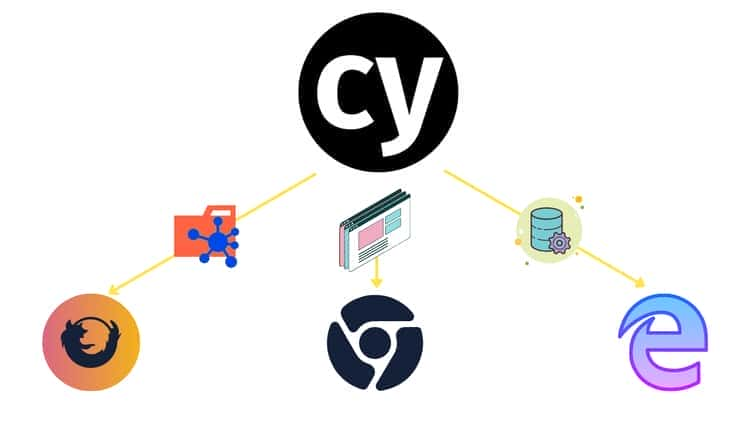
  • تست UI با Cypress: پیاده‌سازی تست‌های رابط کاربری برای اپلیکیشن‌های وب با مرورگرهای Chrome/Electron/Chromium و Firefox.
  • تست XHR با Cypress: بررسی و تحلیل XMLHTTPResponse وب‌سایت‌ها.
  • تست API با Cypress: اعتبارسنجی و تأیید عملکرد APIهای وب.
  • یادگیری CI/CD با GitHub Actions: آشنایی با مفاهیم و پیاده‌سازی یکپارچه‌سازی مداوم با GitHub Actions.
  • یکپارچه‌سازی CI/CD با Jenkins و GitHub Actions: تسلط بر فرآیندهای CI/CD در محیط‌های مختلف.
  • تست Cross-Browser با Cypress: اطمینان از سازگاری و عملکرد صحیح تست‌ها در مرورگرهای مختلف.
  • اجرای تست در کانتینرهای Docker Cypress: ایجاد محیط‌های تست پایدار و قابل تکرار با Docker.
  • تست مبتنی بر رفتار (BDD) با Cucumber.js: ادغام Cypress با Cucumber.js برای رویکردهای تست پیشرفته.
  • درک کامل دستورات Cypress: تسلط بر دستورات Cypress برای ایجاد و اجرای سریع تست‌ها.
  • اجرای موازی تست با Cypress Cloud: بهینه‌سازی زمان اجرای تست با اجرای موازی.
  • پشتیبانی از Page Object Model در Cypress: توسعه کدهای تست ماژولار و قابل نگهداری.
  • ادغام Cypress با پلاگین‌های XPath: افزایش قابلیت‌های انتخاب و دستکاری عناصر.
  • اشکال‌زدایی (Debugging) با Cypress: استفاده از Chrome Dev Tools برای رفع مشکلات تست.
  • تست بصری با Percy: پیاده‌سازی تست‌های رگرسیون بصری برای اطمینان از یکپارچگی UI.
  • گزارش‌دهی Mochawesome با Cypress: تولید گزارش‌های دقیق و کاربردی از نتایج تست.
  • یکپارچه‌سازی CI/CD Cypress با Jenkins: خودکارسازی تست‌ها در پایپ‌لاین‌های CI/CD.
  • Cypress Studio: ابزار تست بصری برای ایجاد تست بدون نیاز به کدنویسی.
  • Network Stubbing و Mocking با Cypress: شبیه‌سازی تعاملات شبکه برای تست دقیق‌تر.
  • تست کامپوننت با Cypress: ایزوله کردن و تست کامپوننت‌های UI.

پیش‌نیازها:

  • درک اولیه از Selenium یا سایر ابزارهای اتوماسیون.
  • دانش پایه از Javascript.
  • آشنایی با مفاهیم پلتفرم‌های CI/CD.

این دوره به شما اطمینان می‌دهد که پس از اتمام، تسلط کاملی بر تست اتوماسیون با Cypress خواهید داشت و آماده مقابله با چالش‌های تست نرم‌افزار خواهید بود.


سرفصل ها و درس ها

مقدمه و شروع Introduction and Getting started

  • مقدمه دوره Introduction to Course

  • مقدمه دوره Introduction to Course

  • معرفی Introduction

  • نصب و راه اندازی با Cypress Installing and getting started with Cypress

  • نصب و راه اندازی با Cypress Installing and getting started with Cypress

  • نوشتن کد فوق العاده ساده با Cypress به زیر جریان اصلی Writing super simple code with Cypress to under the basic flow

  • نوشتن کد فوق العاده ساده با Cypress به زیر جریان اصلی Writing super simple code with Cypress to under the basic flow

مقدمه و شروع Introduction and Getting started

  • معرفی Introduction

مقدمه Introduction

  • مقدمه دوره Course Introduction

دست گرفتن با سرو Getting handle with Cypress

  • کار با Test Runner مبتنی بر رابط کاربری و کنسول Working with UI & Console based Test Runner

  • تعامل با عنصر UI با Cypress Interacting with UI element with Cypress

  • تعامل با عنصر UI با Cypress Interacting with UI element with Cypress

  • کار با دستورات پیشرفته Cypress Working with advanced Cypress commands

  • کار با متغیرهای Cypress Working with Cypress variables

  • کار با متغیرهای Cypress Working with Cypress variables

  • درک مستعار Understanding Alias

  • درک مستعار Understanding Alias

  • کار با Alias ​​برای عملیات UI Working with Alias for UI operation

  • کار با Alias ​​برای عملیات UI Working with Alias for UI operation

  • درک دستور Cypress Wrap Understanding Cypress Wrap command

  • درک دستور Cypress Wrap Understanding Cypress Wrap command

  • کار با ادعاهای ضمنی و صریح در Cypress Working with Implicit and Explicit assertions in Cypress

  • کار با قلاب سرو Working with Cypress Hooks

  • کار با تست داده محور Working with Data Driven Testing

دست گرفتن با سرو Getting handle with Cypress

  • کار با Test Runner مبتنی بر رابط کاربری و کنسول Working with UI & Console based Test Runner

  • کار با دستورات پیشرفته Cypress Working with advanced Cypress commands

  • کار با ادعاهای ضمنی و صریح در Cypress Working with Implicit and Explicit assertions in Cypress

  • کار با قلاب سرو Working with Cypress Hooks

  • کار با تست داده محور Working with Data Driven Testing

Application Under Test (AUT) Application Under Test (AUT)

  • مقدمه ای بر Application Under Test Introduction to Application Under Test

  • کد منبع AUT Source Code of AUT

کار با ویژگی های پیشرفته Cypress Working with Advanced features of Cypress

  • کار با دستورات سفارشی در Cypress Working with custom commands in Cypress

  • کار با دستورات سفارشی در Cypress Working with custom commands in Cypress

  • کار با تنظیمات و ایجاد ویدیوهای آزمایشی و اسکرین شات های شکست Working with Configurations and creating test videos and failure screenshots

  • کار با متغیرهای محیطی Working with environment variables

  • کار با Cypress Plugins Working with Cypress Plugins

  • کار با Cypress Plugins Working with Cypress Plugins

کار با ویژگی های پیشرفته Cypress Working with Advanced features of Cypress

  • کار با تنظیمات و ایجاد ویدیوهای آزمایشی و اسکرین شات های شکست Working with Configurations and creating test videos and failure screenshots

  • کار با متغیرهای محیطی Working with environment variables

شروع کار با Cypress Getting Started with Cypress

  • مقدمه Introduction

  • نصب Cypress و آماده سازی صحنه Installing Cypress and setting stage ready

  • کار با برنامه Cypress Working with Cypress App

  • استفاده از برنامه Cypress برای ایجاد test specs از طریق Scaffolding Using Cypress App to create test specs via Scaffolding

  • اجرای تست های Cypress از طریق Commandline Interface (npx cypress run) Running Cypress tests from Commandline Interface (npx cypress run)

  • مدیریت Cypress از طریق CLI Managing Cypress from CLI

آزمایش توسعه مبتنی بر رفتار (BDD) با خیار Behavioural Driven Development (BDD) Testing with Cucumber

  • کار با خیار با سرو Working with Cucumber with Cypress

  • کار با خیار با سرو Working with Cucumber with Cypress

  • کار با Cucumber برای داده های پارامتر در تعریف Step Working with Cucumber for Parameter data in Step definition

  • کار با Cucumber DataTables برای کار با چندین داده Working with Cucumber DataTables for working with multiple data

  • کار با Cucumber DataTables برای کار با چندین داده Working with Cucumber DataTables for working with multiple data

آزمایش توسعه مبتنی بر رفتار (BDD) با خیار Behavioural Driven Development (BDD) Testing with Cucumber

  • کار با Cucumber برای داده های پارامتر در تعریف Step Working with Cucumber for Parameter data in Step definition

آشنایی با اصول Cypress - مبانی Understanding Basics of Cypress - Foundation

  • مقدمه Introduction

  • ضبط و پخش با Cypress Studio Record and Playback with Cypress Studio

  • ساختار تست Cypress - Describe/it/it.only/it.skip/hooks Cypress Test Structure - Describe/it/it.only/it.skip/hooks

  • آشنایی با اصول دستورات Cypress Understanding the basics of Cypress Commands

  • کار با دستورات Query Cypress Working with Cypress Query commands

  • کار با دستورات Query و Action Cypress Working with Cypress Query and Action commands

  • کار با دستورات Assertion Cypress Working with Cypress Assertion commands

  • کار با Invoke()، Url() و Filter() و سایر دستورات Cypress Working with Invoke(), Url() and Filter() other cypress commands

  • آشنایی با زنجیره دستورات Cypress Understanding Cypress Command chaining

  • قابلیت تلاش مجدد در Cypress و نحوه کار آن در دستورات Cypress Retry-ability in Cypress and how it works in Cypress commands

  • آشنایی با متغیرهای Cypress Understanding Cypress Variables

  • کار با Alias و شگفت انگیز بودن آنها Working with Alias and how awesome they are

  • Wrap Cypress - قابلیتی که کد Cypress ما را هوشمندتر می کند Cypress Wrap - A feature which makes our cypress code more intelligent

  • اشکال زدایی کد Cypress Debugging Cypress code

  • [تمرین کدنویسی] - سوال چالش برانگیز [Coding Exercise] - Challenge Question

  • [تمرین کدنویسی] - راه حل چالش برانگیز [Coding Exercise] - Challenge Solution

  • خلاصه Summary

  • کد منبع Source code

خودکارسازی برنامه ها با XHR با استفاده از Cypress Automating applications with XHR using Cypress

  • مقدمه ای بر کار با XHR Introduction to working with XHR

  • کار با XHR و ادعا با استفاده از ادعای صریح Working with XHR and asserting using Explicit assertion

  • کار با XHR برای تأیید اعتبار رمز احراز هویت Working with XHR to verify authentication token validation

  • کار با XHR برای تأیید اعتبار رمز احراز هویت Working with XHR to verify authentication token validation

  • کار با کوکی ها و بیان مقادیر کوکی ها Working with Cookies and asserting cookies values

خودکارسازی برنامه ها با XHR با استفاده از Cypress Automating applications with XHR using Cypress

  • مقدمه ای بر کار با XHR Introduction to working with XHR

  • کار با XHR و ادعا با استفاده از ادعای صریح Working with XHR and asserting using Explicit assertion

  • کار با کوکی ها و بیان مقادیر کوکی ها Working with Cookies and asserting cookies values

آشنایی با Cypress Cloud، Test Runner و مکانیزم Retry تست Understanding Cypress Cloud, Test Runner and Test Retry mechanism

  • مقدمه و پیکربندی Cypress Cloud Introduction and Configuration of Cypress Cloud

  • اجرای تست محلی و مشاهده جزئیات اجرای تست در Cypress Cloud Executing local test and viewing test run details in Cypress Cloud

  • قابلیت Retry تست Cypress برای اجرای مجدد تست های ناموفق - تلاش ها! Cypress Test Retry feature to rerun failure tests - Attempts !

  • مشاهده اجرای تست ناموفق و تلاش ها در Cypress Cloud Viewing Failure Test Run and Attempts in Cypress Cloud

  • خلاصه Summary

تست API با Cypress API Testing with Cypress

  • مقدمه ای بر تست API برای GET و POST Introduction to API testing for GET and POST

  • تست API برای DELETE و استفاده از آن به روشی قابل استفاده مجدد API Testing for DELETE and using it in reusable manner

تست API با Cypress API Testing with Cypress

  • مقدمه ای بر تست API برای GET و POST Introduction to API testing for GET and POST

  • تست API برای DELETE و استفاده از آن به روشی قابل استفاده مجدد API Testing for DELETE and using it in reusable manner

  • کد منبع کامل Complete source Code

آشنایی با پیکربندی ها، پلاگین ها و متغیرهای محیطی Cypress Understanding Cypress Configurations, Plugins and Environment Variables

  • مقدمه Introduction

  • قابل تنظیم کردن URL برنامه با استفاده از baseURL در config Making Application URL more configurable using baseURL in config

  • استفاده از baseUrl در خط فرمان Cypress برای عملیات CI/CD Using baseUrl in Cypress Command-line for CI/CD operation

  • پیکربندی Cypress برای محیط های مختلف (Dev/Test/Prod) Cypress configuration for different environments (Dev/Test/Prod)

  • [سفارشی سازی رویدادهای Cypress] - ضبط ویدئو فقط برای تست های ناموفق [Customising Cypress Events] - Capture video only for Failed Tests

  • [سفارشی سازی رویدادهای Cypress] - باز کردن DevTool مرورگر با برنامه Cypress [Customising Cypress Events] - Open Browsers DevTool with Cypress App

  • [تمرین کدنویسی] - سوال چالش برانگیز [Coding Exercise] - Challenge Question

  • [تمرین کدنویسی] - راه حل چالش برانگیز [Coding Exercise] - Challenge Solution

  • خلاصه Summary

  • کد منبع Source code

ادغام Cypress CI/CD Cypress CI/CD integration

  • داشبورد سرو Cypress Dashboards

  • Cypress با اجرای Docker Cypress with Docker execution

  • Cypress with Docker همراه با نقشه برداری حجم Cypress with Docker along volume mapping

ادغام Cypress CI/CD Cypress CI/CD integration

  • داشبورد سرو Cypress Dashboards

  • Cypress با اجرای Docker Cypress with Docker execution

  • Cypress with Docker همراه با نقشه برداری حجم Cypress with Docker along volume mapping

رایج ترین سناریوهای تست خودکار هنگام خودکارسازی برنامه های UI Most Common Automation Testing Scenarios while automating UI Apps

  • تست مبتنی بر داده با Cypress Fixtures Data-Driven Testing with Cypress Fixtures

  • کار با FileUpload Working with FileUpload

  • مدیریت Popup و Alerts در Cypress Handling Popup and Alerts in Cypress

  • ضبط اسکرین شات و ویدئو Capture Screenshots and videos

  • افزایش سرعت تست با Sessions - دیگر نیازی به ورود چندباره برای هر تست نیست Speedup tests with Sessions - No more multiple Sign-in for every single test

  • کد منبع Source code

مدل شیء صفحه با سرو Page Object Models with Cypress

  • مدل شیء صفحه با سرو Page Object Models with Cypress

  • مدل‌های شیء صفحه با سرو (ادامه) Page Object Models with Cypress (Contd)

  • مدل‌های شیء صفحه با سرو (ادامه) Page Object Models with Cypress (Contd)

  • افزونه Cypress Xpath Cypress Xpath plugin

  • کد منبع کامل Complete source Code

مدل شیء صفحه با سرو Page Object Models with Cypress

  • مدل شیء صفحه با سرو Page Object Models with Cypress

  • افزونه Cypress Xpath Cypress Xpath plugin

  • کد منبع کامل Complete source Code

تست API با Cypress API Testing with Cypress

  • مقدمه Introduction

  • انجام عملیات GET Perform GET operation

  • انجام عملیات POST Perform POST operation

  • انجام عملیات DELETE Perform DELETE Operation

درخت سرو Cypress Tidbits

  • Cypress Tidbits - آپلود فایل Cypress Tidbits - File Upload

  • Cypress Tidbits - آپلود فایل Cypress Tidbits - File Upload

  • کد منبع کامل Complete source Code

  • کد منبع کامل Complete source Code

  • تست بصری با Percy + Cypress Visual testing with Percy + Cypress

  • کد منبع Percy + Cypress Source code Percy + Cypress

  • کد منبع Percy + Cypress Source code Percy + Cypress

  • تغییر رفتار مرورگر با رویدادهای Cypress Changing browser behaviour with Cypress events

  • اشکال زدایی با Cypress مانند توسعه دهندگان برنامه! Debugging with Cypress like app Developers !

  • اشکال زدایی با Cypress مانند توسعه دهندگان برنامه! Debugging with Cypress like app Developers !

  • مدیریت هشدارها و پنجره های بازشو با Cypress Handling Alerts and popups with Cypress

  • کد منبع هشدار + پنجره های بازشو Source code Alert + Popup windows

  • کار با iFrames و درک سیاست Same-Origin Working with iFrames and understanding Same-Origin policy

  • کار با iFrames و درک سیاست Same-Origin Working with iFrames and understanding Same-Origin policy

  • چه چیزی با Cypress 3.3.1 جدید است؟ Whats new with Cypress 3.3.1 ?

  • چه چیزی با Cypress 3.3.1 جدید است؟ Whats new with Cypress 3.3.1 ?

  • کد منبع iFrame + Whats new with 3.3.1 Source code iFrame + Whats new with 3.3.1

درخت سرو Cypress Tidbits

  • کد منبع کامل Complete source Code

  • تست بصری با Percy + Cypress Visual testing with Percy + Cypress

  • تغییر رفتار مرورگر با رویدادهای Cypress Changing browser behaviour with Cypress events

  • مدیریت هشدارها و پنجره های بازشو با Cypress Handling Alerts and popups with Cypress

  • کد منبع هشدار + پنجره های بازشو Source code Alert + Popup windows

  • کد منبع iFrame + Whats new with 3.3.1 Source code iFrame + Whats new with 3.3.1

Network Stubbing و Intercepting Network Stubbing and Intercepting

  • مقدمه Introduction

  • انجام رهگیری درخواست شبکه ساده Perform simple Network request interception

  • انجام رهگیری شبکه با wildcard Perform Network interception with wildcard

  • انجام Network Stubbing برای محدود کردن پهنای باند شبکه API Perform Network Stubbing for API network throttling

  • کد منبع Source code

  • Network Stubbing برای رهگیری درخواست با داده های ربوده شده Network Stubbing to intercept a request with hijacked data

گزارش سرو Cypress reporting

  • معرفی و نصب گزارش سایپرس Introduction and installation of Cypress reporting

  • معرفی و نصب گزارش سایپرس Introduction and installation of Cypress reporting

  • تولید گزارش Mochawesome با Cypress Generating Mochawesome report with Cypress

  • تولید گزارش Mochawesome با Cypress Generating Mochawesome report with Cypress

  • ایجاد گزارش Mocha JUnit Generating Mocha JUnit reporting

  • کد منبع - گزارش Source code - Reporting

  • کد منبع - گزارش Source code - Reporting

  • شکستن تغییرات در گزارش MOHAWESOME - 2021 به روز شد BREAKING CHANGES IN MOCHAWESOME REPORT - 2021 Updated

  • Command Change و Package.json Command Change and Package.json

  • Command Change و Package.json Command Change and Package.json

گزارش سرو Cypress reporting

  • ایجاد گزارش Mocha JUnit Generating Mocha JUnit reporting

  • شکستن تغییرات در گزارش MOHAWESOME - 2021 به روز شد BREAKING CHANGES IN MOCHAWESOME REPORT - 2021 Updated

گزارش های Cypress - همراه با ویدئو و اسکرین شات و همچنین اسکرین شات در Re tries Cypress Reports - With videos and Screenshots along with Screenshots on Retries

  • مقدمه Introduction

  • پیکربندی گزارش Mochawesome - تولید گزارش با اسکرین شات و ویدئو Configuring Mochawsome report - Generate report with Screenshot and videos

  • شخصی سازی بیشتر گزارش های Mochawesome More customisation of Mochawesome reports

کار با تنظیمات Cypress برای محیط های مختلف Working with Cypress configurations for different environments

  • کار با تنظیمات Working with Configurations

  • اجرای تست با پیکربندی های مختلف برای QA/Dev برای ادغام با CI/CD Running test with different configurations for QA/Dev to integrate with CI/CD

  • کد منبع - پیکربندی Source code - Configuration

کار با تنظیمات Cypress برای محیط های مختلف Working with Cypress configurations for different environments

  • کار با تنظیمات Working with Configurations

  • اجرای تست با پیکربندی های مختلف برای QA/Dev برای ادغام با CI/CD Running test with different configurations for QA/Dev to integrate with CI/CD

  • کد منبع - پیکربندی Source code - Configuration

یکپارچگی Cypress Docker و اجرای Application Under Test در Docker Cypress Docker Integration and executing Dockerized Application Under Test

  • مقدمه Introduction

  • اجرای AUT به عنوان Microservices کانتینری شده با Docker Running AUT as Docker containerised Microservices

  • ایجاد فایل Docker تست Cypress Creating Test Cypress Docker file

  • ساخت ایمیج Docker تست Cypress و اجرای آن به عنوان کانتینر Building Cypress Test Docker Image and running it as container

  • اجرای تست از داخل کانتینر تست سفارشی Cypress Running Test from within Custom Cypress Test Container

  • نگاشت Volume کانتینر Cypress برای دریافت گزارش تست Mochawesome در دستگاه محلی Volume Mapping Cypress container to get Mochawesome Test Report in local machine

  • خلاصه Summary

ادغام Cypress GitHub Cypress GitHub Integration

  • ادغام Cypress GitHub Cypress GitHub Integration

ادغام Cypress GitHub Cypress GitHub Integration

  • ادغام Cypress GitHub Cypress GitHub Integration

CI/CD با GitHub Actions، یکپارچگی GitHub با Cypress Cloud، تست های موازی CI/CD with GitHub Actions, GitHub Integration with Cypress Cloud, Parallel Tests

  • مقدمه Introduction

  • نحوه دستیابی به CI/CD و یکپارچگی Cypress Cloud How to achieve CI/CD and Cypress cloud Integration

  • Check-In کد برنامه و کد تست Cypress در یک مخزن GitHub یکسان Check-In App Code and Cypress Test code in same GitHub Repo

  • ایجاد گردش کار GitHub Action برای اجرای برنامه .NET کانتینری شده با Docker Create GitHub Action workflow to run Dockerized .NET Application

  • ایجاد گردش کار GitHub Actions برای اجرای تست های Cypress Create GitHub Actions workflow to run Cypress tests

  • اجرای تست های Cypress در گردش کار GitHub Actions Running Cypress Tests in GitHub Actions workflow

  • بارگذاری Artifacts گزارش تست Cypress برای هر build و ادامه در صورت شکست Uploading Cypress Test Report Artifacts for every build and continue on failure

  • یکپارچگی GitHub با Cypress Cloud برای بررسی های دقیق Cypress GitHub Integration with Cypress Cloud for detailed Cypress Checks

  • بررسی های GitHub Cypress برای هر اجرا با یکپارچگی GitHub Cypress Cloud GitHub Cypress Checks for every run with GitHub Cypress Cloud Integration

  • اجرای تست های Cypress به صورت موازی با GitHub Actions و Cypress Cloud Running Cypress Tests in Parallel with GitHub Actions and Cypress Cloud

  • فایل گردش کار GitHub Actions GitHub Actions Workflow file

  • GitHub Action با کد منبع تغییرات GitHub Action with Changes source code

ادغام مداوم با جنکینز Continuous Integration with Jenkins

  • مقدمه ای بر CI با جنکینز برای سرو Introduction to CI with Jenkins for Cypress

  • مقدمه ای بر CI با جنکینز برای سرو Introduction to CI with Jenkins for Cypress

  • نصب جنکینز در ماشین محلی Installing Jenkins in local machine

  • ایجاد پروژه خط لوله جنکینز برای Cypress Creating Jenkins Pipeline project for Cypress

  • ایجاد مراحل خط لوله جنکینز برای Cypress Creating Jenkins Pipeline stages for Cypress

  • ایجاد مراحل خط لوله جنکینز برای Cypress Creating Jenkins Pipeline stages for Cypress

  • اجرای مراحل خط لوله جنکینز با داشبورد Cypress Running Jenkins Pipeline stages with Cypress dashboard

ادغام مداوم با جنکینز Continuous Integration with Jenkins

  • نصب جنکینز در ماشین محلی Installing Jenkins in local machine

  • ایجاد پروژه خط لوله جنکینز برای Cypress Creating Jenkins Pipeline project for Cypress

  • اجرای مراحل خط لوله جنکینز با داشبورد Cypress Running Jenkins Pipeline stages with Cypress dashboard

تکرار تست Cypress Cypress Test Replay

  • آشنایی و کار با تکرار تست Cypress Understanding and working with Cypress Test Replay

Cypress 4.0 Cypress 4.0

  • پشتیبانی از مرورگر متقابل با Cypress 4.0 Cross browser support with Cypress 4.0

Cypress 4.0 Cypress 4.0

  • پشتیبانی از مرورگر متقابل با Cypress 4.0 Cross browser support with Cypress 4.0

تست مبتنی بر رفتار (BDD) با Cucumber Behavioural Driven Development (BDD) Testing with Cucumber

  • کار با Cucumber با Cypress Working with Cucumber with Cypress

  • کار با Cucumber برای داده های پارامتری در تعریف مرحله Working with Cucumber for Parameter data in Step definition

  • کار با DataTables Cucumber برای کار با داده های متعدد Working with Cucumber DataTables for working with multiple data

Cypress 4.6.0 Cypress 4.6.0

  • کد منبع کامل Complete Source code

  • کد منبع کامل Complete Source code

Cypress 4.6.0 Cypress 4.6.0

الگوهای صفحه (Page Object Models) با Cypress Page Object Models with Cypress

  • الگوهای صفحه با Cypress Page Object Models with Cypress

  • الگوهای صفحه با Cypress (ادامه) Page Object Models with Cypress (Contd)

  • پلاگین Xpath Cypress Cypress Xpath plugin

  • کد کامل منبع Complete source Code

CI/CD با GitHub Actions و Cypress 4.9 CI/CD with GitHub Actions and Cypress 4.9

  • معرفی و کار با GitHub Actions و GitHub Pages Introduction and working with GitHub Actions and GitHub Pages

  • معرفی و کار با GitHub Actions و GitHub Pages Introduction and working with GitHub Actions and GitHub Pages

  • ادغام با GitHub Actions و انتشار گزارش Mochawesome در صفحه GitHub Integrating with GitHub Actions and publishing Mochawesome report in GitHub Page

  • کد منبع کامل در GitHub Repo نشسته است Complete Source code sitting in GitHub Repo

CI/CD با GitHub Actions و Cypress 4.9 CI/CD with GitHub Actions and Cypress 4.9

  • ادغام با GitHub Actions و انتشار گزارش Mochawesome در صفحه GitHub Integrating with GitHub Actions and publishing Mochawesome report in GitHub Page

  • کد منبع کامل در GitHub Repo نشسته است Complete Source code sitting in GitHub Repo

نکات ظریف Cypress Cypress Tidbits

  • تست بصری با Percy + Cypress Visual testing with Percy + Cypress

  • کد منبع Percy + Cypress Source code Percy + Cypress

  • کار با iFrames و درک سیاست Same-Origin Working with iFrames and understanding Same-Origin policy

Cypress 5.0 Cypress 5.0

  • سعی مجدد خودکار تست های ناموفق در Cypress 5.0 Automatic Retry of failed Tests in Cypress 5.0

  • سعی مجدد خودکار تست های ناموفق در Cypress 5.0 Automatic Retry of failed Tests in Cypress 5.0

Cypress 5.0 Cypress 5.0

یکپارچگی مداوم با Jenkins Continuous Integration with Jenkins

  • مقدمه CI با Jenkins برای Cypress Introduction to CI with Jenkins for Cypress

  • نصب Jenkins در دستگاه محلی Installing Jenkins in local machine

  • ایجاد پروژه پایپ لاین Jenkins برای Cypress Creating Jenkins Pipeline project for Cypress

  • ایجاد مراحل پایپ لاین Jenkins برای Cypress Creating Jenkins Pipeline stages for Cypress

  • اجرای مراحل پایپ لاین Jenkins با داشبورد Cypress Running Jenkins Pipeline stages with Cypress dashboard

Cypress 6.3.0 Cypress 6.3.0

  • استودیو Cypress - تجربی Cypress Studio - Experimental

Cypress 6.3.0 Cypress 6.3.0

  • استودیو Cypress - تجربی Cypress Studio - Experimental

Network Stubbing Network Stubbing

  • درک کاربرد دنیای واقعی Cypress Understanding Real World Application of Cypress

  • رهگیری درخواست POST و تزریق Request Payload Intercept POST Request and inject Request Payload

Cypress 6.4.0 - Network Stubbing Cypress 6.4.0 - Network Stubbing

  • معرفی Introduction

  • اطلاعات سرور محلی خرد Stub Local Server Data

  • اطلاعات سرور محلی خرد Stub Local Server Data

  • رهگیری پاسخ و تزریق داده های دانه Intercept Response and inject seed data

  • شبکه را رهگیری کرده و از طریق نام مستعار تأیید کنید Intercept Network and verify via Alias

  • کد منبع کامل Complete Source code

  • درک کاربرد دنیای واقعی سرو Understanding Real World Application of Cypress

  • رهگیری درخواست POST و تزریق Request Payload Intercept POST Request and inject Request Payload

Cypress 6.4.0 - Network Stubbing Cypress 6.4.0 - Network Stubbing

  • معرفی Introduction

  • رهگیری پاسخ و تزریق داده های دانه Intercept Response and inject seed data

  • شبکه را رهگیری کرده و از طریق نام مستعار تأیید کنید Intercept Network and verify via Alias

  • کد منبع کامل Complete Source code

  • درک کاربرد دنیای واقعی سرو Understanding Real World Application of Cypress

  • رهگیری درخواست POST و تزریق Request Payload Intercept POST Request and inject Request Payload

تست کامپوننت Component Testing

  • مقدمه ای بر تست کامپوننت با Cypress Introduction to Component Testing with Cypress

  • نصب و پیکربندی محیط تست کامپوننت Cypress Installing and configuring Component testing ground of Cypress

  • اضافه کردن پیکربندی و پلاگین های Cypress Adding Cypress configuration and plugins

  • اضافه کردن تست کامپوننت ساده Cypress و اجرای آن از طریق Test Runner کامپوننت Adding Simple Cypress Component Test and running via Component Test Runner

  • نوشتن تست کامپوننت همزمان با توسعه کامپوننت های برنامه Writing Component test Side by Side while app components are developed

  • تست های کامپوننت بیشتر و خلاصه More component tests and Summary

  • کد کامل منبع Complete source code

Cypress 7.0 - تست کامپوننت Cypress 7.0 - Component Testing

  • مقدمه ای بر تست کامپوننت با سرو Introduction to Component Testing with Cypress

  • نصب و پیکربندی زمین تست کامپوننت Cypress Installing and configuring Component testing ground of Cypress

  • افزودن پیکربندی و پلاگین Cypress Adding Cypress configuration and plugins

  • افزودن تست کامپوننت سرو ساده و اجرا از طریق Component Test Runner Adding Simple Cypress Component Test and running via Component Test Runner

  • افزودن تست کامپوننت سرو ساده و اجرا از طریق Component Test Runner Adding Simple Cypress Component Test and running via Component Test Runner

  • هنگام توسعه مولفه‌های برنامه، کامپوننت را کنار هم آزمایش کنید Writing Component test Side by Side while app components are developed

  • تست های بیشتر و خلاصه More component tests and Summary

  • تست های بیشتر و خلاصه More component tests and Summary

  • کد منبع کامل Complete source code

Cypress 7.0 - تست کامپوننت Cypress 7.0 - Component Testing

  • مقدمه ای بر تست کامپوننت با سرو Introduction to Component Testing with Cypress

  • نصب و پیکربندی زمین تست کامپوننت Cypress Installing and configuring Component testing ground of Cypress

  • افزودن پیکربندی و پلاگین Cypress Adding Cypress configuration and plugins

  • هنگام توسعه مولفه‌های برنامه، کامپوننت را کنار هم آزمایش کنید Writing Component test Side by Side while app components are developed

  • کد منبع کامل Complete source code

Origin Cypress برای اتوماسیون چند دامنه - احراز هویت oAuth Cypress Origin for Multi-Domain Automation - oAuth Authentication

  • مقدمه Introduction

  • گردش کار احراز هویت چند دامنه GitHub برای عملیات ورود Multi-Domain GitHub Authentication workflow for login operation

  • احراز هویت چند دامنه با دستور سفارشی و Session با افزایش سرعت Multi-Domain authentication with custom command and session with increased speed

  • کد منبع Source code

Cypress 8.0 - Cypress Session API Cypress 8.0 - Cypress Session API

  • کار با Cypress Session API برای سرعت بخشیدن به تنظیمات تست! Working with Cypress Session API to speed up test setups !

  • کار با Cypress Session API برای سرعت بخشیدن به تنظیمات تست! Working with Cypress Session API to speed up test setups !

  • کد منبع Source Code

Cypress 8.0 - Cypress Session API Cypress 8.0 - Cypress Session API

  • کد منبع Source Code

Cypress 9.x - Cypress Origin برای اتوماسیون چند دامنه - احراز هویت oAuth Cypress 9.x - Cypress Origin for Multi-Domain Automation - oAuth Authentication

  • معرفی Introduction

  • معرفی Introduction

  • گردش کار چند دامنه GitHub Authentication برای عملیات ورود به سیستم Multi-Domain GitHub Authentication workflow for login operation

  • احراز هویت چند دامنه با دستور سفارشی و جلسه با افزایش سرعت Multi-Domain authentication with custom command and session with increased speed

  • کد منبع Source code

Cypress 9.x - Cypress Origin برای اتوماسیون چند دامنه - احراز هویت oAuth Cypress 9.x - Cypress Origin for Multi-Domain Automation - oAuth Authentication

  • گردش کار چند دامنه GitHub Authentication برای عملیات ورود به سیستم Multi-Domain GitHub Authentication workflow for login operation

  • احراز هویت چند دامنه با دستور سفارشی و جلسه با افزایش سرعت Multi-Domain authentication with custom command and session with increased speed

  • کد منبع Source code

نمایش نظرات

آموزش 2025 - تست اتوماسیون سرتاسری با Cypress
جزییات دوره
8 hours
109
Udemy (یودمی) Udemy (یودمی)
(آخرین آپدیت)
9,906
4.4 از 5
دارد
دارد
دارد
Karthik KK
جهت دریافت آخرین اخبار و آپدیت ها در کانال تلگرام عضو شوید.

Google Chrome Browser

Internet Download Manager

Pot Player

Winrar

Karthik KK Karthik KK

معمار نرم افزار ، مشاور ، Youtuber و بهترین فروشنده من Karthik K.K هستم من در مورد ابزارها و فن آوری های مختلف مشاوره ، وبلاگ نویسی و تحقیق انجام می دهم که علاقه من را برمی انگیزد. من بیش از 13 سال است که مشغول تست اتوماسیون نرم افزار هستم و علاقه من به یادگیری مطالب جدید که امکان اتوماسیون را فراهم می کند هرگز به خطر نیفتاده است. به دلیل اشتیاق من در تست اتوماسیون ، کاملاً در معرض ابزارها و زبانهایی قرار گرفتم دسک تاپ و وب: QTP ، سلنیوم ، Specflow ، VS Coded UI ، Ranorex ، Test Complete و Cucumber موبایل: Appium ، Robotium ، Calabash ، Espresso ، Selendroid زبان ها: C # ، Java ، Ruby ، Powershell ، Javascript ، VBScript ابزارهای ابری: لاجوردی ، بارانداز Misc Tools: Mockito ، مطمئن باشید ، Bound-Box ، FluentAutomation علاقه مند به: MVC ، چارچوب موجودیت ، LINQ ، جعلی ، استقرار توزیع شده ، SAAS