آموزش Photoshop CC 2018 یک به یک: پیشرفته - آخرین آپدیت
دانلود Photoshop CC 2018 One-on-One: Advanced
در این دوره ، Deke شما را از طریق ویژگی های پیشرفته فتوشاپ از جمله ابزارهای انتخاب خودکار و محدوده رنگ ، منطقه فوکوس و دستورات Edge Refine می برد. او اشیاء هوشمند ، لاغری و پیرایش را با ابزار Liquify و تکنیک هایی برای ترسیم و طراحی با اشکال بردار پوشش می دهد. با بازسازی آن با مقیاس آگاه محتوا ، ابزارهای درمانی و حالت های ترکیبی ، نحوه بهبود یک عکس با ترکیب ضعیف را کشف کنید. به علاوه ، دریابید که چگونه می توانید به طور موثر از اثرات لایه ، تنظیمات و منحنی ها ، اصلاح لنزها و پیچ و تاب چشم انداز ، عکاسی سیاه و سفید و موارد دیگر استفاده کنید.
برای نسخه 2018 ، Deke آموزش های جدید و پرونده های ورزشی را اضافه کرده است ، بنابراین برای طرفداران طولانی مدت چیز جدیدی وجود دارد.
مقدمه Introduction
-
به یک به یک خوش آمدید Welcome to One-on-One
-
پیش از این در فتوشاپ CC 2018 یک به یک Previously on Photoshop CC 2018 One-on-One
16. ابزارهای انتخاب پیشرفته 16. The Advanced Selection Tools
-
محدوده رنگ ، منطقه تمرکز و موارد دیگر Color range, focus area, and more
-
معرفی دستور Color Range Introducing the Color Range command
-
شخصی سازی یک انتخاب محدوده رنگ Customizing a Color Range selection
-
خوشه های رنگی موضعی و شناسایی چهره ها Localized Color Clusters and Detect Faces
-
انتخاب یک شی عکاسی در دنیای واقعی Selecting a real-world photographic object
-
معرفی فرمان منطقه فوکوس Introducing the Focus Area command
-
تمیز کردن با ابزارهای Wand and Brush Cleaning up with the Wand and Brush tools
-
تصحیح ماسک خود را به کمال مطلق Refining your mask to absolute perfection
-
با استفاده از ابزار منطقه Focus Using the Focus Area tool
-
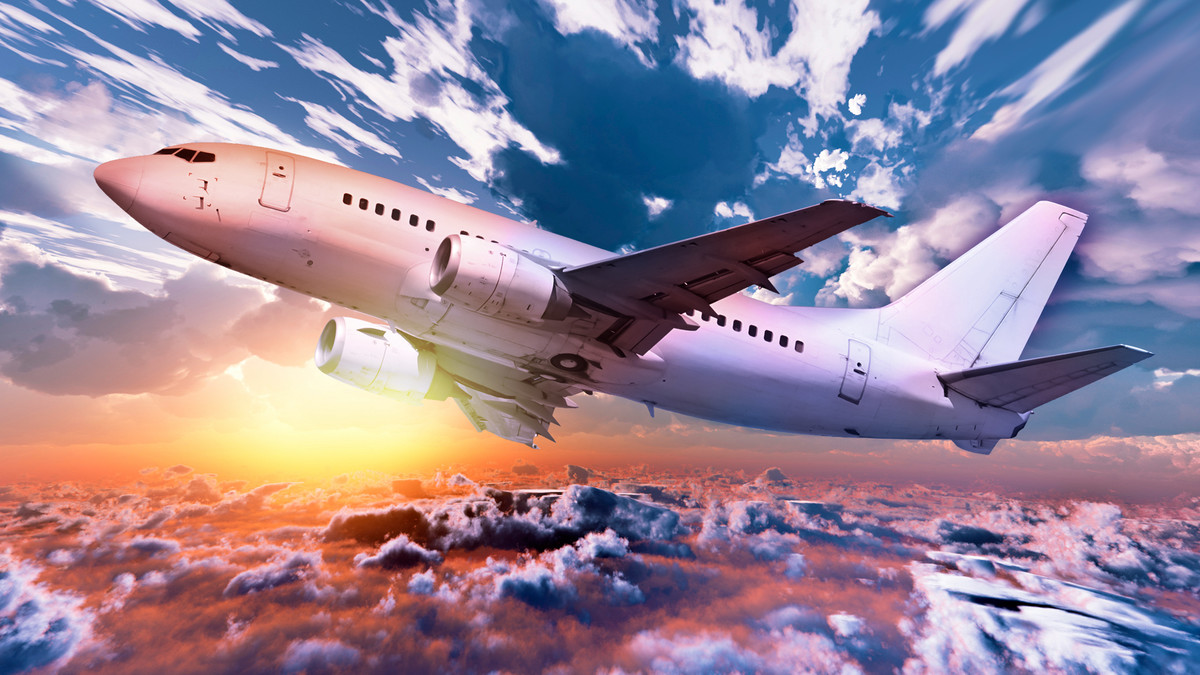
سایه هواپیما برای مطابقت با آسمان Shading the airplane to match the sky
-
تزریق هواپیما با رنگ های آسمان Infusing the airplane with sky colors
-
افزودن جلوه سفارشی Motion Blur Adding a custom Motion Blur effect
-
اضافه کردن یک ستون موشک Adding a rocket plume
-
معرفی فرمان Focus Area Introducing the Focus Area command
-
تمیز کردن ماسک منطقه فوکوس jagged Cleaning up a jagged Focus Area mask
-
با استفاده از ابزار Focus Area Using the Focus Area tool
-
تمیز کردن ماسک فوکوس ناحیه Cleaning up a jagged Focus Area mask
-
ریختن مو و سایر جزئیات Finessing hair and other details
-
با استفاده از دستور Select> Subject Using the Select > Subject command
17. ماسک های لایه ای و پالایش لبه 17. Layer Masks and Edge Refinement
-
ترکیب چندین پاس از محدوده رنگ Combining multiple passes of Color Range
-
آهنگسازی مثل یک حرفه ای Compositing like a pro
-
مخلوط کردن مو در یک آسمان شب Blending hair into a nighttime sky
-
انتخاب استاتیک در مقابل ماسک لایه پویا Static selection vs. dynamic layer mask
-
لبه های ماسک کامل با ابزار Smudge Perfecting mask edges with the Smudge tool
-
پوشیدن لایه در دنیای واقعی Real-world layer masking
-
لبه های ماسک کامل با ابزار Smudge Perfecting mask edges with the Smudge tool
-
سفید نشان می دهد ، پرده های سیاه White reveals, black conceals
-
تنظیمات پالایش جهانی The Global Refinements settings
-
پوشش لایه ای در دنیای واقعی Real-world layer masking
-
پر و تراکم = حتی موهای بهتر Feather and Density = even better hair
-
عبور چندین پاس از Color Range Combining multiple passes of Color Range
-
نقاشی فاصله در یک ماسک لایه ای Painting away gaps in a layer mask
-
ماسک خود را به بهترین شکل ممکن انجام دهید Making your mask the best it can be
-
ماسک خود را به بهترین وجه ممکن انجام دهید Making your mask the best it can be
-
پر و تراکم = حتی موهای بهتر Feather and Density = even better hair
-
معرفی دستور Select و Mask Introducing the Select and Mask command
-
معرفی دستور Select و Mask Introducing the Select and Mask command
-
سفید نشان می دهد ، پنهان سیاه White reveals, black conceals
-
تنظیمات تنظیمات جهانی The Global Refinements settings
-
Edge Detection و Radius هوشمند Edge Detection and Smart Radius
-
برس های لبه و رنگ های ضد عفونی را اصلاح کنید Refine Edge Brush and Decontaminated Colors
-
تبدیل دوربین به شب با دوربین خام Turning day into night with Camera Raw
-
درهم آمیختن مو به یک آسمان شب Blending hair into a nighttime sky
-
برس لبه و رنگهای ضد عفونی شده Refine Edge Brush and Decontaminated Colors
-
بازگشت به ماسک خوب قدیمی قدیمی Bringing back good old Refine Mask
18- مقیاس ، چرخش ، چوب و پیچ و تاب 18. Scale, Rotate, Skew, and Warp
-
دیدار با تحولات Meet the transformations
-
معرفی دستور Free Transform Introducing the Free Transform command
-
چرخاندن و تحریف یک لایه Skewing and distorting a layer
-
خم شدن و در غیر این صورت پیچاندن یک لایه Bending and otherwise warping a layer
-
ایجاد یک ماه مبارک خفاش Creating a cheerful bat-faced moon
-
مقیاس بندی و آهنگسازی در دنیای واقعی Real-world scaling and compositing
-
پوشش لایه ای سریع و کثیف Quick-and-dirty layer masking
-
در یک عمل تبدیل و کپی کنید Transform and duplicate in one operation
-
حذف رنگ از یک لایه Removing the color from a layer
-
تبدیل طرح انتخاب Transforming a selection outline
-
تکرار یک یا چند تحول Repeating one or more transformations
-
متن تبدیل و پیچ و تاب Transforming and warping text
-
پر کردن متن با یک شیب پیچیده Filling text with a warped gradient
19. اشیاء هوشمند 19. Smart Objects
-
پاکت های غیر قابل خراب کردن Indestructible envelopes
-
سه راه برای ایجاد یک شیء هوشمند Three ways to create a smart object
-
اعمال تحولات غیر مخرب Applying nondestructive transformations
-
اعمال تحریفات غیر مخرب Applying nondestructive distortions
-
نقاب کردن اشیاء هوشمند Masking smart objects
-
ویرایش محتوای یک شی هوشمند Editing the contents of a smart object
-
اعمال تنظیمات قابل ویرایش هوشمند Applying editable smart adjustments
-
اعمال و ترکیب فیلترهای هوشمند Applying and blending smart filters
-
در حال ویرایش یک ماسک فیلتر Editing a filter mask
-
استفاده از Camera Raw به عنوان یک فیلتر هوشمند Applying Camera Raw as a smart filter
-
باز کردن یک شیء هوشمند Smart Camera Opening a Camera Raw smart object
-
دو روش برای تکثیر یک شی هوشمند Two ways to duplicate a smart object
-
محافظت از متن قابل ویرایش Protecting editable text
-
با استفاده از اشیاء هوشمند تو در تو Using nested smart objects
-
در حال ویرایش متن در داخل یک شی هوشمند هوشمند Editing text inside a nested smart object
-
چسباندن اشیاء هوشمند از Illustrator Pasting smart objects from Illustrator
-
اعمال جلوه های فتوشاپ در هنر Illustrator Applying Photoshop effects to Illustrator art
-
عیب یابی اشیاء هوشمند Illustrator Troubleshooting Illustrator smart objects
20. بازسازی تصویر 20. Image Reconstruction
-
بازگرداندن جزئیات گمشده Restoring missing details
-
با باز کردن بوم ، عکسی را رونمایی کنید “Uncropping” a photo by expanding the canvas
-
قرار دادن یک تصویر در اندازه چاپ سفارشی Fitting an image to a custom print size
-
با استفاده از دستور Content-Aware Scale Using the Content-Aware Scale command
-
قطع مشکلات ثبت نام Blurring away registration problems
-
بازیابی عنصر عکاسی مفقود شده Restoring a missing photographic element
-
تناسب تصویر در اندازه چاپ سفارشی Fitting an image to a custom print size
-
بازگرداندن یک عنصر عکاسی گمشده Restoring a missing photographic element
-
اعمال یک حالت پشته تصویر Applying an image stack mode
-
ترکیب حالت پشته با بهبود لکه Combining a stack mode with spot healing
-
پاک کردن افراد با حالت متوسط Erasing people with the Median mode
-
استفاده از حالت پشته تصویر Applying an image stack mode
-
رفع مشکلات ثبت نام Blurring away registration problems
-
مخلوط کردن خودکار عمق های مختلف میدان Auto-blending multiple depths of field
-
ترکیب خودکار با انعطاف پذیری بیشتر Auto-blending with more flexibility
-
مخلوط خودکار عمق چندین میدان Auto-blending multiple depths of field
21. تصفیه تصویر 21. Liquifying an Image
-
کمال شکل انسان Perfecting the human form
-
معرفی فیلتر Liquify Introducing the Liquify filter
-
با استفاده از ابزار Pucker و Bloat Using the Pucker and Bloat tools
-
ابزار Twirl ، Push و Smooth The Twirl, Push, and Smooth tools
-
با استفاده از ابزارهای نقاب کردن Liquify Using Liquify’s masking tools
-
Face-Aware Lquify Face-Aware Liquify
-
سناریوهای ویژه تشخیص چهره Special face-recognition scenarios
-
ویرایش مستقیم با ابزار Face Making direct edits with the Face tool
-
تنظیم مجدد همه و همه ویژگی های صورت Resetting any and all facial features
22. شکل های برداری 22. Vector Shapes
-
ترسیم و تراز کردن اشکال سفارشی Drawing and aligning custom shapes
-
جایگزین فتوشاپ برای پیکسل ها The Photoshop alternative to pixels
-
محور یک ستاره درون یک دایره Centering a star inside a circle
-
چگونگی عملکرد لایه های شکل بردار How vector-based shape layers work
-
انتخاب ، اصلاح و ترکیب اشکال Selecting, modifying, and combining shapes
-
یک مستطیل را با گوشه های گرد بکشید Drawing a rectangle with round corners
-
ایجاد شکل سفارشی خود Creating your own custom shape
-
مشاهده مسیر ساده مسیرتان آسانتر است Making your path outlines easier to see
-
ایجاد مرز مرزی یا شکسته Creating a dashed or dotted border
-
ترسیم و ترسیم اشکال سفارشی Drawing and aligning custom shapes
-
طراحی یک شکل سفارشی در تصویرگر Designing a custom shape in Illustrator
-
شکل های خود را با بالش برجسته کنید Beveling your shapes with Pillow Emboss
-
شکل دلخواه خود را ایجاد کنید Creating your own custom shape
-
ایجاد یک مرز متراکم یا خالص Creating a dashed or dotted border
-
طراحی شکل سفارشی در Illustrator Designing a custom shape in Illustrator
-
ترسیم مستطیل با گوشه های گرد Drawing a rectangle with round corners
-
انتخاب ، اصلاح و ترکیب اشکال Selecting, modifying, and combining shapes
-
اشکال تکراری و محور Duplicating and centering shapes
-
ویرایش شکل یک شخصیت از نوع Editing the shape of a character of type
-
اشکال کپی و محور Duplicating and centering shapes
-
مرکز ستاره در یک دایره Centering a star inside a circle
-
اشکال خود را با Emboss بالش ببندید Beveling your shapes with Pillow Emboss
-
تبدیل متن به یک لایه شکل Converting text to a shape layer
-
ترکیب اشکال به یک جسم هوشمند Combining shapes into a smart object
-
دیدن مسیر شما آسانتر است Making your path outlines easier to see
-
استفاده از نور و نور Applying lighting and photorealism
-
تبدیل متن به یک لایه شکل Converting text to a shape layer
-
استفاده از روشنایی و نوری گرایی Applying lighting and photorealism
-
ترکیب اشکال در یک شی هوشمند Combining shapes into a smart object
-
ویرایش شکل یک شخصیت از نوع Editing the shape of a character of type
23. حالت های ترکیبی 23. Blend Modes
-
مخلوط کردن لایه ها مانند یک حرفه ای Blending layers like a pro
-
عادی و حل شده است Normal and Dissolve
-
حالت های مخلوط ابزار برس The Brush tool blend modes
-
با استفاده از حالت Dissolve Using the Dissolve mode
-
حالت های تاریک را ضرب و ضرب کنید Multiply and the other darken modes
-
با استفاده از حالت Multiply Using the Multiply mode
-
صفحه نمایش و حالت های سبک دیگر Screen and the other lighten modes
-
با استفاده از حالت صفحه Using the Screen mode
-
با استفاده از حالت های Dodge و Burn Using the Dodge and Burn modes
-
پوشش و حالت های کنتراست Overlay and the contrast modes
-
با استفاده از حالت های Overlay و Soft Light Using the Overlay and Soft Light modes
-
تفاوت ، محرومیت ، تفریق و تقسیم Difference, Exclusion, Subtract, and Divide
-
گرفتن تفاوت بین تصاویر Capturing the differences between images
-
رنگ ، اشباع ، رنگ و درخشندگی Hue, Saturation, Color, and Luminosity
-
میانبرهای صفحه کلید حالت را مخلوط کنید Blend mode keyboard shortcuts
-
حالت های ترکیب ابزار Brush The Brush tool blend modes
-
برجستگی قابل توجه پر هشت The remarkable Fill Opacity Eight
-
Blend If: این لایه و لایه زیرین Blend If: This layer and underlying layer
24. جلوه های لایه ها 24. Layers Effects
-
عمق ، کانتور و بافت Depth, contour, and texture
-
استفاده از سایه Drop Applying a Drop Shadow
-
کار با Fill Opacity Working with Fill Opacity
-
استفاده از سایه داخلی Applying an Inner Shadow
-
همکاری با Global Light Working with Global Light
-
ایجاد تار و تار ، از نوع رنگ پاششی Creating blurry, spray paint-style type
-
ایجاد کانتور سفارشی خود Creating your own custom Contour
-
معرفی Bevel & Emboss Introducing Bevel & Emboss
-
ترکیب جلوه های چند لایه Combining multiple layer effects
-
کپی کردن اثرات بین لایه ها و گروه ها Copying effects between layers and groups
-
اختصاص چند ضربه به یک لایه واحد Assigning multiple strokes to a single layer
-
ترکیب سایه های چند قطره Combining multiple drop shadows
25. سطح و منحنی 25. Levels and Curves
-
تسلط بر هیستوگرام Mastering the histogram
-
تصحیح خودکار یک تصویر Correcting an image automatically
-
شخصی سازی یک تنظیم سطح Customizing a Levels adjustment
-
پیش نمایش پیکسل های بریده شده Previewing clipped pixels
-
درک مقدار گاما Understanding the Gamma value
-
انجام تنظیمات کانال توسط کانال Making channel-by-channel adjustments
-
تمیز کردن هنر خط اسکن شده Cleaning up scanned line art
-
تمیز کردن مکانیک های پیچیده Cleaning up complex mechanicals
-
ماسک های لایه ای سریعتر با سطح Quicker layer masks with Levels
-
معرفی تنظیم منحنی ها Introducing the Curves adjustment
-
ابزار تنظیم هدفدار Curves The Curves Targeted Adjustment tool
-
اختصاص میانبرها به لایه های تنظیم Assigning shortcuts to adjustment layers
26. تصحیح لنز و تار چشم انداز 26. Lens Correction and Perspective Warp
-
چه کاری باید انجام شود وقتی همه چیز کج است What to do when everything is crooked
-
اصلاح تصحیح لنز Introducing Lens Correction
-
اعوجاج ، انحرافات ، و بدگویی Distortion, aberrations, and vignette
-
تنظیم زاویه و چشم انداز Adjusting angle and perspective
-
با استفاده از دستور Perspective Warp Using the Perspective Warp command
-
تنظیم تنظیم منظر خود را تنظیم کنید Fine-tuning your perspective adjustment
-
غروب رنگ و روشنایی Evening out color and lighting
27. خام دوربین پیشرفته 27. Advanced Camera Raw
-
قدرتمندترین افزونه فتوشاپ باز می گردد The most powerful Photoshop plugin returns
-
تصحیح خودکار لنز و حذف Automatic lens correction and Defringe
-
تصحیح خودکار یک تصویر JPEG Auto-correcting a JPEG image
-
تصحیح خودکار یک عکس بدون سند Auto-correcting an undocumented photo
-
صاف کردن خودکار ، ترانسفورماتور و راست Auto-Straighten, Transform, and Upright
-
با استفاده از نمودار Tone Curve Using the Tone Curve graphs
-
نقاشی با قلم مو تنظیم Painting with the Adjustment Brush
-
با استفاده از ابزار Graduated Filter Using the Graduated Filter tool
-
با استفاده از ابزار Radial Filter Using the Radial Filter tool
-
دهواز و برداشت محصول پس از زراعت Dehaze and Post-Crop Vignetting
28. عکس سیاه و سفید 28. Black and White Photography
-
شلیک به رنگ ، تبدیل به سیاه و سفید Shoot in color, convert to black and white
-
سه روش برای تبدیل به مقیاس خاکستری Three ways to convert to grayscale
-
معرفی کانال میکسر Introducing the Channel Mixer
-
مخلوط کردن یک تصویر سیاه و سفید سفارشی Mixing a custom black-and-white image
-
ایجاد یک اثر مادون قرمز / برف Creating an infrared/snow effect
-
معرفی تنظیم سیاه و سفید Introducing the Black & White adjustment
-
سفارشی سازی تنظیم سیاه و سفید Customizing a Black & White adjustment
-
رنگ آمیزی یک تصویر Tinting an image
-
ترکیب سیاه و سفید با رنگ Blending black-and-white with color
-
تبدیل به Grayscale in Camera Raw Convert to Grayscale in Camera Raw
-
تقسیم تنش در دوربین خام Split Toning in Camera Raw
29. دووتون ها و رنگ آمیزی 29. Duotones and Colorization
-
سیاه و سفید با رنگ تزریق می کند Infusing black-and-white with color
-
رنگ آمیزی سریع و کثیف Quick-and-dirty colorization
-
ایجاد یک تنفس با کیفیت حرفه ای Creating a professional-quality sepia tone
-
بهترین ها: نقشه شیب The best of the best: Gradient Map
-
شیب خیاط های رایگان و در دسترس من بارگذاری می شود Loading my free, tailor-made gradients
-
طراحی چهارگوش سفارشی خود را Designing your own custom quadtone
-
ایجاد نقشه های دلخواه روانگردان Creating psychedelic arbitrary maps
30. جزئیات بیشتر 30. Sharpening Details
-
جبران بیشتر با Emboss Further compensating with Emboss
-
چقدر تیز کننده عمل می کند How sharpening works
-
معرفی ماسک Unsharp Introducing Unsharp Mask
-
ترکیب اثر تیز کننده شما Blending your sharpening effect
-
دوباره با وضوح با ماسک فیلتر Reining in sharpness with a filter mask
-
معرفی شارپن هوشمند Introducing Smart Sharpen
-
حذف: تاری و کاهش لنزها Remove: Lens Blur and Reduce Noise
-
جلوگیری از قطع شدن سایه / برجسته Preventing shadow/highlight clipping
-
جبران لرزش دوربین Compensating for camera shake
-
جبران لرزش دوربین Compensating for camera shake
-
جبران بیشتر با Emboss Further compensating with Emboss
-
شفاف سازی با فیلتر High Pass Sharpening with the High Pass filter
-
نقاشی با ابزار Sharpen Painting with the Sharpen tool
نتیجه Conclusion
-
تا دفعه بعد Until next time

https://donyad.com/d/aaca03




 Deke McClelland
نویسنده ، مربی ، ویرایشگر تصویر و کارشناس طراحی گرافیک
Deke McClelland یک نویسنده برنده جایزه ، یک مربی ، و یک تیتان ویرایش تصویر و طراحی گرافیک است.
Deke نویسنده بیش از 50 دوره ویدیویی در زمینه تصویربرداری خلاق ، گرافیک ، 3D و طراحی برای lynda.com پیشرو در صنعت. یکی از برنده ترین نویسندگان در این تجارت ، دکه بیش از 80 کتاب ترجمه شده به 24 زبان و بیش از 4 میلیون نسخه چاپ شده است. اینها شامل کتاب مقدس فتوشاپ ، چندین کتاب برای آدمک ها و مجموعه یک به یک خودش است که تحت چاپ دکه منتشر شده است. در اوقات فراغت ، دکه dekeOnline را اجرا می کند ( deke.com ) ، جایی که قسمت های محبوب lynda.com خود را هفتگی ارسال می کند مجموعه ، تکنیک های دک او به همراه دو پسرش در بولدر ، کلرادو زندگی می کند.
نمایش نظرات