آموزش لاجیک پرو برای آیپد - تولید موسیقی در لاجیک پرو - آخرین آپدیت
دانلود Logic Pro for iPad - Music Production in Logic Pro
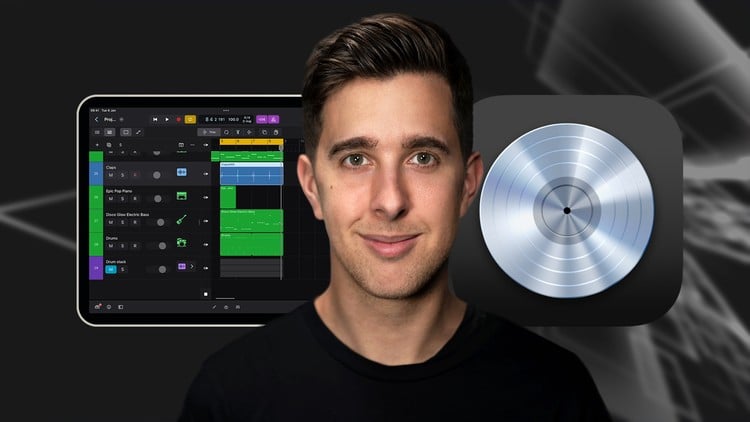
آموزش مقدماتی Logic Pro برای iPad: ساخت بیت، ضبط، ویرایش و خلق آهنگ
آیا میخواهید ساخت موسیقی با Logic Pro برای iPad را یاد بگیرید؟ این دوره آموزشی، شما را از مبتدی تا پیشرفته همراهی میکند.
آنچه در این دوره خواهید آموخت:
- ساخت بیت و آهنگ در iPad
- ضبط و ویرایش صدا در Logic Pro برای iPad
- استفاده از افکتهای صوتی (FX) و گروهبندی برای میکس موسیقی
پیشنیازها:
- داشتن iPad سازگار با Logic Pro برای iPad
- اشتراک Logic Pro برای iPad
آیا شما از کاربران iPad هستید که میخواهید در Logic Pro برای iPad موسیقی بسازید؟
آیا آرزوی ساخت بیت و آهنگهای خودتان را دارید؟
آیا Logic Pro برای iPad را دیدهاید و دوست دارید از این نرمافزار برای ساخت موسیقی خود استفاده کنید؟
اگر به هر یک از این سوالات پاسخ مثبت دادهاید، این دوره برای شماست!
در این دوره Logic Pro برای iPad، شما اصول اولیه و فراتر از آن را درباره این اپلیکیشن iPad خواهید آموخت که به شما در خلق آهنگهایتان کمک میکند.
مدرس دوره کیست؟
من Tomas George هستم، مدرس پرفروش تولید موسیقی با بیش از 350,000 دانشجو در Udemy و هزاران نظر 5 ستاره.
در این دوره، من به شما سریعترین و کارآمدترین روشها را برای شروع استفاده از Logic Pro برای iPad آموزش میدهم تا بتوانید نحوه ساخت بیت، موسیقی یا آهنگهای خود را یاد بگیرید.
شما همچنین میتوانید مهارتها و تکنیکهای آموخته شده در این دوره را در هر سبک موسیقی به کار ببرید.
در این دوره، ما به موارد زیر خواهیم پرداخت:
- مروری بر رابط کاربری Logic Pro برای iPad
- نحوه ایجاد یک پروژه جدید
- اصول اولیه MIDI
- Play Surfaces
- ضبط و ویرایش صدا
- استفاده از پنجره Live Loops
- Sequencers و Step Editor
- ویرایش پیشرفته، از جمله Velocity، Swing و Automation
- پردازش FX و گروهبندی، از جمله EQ، Compression، Reverb، Delay و Distortion
- Mastering با AI Master Assistant
- خروجی گرفتن (Exporting)
- نحوه استفاده از سازهای Session Player جدید و Chord Track
- و موارد بیشتر!
بنابراین، اگر میخواهید یاد بگیرید چگونه از Logic Pro برای iPad استفاده کنید تا بتوانید بیت و آهنگهای خود را در iPad بسازید، توصیه میکنم این دوره را بگذرانید.
شما را در اولین درس میبینم.
با احترام،
Tomas
Introduction and Getting Started-مقدمه و شروع کار Introduction and Getting Started
-
Downloading and Installing Logic Pro for iPad-دانلود و نصب Logic Pro برای iPad Downloading and Installing Logic Pro for iPad
-
Interface Overview-مروری بر رابط کاربری Interface Overview
-
Before we get Started-قبل از شروع Before we get Started
-
Creating a New Project-ایجاد یک پروژه جدید Creating a New Project
MIDI and Audio-میدی و صدا MIDI and Audio
-
MIDI Basics-مبانی MIDI MIDI Basics
-
Play Surfaces-سطوح نواختن Play Surfaces
-
Recording and Editing Audio-ضبط و ویرایش صدا Recording and Editing Audio
Live Loops and Sequencers-حلقههای زنده و سکوئنسرها Live Loops and Sequencers
-
Using the Live Loops Window-استفاده از پنجره Live Loops Using the Live Loops Window
-
Sequencers and the Step Editor-سکوئنسرها و ویرایشگر گام Sequencers and the Step Editor
Advanced Editing and Automation-ویرایش و اتوماسیون پیشرفته Advanced Editing and Automation
-
Advanced Editing and Velocity-ویرایش پیشرفته و سرعت Advanced Editing and Velocity
-
Quantizing-کوانتایز کردن Quantizing
-
Swing-سوینگ Swing
-
The Delay Function-تابع دیلی The Delay Function
-
Automation-اتوماسیون Automation
FX Processing and Grouping-پردازش FX و گروه بندی FX Processing and Grouping
-
The Mixer, Aux and Sends-میکسر، Aux و Sends The Mixer, Aux and Sends
-
FX and Plugins - Equalization or EQ-افکتها و پلاگینها – اکولایز یا EQ FX and Plugins - Equalization or EQ
-
Compression-کمپرس Compression
-
Reverb-ریبِرب Reverb
-
Delay-دیلی Delay
-
Essential Modulation FX - A Brief Overview-مروری کوتاه بر FX های مدولاسیون ضروری Essential Modulation FX - A Brief Overview
-
Distortion-دیستورشن Distortion
-
Grouping-گروه بندی Grouping
Mastering and Exporting-مسترینگ و اکسپورت Mastering and Exporting
-
Mastering with AI Mastering Assistant-مسترینگ با دستیار مسترینگ هوش مصنوعی Mastering with AI Mastering Assistant
-
Exporting-اکسپورت کردن Exporting
Session Players - Drummers and Percussionist-نوازندگان سشن – درامرها و پرکاشنیستها Session Players - Drummers and Percussionist
-
Introduction to the Session Player Sections-مقدمه ای بر بخش های نوازنده سشن Introduction to the Session Player Sections
-
Drummer Playing Styles-سبک های نواختن درامر Drummer Playing Styles
-
Complexity, Intensity and the Perform Again Button-پیچیدگی، شدت و دکمه Perform Again Complexity, Intensity and the Perform Again Button
-
Creating a new Session Player Region and Drum Selection-ایجاد یک ناحیه جدید Session Player و انتخاب درام Creating a new Session Player Region and Drum Selection
-
Drum Patterns-الگوهای درام Drum Patterns
-
Fill and Swing-فیل و سوینگ Fill and Swing
-
Details - Part 1-جزئیات – قسمت 1 Details - Part 1
-
Details - Part 2-جزئیات – قسمت 2 Details - Part 2
-
Converting to MIDI and Editing MIDI Notes-تبدیل به MIDI و ویرایش نت های MIDI Converting to MIDI and Editing MIDI Notes
-
Electronic Drummer-درامر الکترونیک Electronic Drummer
-
Percussionist-پرکاشنیست Percussionist
Session Players - Session Bassist-نوازندگان سشن – نوازنده بیس Session Players - Session Bassist
-
Session Bass Player - Part 1: Main Tab and Bass Styles-نوازنده بیس سشن – قسمت 1: تب اصلی و سبک های بیس Session Bass Player - Part 1: Main Tab and Bass Styles
-
Session Bass Player - Part 2: Details and Manual Tab-نوازنده بیس سشن – قسمت 2: جزئیات و تب Manual Session Bass Player - Part 2: Details and Manual Tab
Session Players - Session Keyboard Player-نوازندگان سشن – نوازنده کیبورد Session Players - Session Keyboard Player
-
Session Keyboard Player - Part 1: Playing Styles-نوازنده کیبورد سشن – قسمت 1: سبک های نواختن Session Keyboard Player - Part 1: Playing Styles
-
Session Keyboard Player - Part 2: Main Tab-نوازنده کیبورد سشن – قسمت 2: تب اصلی Session Keyboard Player - Part 2: Main Tab
-
Session Keyboard Player - Part 3: Details and Manual Tab-نوازنده کیبورد سشن – قسمت 3: جزئیات و تب Manual Session Keyboard Player - Part 3: Details and Manual Tab
The Chord Track and Different Types of Chords-ترک آکورد و انواع مختلف آکوردها The Chord Track and Different Types of Chords
-
Chord Track - Part 1: Essentials-ترک آکورد – قسمت 1: ضروریات Chord Track - Part 1: Essentials
-
Chord Track - Part 2: Major and Minor Chords-ترک آکورد – قسمت 2: آکوردهای ماژور و مینور Chord Track - Part 2: Major and Minor Chords
-
Chord Track - Part 3: Sus, Diminished, Augmented, 5 + 6th-ترک آکورد – قسمت 3: ساس، دیمینیشد، آگمنتید، 5 + 6 Chord Track - Part 3: Sus, Diminished, Augmented, 5 + 6th
-
Chord Track - Part 4: 7th Chords-ترک آکورد – قسمت 4: آکوردهای هفتم Chord Track - Part 4: 7th Chords
-
Chord Track - Part 5: 9th Chords-ترک آکورد – قسمت 5: آکوردهای نهم Chord Track - Part 5: 9th Chords
-
Chord Track - Part 6: 11th Chords-ترک آکورد – قسمت 6: آکوردهای یازدهم Chord Track - Part 6: 11th Chords
-
Chord Track - Part 7: 13th Chords-ترک آکورد – قسمت 7: آکوردهای سیزدهم Chord Track - Part 7: 13th Chords
-
Chord Track - Part 8: Other Features-ترک آکورد – قسمت 8: سایر ویژگیها Chord Track - Part 8: Other Features
Optimising your Workflow and Advancing your Music Production Toolkit-بهینه سازی گردش کار و ارتقاء ابزارهای تولید موسیقی شما Optimising your Workflow and Advancing your Music Production Toolkit
-
Optimising Your Workflow-بهینه سازی گردش کار شما Optimising Your Workflow
-
Advice on Workflow Order-توصیه هایی در مورد ترتیب گردش کار Advice on Workflow Order
-
Advancing Your Music Production Toolkit-ارتقاء ابزارهای تولید موسیقی شما Advancing Your Music Production Toolkit
ChromaGlow - Saturation Effect-ChromaGlow – افکت اشباع ChromaGlow - Saturation Effect
-
Part 1 - An Introduction to Saturation-قسمت 1 – مقدمه ای بر اشباع Part 1 - An Introduction to Saturation
-
Part 2 - Let's Explore Some Presets-قسمت 2 – بیایید برخی از پیش تنظیم ها را بررسی کنیم Part 2 - Let's Explore Some Presets
-
Part 3 - Drive, Model and Style-قسمت 3 – درایو، مدل و استایل Part 3 - Drive, Model and Style
-
Part 4 - Bypass, Level and Mix-قسمت 4 – بایپس، لول و میکس Part 4 - Bypass, Level and Mix
-
Part 5 - High Cut and Low Cut-قسمت 5 – High Cut و Low Cut Part 5 - High Cut and Low Cut
Thanks and Bye-تشکر و خداحافظ Thanks and Bye
-
Thanks and Bye-تشکر و خداحافظ Thanks and Bye
-
Bonus Lecture-درس اضافی Bonus Lecture

https://donyad.com/d/5a4c17




 Digital Music Masters
آکادمی تولید موسیقی آنلاین: توسط Tomas George و Christopher Carvalho در اوایل سال 2018 تاسیس شد DMM یک جامعه و آکادمی آنلاین است که هدف آن آموزش هنرمندان تازه کار جهان است که چگونه می توانند از آنچه در خانه دارند بهترین نتیجه را بگیرند. مستقر در لیدز ، انگلستان. Digital Music Masters در ایجاد محتوا و منابع تولید موسیقی عملی برای تهیه کنندگان ، خوانندگان ، ترانه سرا ها و مهندسان صوت تخصص دارد.
 Tomas George
تهیه کننده موسیقی، آهنگساز و مهندس صدا
نمایش نظرات