آموزش بوت کمپ توسعه وب HTML CSS JS REACT NODE MERN STACK - آخرین آپدیت
دانلود Web Development Bootcamp HTML CSS JS REACT NODE MERN STACK
[With 7 PDF Booklet] All in One Web Developer Bootcamp to Learn Coding Full Stack Web Apps Front to Back DB & API
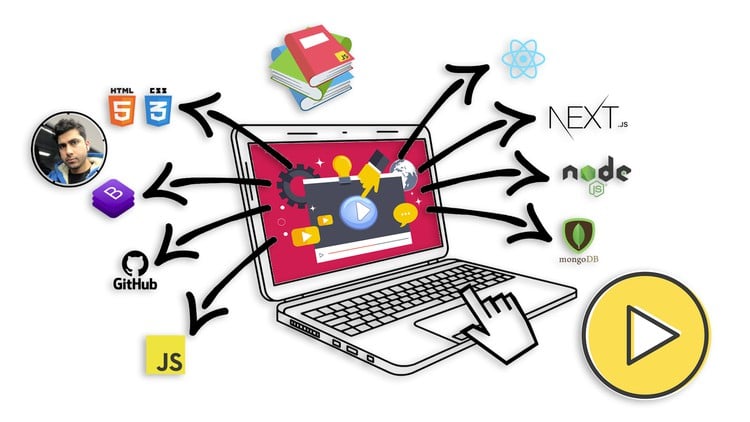
Master the Fundamentals: Develop a solid understanding of HTML, CSS, and JavaScript, gaining the essential skills needed to build professional-quality websites.
Build Dynamic Web Apps: Learn how to leverage the power of ReactJs to create interactive and responsive user interfaces, providing better user experience.
Develop Full-Stack Expertise: Acquire proficiency in both front-end and back-end API development by mastering ReactJs, NextJs, NodeJs and MongoDB.
Create Industry-Standard Projects: Engage in hands-on, project-based learning to develop real-world web applications, ensuring you have practical experience.
Implement Best Practices: Learn coding standards, allowing you to write clean, efficient and maintainable code like a seasoned professional.
Version Control and : Learn to use Github to push code and deploy static websites.
Deploy and Launch Websites: Gain expertise in deploying web applications to production servers and hosting platforms like Digital Ocean.
Troubleshoot and Debug: Develop strong problem-solving abilities through techniques and tools to identify and fix common errors and bugs.
Stay Current with Industry Trends: Stay up-to-date with the latest advancements in web development, frameworks, and tools, ensuring your skills remain relevant.
پیش نیازها:
No prior experience required: This course is designed for absolute beginners, so no prior knowledge or experience in web development is necessary.
Basic computer literacy: Familiarity with using a computer, navigating the internet, and basic file management skills will be helpful throughout the course.
Enthusiasm to learn: A positive attitude, eagerness to acquire new skills, and a willingness to invest time and effort into the learning process are essential for success in this course.
Reliable internet connection: As this is an online course, a stable internet connection is required to access the learning materials, participate in interactive exercises, and watch video tutorials.
Computer setup: A computer (desktop or laptop) running a modern operating system (e.g., Windows, macOS, Linux) is needed to install software and tools required for web development.
Willingness to practice: Web development is a hands-on skill, and practice is crucial for mastery. Students should be prepared to dedicate time to complete coding exercises and work on projects outside of the course curriculum.
Self-motivation and discipline: Online learning requires self-motivation and discipline to stay on track, manage time effectively, and complete the course.
Openness to problem-solving: Web development often involves troubleshooting and problem-solving. Students should approach challenges with a problem-solving mindset and be willing to seek solutions independently or with the help of available resources.
Welcome to the Web Development Bootcamp 2023, a comprehensive program designed specifically for individuals with no prior coding or programming experience. This course aims to transform beginners into professional full-stack web developers, equipping them with the knowledge and skills needed to succeed in the industry as web developers. Drawing from over 10 years of learning and teaching experience, this course covers everything you need to know to embark on a successful web development career as a web developer. This course also includes 7 PDF booklets (totaling 128 pages of well-crafted theories and coding examples) that cover everything that is included in the videos, making it absolutely easier to recap and cement what you learn in the videos. A great way to remember what you learned and use as a reference whenever needed.
Section 1: Introduction to Web Development
-
Lay the foundation of web development by understanding its core concepts and principles.
-
Gain a solid understanding of how the web works and the fundamentals of web technologies.
Section 2: HTML & CSS
-
Learn how to create the structure and design of web pages using HTML and CSS.
-
Discover the essential tags and properties to build well-structured and visually appealing websites.
Section 3: Bootstrap CSS Framework
-
Explore the power of the Bootstrap CSS Framework for building responsive and mobile-friendly websites.
-
Learn how to leverage Bootstrap's pre-built components and grid system to enhance your web designs.
Section 4: Github
-
Understand version control, an essential tool for modern web development.
-
Learn how to manage your projects effectively, work in teams, and contribute to open-source projects.
Section 5: JavaScript
-
Dive into JavaScript and explore its syntax, concepts, and advanced topics like asynchronous programming and object-oriented programming.
-
Master the language that brings interactivity and dynamism to the web.
Section 6: Projects using JavaScript, jQuery & VueJs
-
Apply your JavaScript skills to practical projects and gain hands-on experience with popular frameworks like jQuery and Vue.js.
-
Build interactive applications and understand how these frameworks enhance web development.
Section 7: NodeJs
-
Learn Node.js, a server-side JavaScript runtime, and explore its capabilities for building scalable web applications.
-
Discover how to use Node.js to handle server-side logic and create efficient and high-performance web servers.
Section 8: ReactJs with NextJs
-
Master React.js, a powerful JavaScript library for building user interfaces, combined with Next.js, a framework for server-side rendered React applications.
-
Create dynamic and highly performant web experiences using component-based architecture.
Section 9: NextJs 13
-
Explore brand new ways of building production ready react applications using NextJs 13.
-
Learn how version 13 has introduces app directory that completely changes the way you write React.js applications using Next.js.
Section 10: API Development with NodeJs & MongoDB
-
Build robust APIs using Node.js and integrate MongoDB, a popular NoSQL database, for storing and retrieving data.
-
Learn how to design RESTful APIs, handle authentication and authorization, and ensure the security of your backend systems.
Section 11: Frontend Web Development with ReactJs & NextJs
-
Explore advanced frontend development techniques using React.js and Next.js.
-
Dive into topics such as state management, routing, and styling to create polished and professional-grade websites.
Summary:
The Web Development Bootcamp 2023 may not appear lengthy at first glance, but rest assured that it is meticulously crafted with over 10 years of learning and teaching experience. This comprehensive course covers all the essential topics required to become a professional full-stack web developer, even for individuals without any prior coding experience.
To enhance the learning experience, the course includes 7 PDF booklets that cover everything taught in the video lectures. These booklets serve as valuable resources, making learning incredibly easy and providing a handy reference for future use. With the combination of video lectures and supporting materials, students can solidify their understanding and cement the concepts learned throughout the course.
Join the Web Development Bootcamp 2023 and embark on a transformative learning journey, where carefully crafted content and supplementary materials will empower you to become a skilled and confident web developer.
Introduction to Web Development
-
مقدمه دوره Course Introduction
-
وب دیولپمنت چیست؟ What is Web Development?
-
نقشهای یک وب دولوپر چیست؟ What are the roles of a Web Developer?
-
تفاوت بین Frontend، Backend و Full Stack Web Developer Difference between Frontend, Backend and Full Stack Web Developer
-
مسیر تبدیل شدن به یک Full Stack Web Developer Path to become a Full Stack Web Developer
-
چرا باید جاوا اسکریپت یاد بگیریم؟ Why learn JavaScript?
-
تنظیمات ویرایشگر کد Code editor setup
-
دانلود 7 جزوه PDF Download 7 PDF Booklets
-
دانلود سورس کد همه پروژهها Download All Projects Source Code
HTML و CSS HTML & CSS
-
عنوانها و پاراگرافها Headings and paragraphs
-
پلاگینها و تمهای vs code Vs code plugins and themes
-
ساختار سند HTML و بخش head HTML document and head section
-
استفاده از stylesheet CSS Using CSS stylesheet
-
نوشتن CSS Writing CSS
-
نکات یادگیری و نوشتن کامنت Learning tips and writing comments
-
استفاده از فونتهای گوگل Using Google fonts
-
نمایش تصویر در صفحه HTML Display image on HTML page
-
Media queries CSS برای تصاویر ریسپانسیو Media queries CSS for responsive images
-
Margin و padding Margins and paddings
-
آیتمهای لیست HTML HTML list items
-
لینکهای قابل کلیک Clickable links
-
استایل border و افکت hover Border styling and hover effects
-
Text shadow و background color Text shadow and background color
-
تصویر به عنوان پسزمینه Image as background
-
پسزمینه تصویر Parallax Parallax image background
-
پسزمینه گرادیانت رنگی Gradient color background
-
فرم HTML HTML form
-
استایلدهی فرم HTML Styling HTML form
-
استفاده از آیکونها Using icons
-
هدر و فوتر HTML HTML header and footer
فریمورک Bootstrap CSS Bootstrap CSS Framework
-
فریمورک Bootstrap CSS Bootstrap CSS framework
-
استفاده از Bootstrap از طریق CDN Using Bootstrap via CDN
-
دانلود Bootstrap (اختیاری) Downloading Bootstrap (optional)
-
Containers، rows و columns Containers, rows and columns
-
استایلدهی columns، offset، پسزمینه، margin و padding Columns styling, offset, background, margin and padding
-
استایلدهی div و متنها با استفاده از margin، padding و رنگها Styling divs and texts using margin, padding and colors
-
تصاویر ریسپانسیو Responsive images
-
دکمهها و لیستها Buttons and lists
-
فرمهای Bootstrap Bootstrap forms
-
جداول Bootstrap Bootstrap tables
-
منوی ناوبری Bootstrap Bootstrap navigation menu
-
اسلایدر Carousel تصویر Bootstrap Bootstrap carousel image slider
-
پاپآپ modal Bootstrap Bootstrap popup modal
گیتهاب Github
-
استفاده از گیتهاب Using Github
-
Push و pull کردن کد با گیتهاب Push and pull code with Github
-
هاستینگ وبسایت استاتیک با گیتهاب Static website hosting with Github
-
Push کردن تغییرات کد Push code changes
-
استفاده از تمهای Bootstrap Using Bootstrap themes
جاوا اسکریپت JavaScript
-
جاوا اسکریپت چیست؟ What is JavaScript?
-
جاوا اسکریپت در HTML JavaScript in HTML
-
راههای مختلف ایجاد متغیرها Different ways of creating variables
-
دستکاری رشتهها String manipulation
-
محاسبات ریاضی با اعداد Doing math with numbers
-
اشیاء جاوا اسکریپت JavaScript objects
-
نمایش اطلاعات شیء در صفحه Display object info on the page
-
عملگرهای جاوا اسکریپت JavaScript operators
-
دستورات if else If else statements
-
حلقهها در جاوا اسکریپت Loops in JavaScript
-
نمایش اطلاعات شیء با استفاده از حلقه for-in Object info display using for-in loop
-
توابع در جاوا اسکریپت Functions in JavaScript
-
توابع Arrow Arrow functions
-
اپلیکیشن احوالپرسی Greeting app
-
Template literals Template literals
-
آرایهها در جاوا اسکریپت Arrays in JavaScript
-
نمایش آیتم آرایه در HTML Display array item in HTML
-
کار با شیء Working with object
-
کلیدواژه new، تابع constructor و prototype new Keyword, constructor function and prototype
-
کلاسها در جاوا اسکریپت Classes in JavaScript
-
Regular expressions Regular expressions
-
BOM - Browser object model BOM - Browser object model
-
DOM - Document object model DOM - Document object model
پروژهها با استفاده از جاوا اسکریپت، jQuery & VueJs Projects using JavaScript, jQuery & VueJs
-
مروری بر پروژه Project overview
-
اپلیکیشن Todo با جاوا اسکریپت خالص Todo app with plain JavaScript
-
رندر، حذف و ذخیره Todos در local storage Todos render, delete and save in local storage
-
پروژه Tasks با استفاده از jQuery Tasks project using jQuery
-
نمایش، ذخیره و حذف Tasks با استفاده از jQuery Tasks display, store and remove using jQuery
-
مروری بر اپلیکیشن Todo با VueJs Todo app with VueJs overview
-
ایجاد، خواندن و حذف اپلیکیشن todo با Vuejs Vuejs todo app create, read and delete
NodeJs NodeJs
-
نصب NodeJs Installing NodeJs
-
محیط مرورگر در مقابل NodeJs Browser vs NodeJs environment
-
Module exports و require Module exports and require
-
استفاده از ماژولهای اصلی NodeJS Using NodeJS core module
-
استفاده از پکیجهای NPM Using NPM packages
-
ایجاد سرور express Create express server
-
اجرای مداوم سرور NodeJs Continuously running NodeJs server
-
توضیح event loop در NodeJs NodeJs event loop explained
-
event loop در NodeJs در عمل NodeJs event loop in action
-
برنامهنویسی synchronous و Asynchronous Synchronous vs Asynchronous programming
ReactJs با NextJs ReactJs with NextJs
-
React چیست؟ What is React?
-
چرا React و NextJs را یاد بگیریم؟ Why learn React and NextJs?
-
راهاندازی پروژه React و NextJs Setup React and NextJs project
-
کامپوننت React React component
-
پاس دادن properties و پارامترهای پیشفرض Passing properties and default parameters
-
hook useState و spread operator useState hook and spread operator
-
استفاده از پکیجهای NPM با React Using NPM packages with React
-
hook useEffect برای فراخوانی API useEffect hook to make API calls
-
رندر conditional، تغییرات state و استایلدهی inline Conditional rendering, state changes and inline styling
-
شکستن کد به کامپوننتهای قابل استفاده مجدد Breaking code into reusable components
-
کامپوننت App سفارشی NextJs NextJs custom App component
-
استفاده از فایلهای CSS Using CSS files
-
سرویسدهی تصاویر Serving images
-
Global state با استفاده از React Context Global state using React Context
-
Route queries Route queries
-
درخواست Fetch براساس route query Fetch request based on route query
-
Client در مقابل server side rendering Client vs server side rendering
-
Fetch داده با استفاده از server side rendering Fetch data using server side rendering
-
بخش Head برای محتوای meta Head section for meta content
-
استفاده از لینکهای CDN Using CDN links
NextJs 13 با App Directory NextJs 13 with App Directory
-
NextJs 13 با App directory NextJs 13 with App directory
-
راهاندازی NextJs 13 با page layout NextJs 13 setup with page layout
-
واکشی دادهها داخل کامپوننتهای سرور App directory Data fetching inside App directory server components
-
Route params داخل App directory Route params inside App directory
-
Loading در App directory Loading in App directory
-
کامپوننتهای Client در App directory Client components in App directory
-
Error - Text did not match server Error - Text did not match server
توسعه API با NodeJs & MongoDB API Development with NodeJs & MongoDB
-
به Full Stack JavaScript خوش آمدید Welcome to Full Stack JavaScript
-
راهاندازی سرور NodeJS NodeJS server setup
-
مشاهده لاگهای Routes با استفاده از morgan Routes log view using morgan
-
اتصال به MongoDB Connect to MongoDB
-
کار با routes Working with routes
-
کار با controllers Working with controllers
-
درخواست POST و دادههای JSON POST request and JSON data
-
ایجاد مدل User Create User model
-
هش کردن پسورد و مقایسه Password hashing and compare
-
ذخیره کاربر در MongoDB Save user in MongoDB
-
اعتبارسنجی در ثبتنام کاربر Validation on user registration
-
JWT - Json web token JWT - Json web token
-
ورود کاربر Login user
-
محافظت از route برای کاربر وارد شده Protecting route for logged in user
-
Admin middleware Admin middleware
-
Blog Schema Blog Schema
-
فرم دادهها در ایجاد blog Form data on blog create
-
اعتبارسنجی در ایجاد blog Validation on blog create
-
ایجاد blog با آپلود تصویر Create blog with image upload
-
دسترسی به تصاویر آپلود شده Access uploaded images
-
دریافت single blog با route params slug Getting single blog by route params slug
-
دریافت تمام blogها با اطلاعات کاربر Getting all blogs with user info
-
Update blog و تصویر Update blog and image
-
Blog Delete Blog Delete
-
تغییر اندازه تصویر Resize image
-
CORS - Cross origin resource sharing CORS - Cross origin resource sharing
توسعه وب Frontend با ReactJs & NextJs Frontend Web Development with ReactJs & NextJs
-
راهاندازی اپلیکیشن NextJs React NextJs React app setup
-
ایجاد ناوبری Creating navigation
-
صفحه ثبتنام Register page
-
ثبتنام موفقیتآمیز Register success
-
Global state با استفاده از Context و Local Storage Global state using Context and Local Storage
-
صفحه ورود Login page
-
Conditional rendering و logout Conditional rendering and logout
-
Role based redirect Role based redirect
-
صفحات محافظت شده ادمین Protected admin pages
-
صفحات محافظت شده کاربر Protected user pages
-
فرم ایجاد blog با استفاده از ویرایشگر متن غنی Blog create form using rich text editor
-
درخواست API ایجاد blog Blog create API request
-
Fetch blogها در صفحه server rendered Fetch blogs in server rendered page
-
Blog cards Blog cards
-
نمایش single blog Single blog view
-
نمایش blog با جزئیات و metadata Blog view with details and metadata
-
استفاده از react icons Using react icons
-
صفحه Loading Loading page
-
لیست blogها برای ادمین Blogs list for admin
-
حذف blog توسط ادمین Blog delete by admin
-
صفحه ویرایش blog Blog edit page
-
Update blog توسط ادمین Blog update by admin
-
جمعبندی Wrap up
-
Push کردن کد به گیتهاب Push code to Github
-
ایجاد سرور NGINX در Digital Ocean Create NGINX server in Digital Ocean
-
اجرای اپلیکیشن full stack در Digital Ocean Running full stack app in Digital Ocean
-
رفع مشکلات NextJS caching و render html NextJS caching and render html issues fix
بونس Bonus
-
دورههای دیگری که ممکن است دوست داشته باشید Other courses you may like





 Ryan Dhungel
نمایش نظرات