آموزش سنجش از دور و GIS کامل - ArcGIS - Erdas - آخرین آپدیت
دانلود Complete Remote Sensing and GIS - ArcGIS - Erdas
آموزش جامع سیستم اطلاعات جغرافیایی (GIS) برای پروژههای واقعی
کسب مهارتهای کاربردی GIS برای اجرای پروژههای واقعی. این دوره فراتر از یادگیری مبانی نرمافزار است و شما را برای مواجهه با چالشهای دادههای دنیای واقعی در پروژههای GIS آماده میکند. پس از اتمام این دوره، قادر خواهید بود هر پروژه GIS واقعی را با موفقیت اجرا کنید. در این دوره به طور عمیق به بررسی مفاهیم و ابزارهای عملی GIS خواهیم پرداخت و نحوه عملکرد هر ابزار را به صورت تئوری و عملی آموزش خواهیم داد.
سر فصلهای کلیدی دوره:
- مبانی سیستم اطلاعات جغرافیایی (GIS) به صورت کاربردی
- ژئورفرنسینگ (Georeferencing) و سیستمهای تصویر (Projection System)
- کار با دادههای برداری (Vector Data) و ورود اطلاعات
- برش انواع دادههای رستری و برداری
- رنگآمیزی نقشهها بر اساس دادههای توصیفی
- محاسبه مساحت و طول
- نمایش پیشرفته دادهها
- دانلود و پردازش دادههای GIS (رستری، برداری، خیابان)
- اتصال به سرورهای WMS
- شناخت تصاویر ماهوارهای و انتخاب بهترین تصاویر برای دانلود
- افزایش کیفیت و رزولوشن تصاویر
- پردازش دادههای با رزولوشن ۱۰ متر
- موزاییک کردن تصاویر ماهوارهای
- برش منطقه مطالعه با ArcGIS و Erdas
- تحلیلهای فضایی و سطحی
- ابزارهای هیدرولوژی و حوضه آبریز
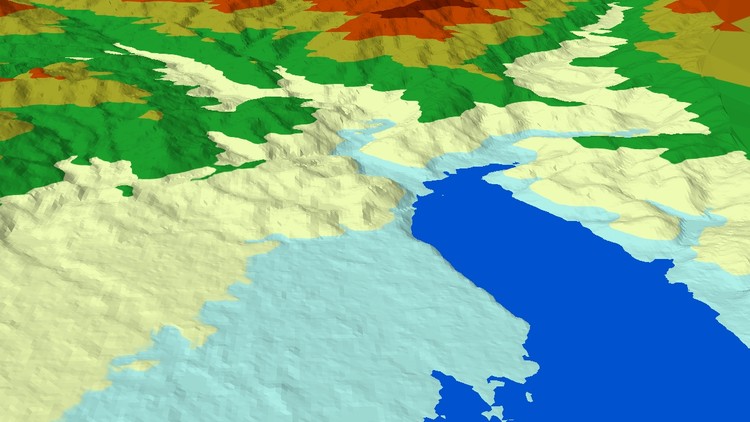
- نمایش سهبعدی (3D) دادهها
- ساخت انیمیشن سهبعدی و خروجی ویدئویی
- محاسبه حجم
- تبدیل دادههای اکسل به Shapefile در GIS
- پوشش تیسرن (Thiessen Polygon)
- محاسبه تابش خورشیدی
- درونیابی (Interpolation) دادهها
- کار با فایلهای NetCDF و استخراج و درونیابی دادههای بارش
- ساخت نقشه بارش سالانه
- محاسبه شاخص NDVI
- ژئورفرنسینگ تصویر به تصویر
- کار با دادههای GPS و جمعآوری نقاط با گوشی اندروید
- ساخت Layoutهای آماده برای تحقیق
- مفاهیم پایه GIS
- GIS و نقشهبرداری پایه
این دوره برای چه کسانی مناسب است؟
این دوره برای دانشجویان GIS، دانشجویان دکتری، مهندسین عمران، مهندسین آبیاری و هیدرولوژی که نیاز به تسلط بر نرمافزارهای GIS و پردازش دادههای مکانی برای پروژههای واقعی دارند، ایدهآل است. اگر کلاسهای عملی GIS را از دست دادهاید یا به دنبال یادگیری عمیقتر و کاربردیتر هستید، این دوره برای شماست.
پیشنیازها:
- نرمافزارهای مورد استفاده تجاری هستند و نیاز به مدیریت لایسنس دارید.
- آشنایی با نرمافزار اکسل.
بیش از ۹۰٪ دوره به صورت عملی (Hands-on) و ۱۰٪ به مباحث تئوری پایه اختصاص دارد.
قابلیت استفاده از ابزارها در تمامی نسخههای ArcGIS (از ۱۰.۱ به بالا) و Erdas (از ۲۰۱۵ به بالا) تضمین شده است.
برای یادگیری بهتر و پیوستگی مطالب، توصیه میشود ویدئوها را به ترتیب مشاهده کنید.
مشکلات واقعی GIS که در این دوره حل میشوند:
- دریافت دادههای مکانی بدون نقشه توپوگرافی.
- تبدیل صفحات متعدد اکسل به لایههای مکانی.
- ترکیب تصاویر ماهوارهای متفاوت برای یک منطقه مطالعه.
- کمبود دادههای ایستگاهی برای تحلیلهای هواشناسی.
- شمارش سریع پوشش گیاهی با استفاده از NDVI.
- ویرایش و بهروزرسانی اطلاعات توصیفی.
- ترسیم نقشههای جادهای با استفاده از ترکیب QGIS و ArcGIS.
- نمایش لیبلهای متعدد بر روی لایههای Shapefile.
- بهبود دقت GPS گوشیهای اندرویدی و استفاده از آنها در GIS.
- موزاییک کردن مدل رقومی ارتفاعی (DEM).
- استخراج اطلاعات هیدرولوژیکی و نظمدهی رودخانهها.
- تغییر سیستم تصویر دادهها.
- کار با دادههای NetCDF و ایجاد نقشههای بارش.
- کاهش دادههای اضافی از تصاویر ماهوارهای و فایلهای برداری با ترفندهای هوشمندانه.
- ژئورفرنسینگ دادهها بدون طول و عرض جغرافیایی.
- دریافت دادههای خیابانی از منابع آنلاین و تبدیل آنها به فرمت GIS.
- برش اشکال مختلف با استفاده از لایههای برداری.
- انجام محاسبات بر روی دادههای توصیفی.
- تبدیل انواع دادههای رستری به برداری و بالعکس.
- ساخت نقشههای بارش سالانه و درونیابی دادهها.
- محاسبه حجم خاکبرداری برای مخازن و تبدیل آن به سهبعدی.
- نحوه یافتن منطقه زمانی UTM مناسب.
- ارائه نتایج و یافتهها در قالب Layoutهای تحقیقاتی.
- نمایش بهترین روش برای ارائه کار که تاثیرگذار باشد.
کلمات کلیدی: آموزش GIS، سیستم اطلاعات جغرافیایی، پردازش تصاویر ماهوارهای، ArcGIS، Erdas، NDVI، DEM، NetCDF، نقشه rainfall، تبدیل اکسل به GIS، ژئورفرنسینگ، هیدرولوژی، تحلیل فضایی، نقشهبرداری با GPS، GIS برای مبتدیان، پروژه GIS واقعی، آموزش آنلاین GIS، Remote Sensing
Basics Understanding-درک مفاهیم پایه Basics Understanding
-
Introduction-مقدمه Introduction
-
Software Used-نرمافزار مورد استفاده Software Used
-
Software Notice-اعلان نرمافزار Software Notice
-
Understanding Projection System-درک سیستم تصویر Understanding Projection System
-
Suggestions-پیشنهادات Suggestions
-
What is Geo-referencing-زمینمرجعسازی چیست؟ What is Geo-referencing
-
Raster and Vector understanding-درک رستر و وکتور Raster and Vector understanding
GIS Basics-مبانی GIS GIS Basics
-
Connecting to Drive-اتصال به درایو Connecting to Drive
-
Connecting to Folder-اتصال به پوشه Connecting to Folder
-
Download Data for upcoming task-دانلود دادهها برای وظیفه پیش رو Download Data for upcoming task
-
Georeferencing ArcGIS-زمینمرجعسازی در ArcGIS Georeferencing ArcGIS
-
FInd UTM Zone using GIS-یافتن زون UTM با استفاده از GIS FInd UTM Zone using GIS
-
Change Projection or Reproject Data-تغییر تصویر یا بازتصویر داده Change Projection or Reproject Data
Working with Shapefiles-کار با شیپفایلها Working with Shapefiles
-
Creating Shapefile basic-ایجاد شیپفایل پایه Creating Shapefile basic
-
Saving Work to resume later-ذخیره کار برای ادامه بعداً Saving Work to resume later
-
Two shapefile with same boundary-دو شیپفایل با مرز یکسان Two shapefile with same boundary
-
Snapping to improve Digitisation-اسنپینگ برای بهبود رقومیسازی Snapping to improve Digitisation
-
Cut Polygon-برش چندضلعی Cut Polygon
-
Join Polygon-ادغام چندضلعی Join Polygon
Attributes-ویژگیها Attributes
-
Introduction to Attributes-مقدمه ای بر ویژگی ها Introduction to Attributes
-
What is Attribute data-داده ویژگی چیست؟ What is Attribute data
-
Defining Attribute-تعریف ویژگی Defining Attribute
-
Application of attribute-کاربرد ویژگی Application of attribute
Point and Lines with data entry-نقطه و خطوط با ورود داده Point and Lines with data entry
-
Point shapefile with data entry-شیپفایل نقطه با ورود داده Point shapefile with data entry
-
Lines with Data Entry-خطوط با ورود داده Lines with Data Entry
Symbology, Area Calculation, Advance Labeling and Lat Long to Table-نمادشناسی، محاسبه مساحت، برچسبگذاری پیشرفته و تبدیل طول و عرض جغرافیایی به جدول Symbology, Area Calculation, Advance Labeling and Lat Long to Table
-
Basics of Symbology-مبانی نمادشناسی Basics of Symbology
-
Displaying Data from Attributes-نمایش دادهها از ویژگیها Displaying Data from Attributes
-
Area Calculation-محاسبه مساحت Area Calculation
-
Displaying Multiple Data-نمایش دادههای متعدد Displaying Multiple Data
-
Use of Script for Advance Labeling - Scripts in GIS-استفاده از اسکریپت برای برچسبگذاری پیشرفته – اسکریپتها در GIS Use of Script for Advance Labeling - Scripts in GIS
-
Length Calculation, Displaying and Script for Labeling-محاسبه طول، نمایش و اسکریپت برای برچسبگذاری Length Calculation, Displaying and Script for Labeling
-
Calculation Point lat-long and Understanding concept-محاسبه طول و عرض جغرافیایی نقطه و درک مفهوم Calculation Point lat-long and Understanding concept
Getting Online Vector Data and Processing-دریافت دادههای وکتوری آنلاین و پردازش Getting Online Vector Data and Processing
-
Download Shapes and Extract Selected shapes-دانلود اشکال و استخراج اشکال انتخاب شده Download Shapes and Extract Selected shapes
-
Cut one shape with other and get Inside Shapes and data-برش یک شکل با شکل دیگر و دریافت اشکال و دادههای داخلی Cut one shape with other and get Inside Shapes and data
-
Add online Base Maps, Verify own data with that-افزودن نقشههای پایه آنلاین، تایید دادههای خود با آن Add online Base Maps, Verify own data with that
-
Open source QGIS Download-دانلود QGIS متنباز Open source QGIS Download
-
Download Street Level Vector Data-دانلود دادههای وکتوری سطح خیابان Download Street Level Vector Data
-
Convert Data to Shapefiles-تبدیل دادهها به شیپفایل Convert Data to Shapefiles
-
Geodatabase and Feature classes-ژئودیتابیس و کلاسهای ویژگی Geodatabase and Feature classes
-
Connecting to Web Map Service-اتصال به سرویس نقشه وب (Web Map Service) Connecting to Web Map Service
Working with Satellite image and Understanding-کار با تصاویر ماهوارهای و درک آن Working with Satellite image and Understanding
-
How Satellite image is Structured Understanding-نحوه ساختاردهی تصاویر ماهوارهای – درک How Satellite image is Structured Understanding
-
Understanding Satellite Orbit and its impact on Data-درک مدار ماهوارهای و تأثیر آن بر داده Understanding Satellite Orbit and its impact on Data
-
Landsat Band Info Site-سایت اطلاعات باندهای لندست Landsat Band Info Site
-
Downloading satellite image - Selection of Image to download-دانلود تصویر ماهوارهای – انتخاب تصویر برای دانلود Downloading satellite image - Selection of Image to download
Satellite Image Processing-پردازش تصاویر ماهوارهای Satellite Image Processing
-
Understand - Processing of downloaded image in ArcGIS with Script inside it-درک - پردازش تصویر دانلود شده در ArcGIS با اسکریپت درون آن Understand - Processing of downloaded image in ArcGIS with Script inside it
-
Manual Processing in ArcGIS-پردازش دستی در ArcGIS Manual Processing in ArcGIS
-
Do not Delete these files - Important-این فایلها را حذف نکنید - مهم Do not Delete these files - Important
-
Stacking - Image Processing in Erdas-انباشت (Stacking) – پردازش تصویر در Erdas Stacking - Image Processing in Erdas
-
Compare ArcGIS and Erdas image Output after Process-مقایسه خروجی تصویر ArcGIS و Erdas پس از پردازش Compare ArcGIS and Erdas image Output after Process
Mosaic Satellite Images - Erdas-موزاییک تصاویر ماهوارهای - Erdas Mosaic Satellite Images - Erdas
-
Set No Data Erdas - Important Step-تنظیم No Data در Erdas - گام مهم Set No Data Erdas - Important Step
-
Before Mosaic - Corrections to Images - Bad Data Removal-قبل از موزاییک - تصحیحات تصاویر - حذف دادههای بد Before Mosaic - Corrections to Images - Bad Data Removal
-
Mosaic Process-فرآیند موزاییک Mosaic Process
Improving Satellite Image-بهبود تصاویر ماهوارهای Improving Satellite Image
-
Increasing Landsat Image Resolution up to 15m-افزایش رزولوشن تصویر لندست تا ۱۵ متر Increasing Landsat Image Resolution up to 15m
-
Image Enhancement - Intro-بهبود تصویر - مقدمه Image Enhancement - Intro
-
Filters-فیلترها Filters
Cutting Study Area - ArcGIS - Erdas-برش منطقه مطالعاتی - ArcGIS - Erdas Cutting Study Area - ArcGIS - Erdas
-
Introduction to cut study Area-مقدمه ای بر برش منطقه مطالعاتی Introduction to cut study Area
-
Cut Study Area in ArcGIS-برش منطقه مطالعاتی در ArcGIS Cut Study Area in ArcGIS
-
Cut with Erdas-برش با Erdas Cut with Erdas
-
Cut using AOI-برش با استفاده از AOI (Area of Interest) Cut using AOI
Downloading and Processing 10 meter Satellite Data-دانلود و پردازش دادههای ماهوارهای 10 متری Downloading and Processing 10 meter Satellite Data
-
Downloading 10m Satellite Image-دانلود تصویر ماهوارهای 10 متری Downloading 10m Satellite Image
-
Processing of 10m Data-پردازش دادههای 10 متری Processing of 10m Data
Working with Digital Elevation Models-کار با مدلهای ارتفاعی رقومی (DEM) Working with Digital Elevation Models
-
What is DEM-DEM چیست؟ What is DEM
-
Downloading of DEM-دانلود DEM Downloading of DEM
-
Mosaic of DEM-موزاییک DEM Mosaic of DEM
-
Best way to Represent DEM-بهترین راه برای نمایش DEM Best way to Represent DEM
-
Contours-منحنیهای میزان Contours
-
Reproject DEM for Projects-بازتصویر DEM برای پروژهها Reproject DEM for Projects
-
Slope , Aspect and Hillshade-شیب، جهت شیب و سایهروشن Slope , Aspect and Hillshade
-
Viewshed-محدوده دید Viewshed
Hydrology Tools - Drainage- Stream Order-ابزارهای هیدرولوژی - زهکشی - مرتبه آبراهه Hydrology Tools - Drainage- Stream Order
-
FIll Error Values in DEM-پر کردن مقادیر خطا در DEM FIll Error Values in DEM
-
Flow Direction-جهت جریان Flow Direction
-
Flow Accumulation-تجمع جریان Flow Accumulation
-
Generation Drainage-تولید زهکشی Generation Drainage
-
Convert Drainage to Features-تبدیل زهکشی به ویژگیها Convert Drainage to Features
-
Stream Order-مرتبه آبراهه Stream Order
-
Drainage Density-تراکم زهکشی Drainage Density
Watershed - Solar Radiation Calculations-حوضه آبریز - محاسبات تابش خورشیدی Watershed - Solar Radiation Calculations
-
Make Outlet - Watershed and Cut Drainage-ایجاد خروجی - حوضه آبریز و برش زهکشی Make Outlet - Watershed and Cut Drainage
-
Cut DEM with Watershed-برش DEM با حوضه آبریز Cut DEM with Watershed
-
Solar Radiation-تابش خورشیدی Solar Radiation
3D Representation of Data-نمایش سهبعدی داده 3D Representation of Data
-
Data Requirement for 3D-نیازهای داده برای سهبعدی Data Requirement for 3D
-
Basics of 3D View-مبانی نمای سهبعدی Basics of 3D View
-
Dropping Satellite Image on 3D Elevation Model to Generate real world 3D-قرار دادن تصویر ماهوارهای روی مدل ارتفاعی سهبعدی برای تولید سهبعدی دنیای واقعی Dropping Satellite Image on 3D Elevation Model to Generate real world 3D
-
Drop More layer on 3D-انداختن لایههای بیشتر روی سهبعدی Drop More layer on 3D
-
Make Animation of 3D and Export to Video-ایجاد انیمیشن سهبعدی و خروجی به ویدیو Make Animation of 3D and Export to Video
Volume Calculation - Reservoir - Earth Work - Spot-محاسبه حجم - مخزن - عملیات خاکی - نقطهای Volume Calculation - Reservoir - Earth Work - Spot
-
Volume calculation tools intro-معرفی ابزارهای محاسبه حجم Volume calculation tools intro
-
Calculation Volume from DEM-محاسبه حجم از DEM Calculation Volume from DEM
-
Creation Spot Volume Shape-ایجاد شکل حجم نقطهای Creation Spot Volume Shape
-
DEM to TIN Conversion-تبدیل DEM به TIN DEM to TIN Conversion
-
Spot Volume - Selected location Volume - Reservoir Volume-حجم نقطهای - حجم مکان انتخاب شده - حجم مخزن Spot Volume - Selected location Volume - Reservoir Volume
Excel Data to GIS-دادههای اکسل به GIS Excel Data to GIS
-
Understanding Excel Sheet for GIS-درک صفحه اکسل برای GIS Understanding Excel Sheet for GIS
-
Plotting data from Excel to ArcGIS-رسم دادهها از اکسل به ArcGIS Plotting data from Excel to ArcGIS
-
Creating Thiessen Polygon-ایجاد چندضلعی تیسن Creating Thiessen Polygon
Interpolation-درونیابی Interpolation
-
Interpolation Intro-مقدمه درونیابی Interpolation Intro
-
Data Interpolation-درونیابی داده Data Interpolation
-
Extract Gridwise Value from Data and Make Grid-استخراج مقدار گریدبندی شده از داده و ایجاد گرید Extract Gridwise Value from Data and Make Grid
-
Deleting No Data Value from Grid, Use of Query, Resolving Error-حذف مقدار No Data از گرید، استفاده از Query، رفع خطا Deleting No Data Value from Grid, Use of Query, Resolving Error
NDVI-NDVI NDVI
-
What is NDVI-NDVI چیست؟ What is NDVI
-
NDVI Generation in ArcGIS-تولید NDVI در ArcGIS NDVI Generation in ArcGIS
Rainfall Data - Handling NetCDF files-دادههای بارش - مدیریت فایلهای NetCDF Rainfall Data - Handling NetCDF files
-
Download and Process Monthly Rainfall Data-دانلود و پردازش دادههای بارش ماهانه Download and Process Monthly Rainfall Data
-
Excel Trick to Add Selected Bands-ترفند اکسل برای افزودن باندهای انتخاب شده Excel Trick to Add Selected Bands
-
Annual Rainfall Calculation, Interpolation, cut Study Area, Make Map-محاسبه بارش سالانه، درونیابی، برش منطقه مطالعاتی، ایجاد نقشه Annual Rainfall Calculation, Interpolation, cut Study Area, Make Map
-
Buffer Zones-مناطق حائل (بافر) Buffer Zones
Advance Task - Georeferencing without Lat long- Google Earth to GIS-وظیفه پیشرفته - زمینمرجعسازی بدون طول و عرض جغرافیایی - Google Earth به GIS Advance Task - Georeferencing without Lat long- Google Earth to GIS
-
Introduction-مقدمه Introduction
-
Image to Image Georeferencing in ArcGIS-زمینمرجعسازی تصویر به تصویر در ArcGIS Image to Image Georeferencing in ArcGIS
-
Google Earth to ArcGIS-Google Earth به ArcGIS Google Earth to ArcGIS
Android Phone as Survey Device-تلفن اندروید به عنوان دستگاه نقشهبرداری Android Phone as Survey Device
-
Installing App - Collecting Points and Export-نصب برنامه - جمعآوری نقاط و خروجی Installing App - Collecting Points and Export
-
Convert Android GPS to Shapefile-تبدیل GPS اندروید به شیپفایل Convert Android GPS to Shapefile
Building Publication Ready Layouts from Data-ایجاد لایهآوتهای آماده انتشار از داده Building Publication Ready Layouts from Data
-
Layout like Research Papers-لایهآوت شبیه مقالات تحقیقاتی Layout like Research Papers
-
Multiple Layout from different data-لایهآوت چندگانه از دادههای مختلف Multiple Layout from different data
-
Exporting Layout for Word Document-خروجی لایهآوت برای سند Word Exporting Layout for Word Document
-
Common Mistakes that Research Scholars do in GIS-اشتباهات رایجی که محققان در GIS انجام میدهند Common Mistakes that Research Scholars do in GIS
-
So the Next-پس بعدش So the Next
Mini Project-پروژه کوچک Mini Project
-
Area Between Contour lines at spot level and whole-مساحت بین خطوط تراز در سطح نقطه ای و کل Area Between Contour lines at spot level and whole
-
Bonus Lecture-جلسه جایزه Bonus Lecture



https://donyad.com/d/2eb02e




 Lakhwinder Singh
پژوهشگر دکتری در GIS با برنامه منابع آب
نمایش نظرات